![FI_[DM93] Corsair 3200D Launch](https://geekawhat.com/wp-content/uploads/2026/03/FI_DM93-Corsair-3200D-LAUNCH.jpg)
We’ve been keeping an exciting case release under wraps, and we’re choosing to style it in a playfully conservative manner, complementing the sultry greys of the Corsair 3200D’s Smoke colourway with a deep purple ambience. We know that building a gaming PC in 2026 is all about finding the ‘sweet spot’ where the cost and performance of components meet harmoniously in the middle, without diminishing returns. Our latest build centres on this exact philosophy, pairing the efficiency of AMD’s Ryzen 5 9600X with the formidable RDNA 4 architecture of the Radeon RX 9070.
This system is designed to dominate 1080p gaming, play games comfortably at 1440p and dip its toes into 4K, all while maintaining a smart upgrade path on the AM5 socket. We’ve composed a mid-range powerhouse that proves you don’t need a flagship budget to get a flagship experience.
Parts Overview
AMD Ryzen 5 9600X
Skip to Section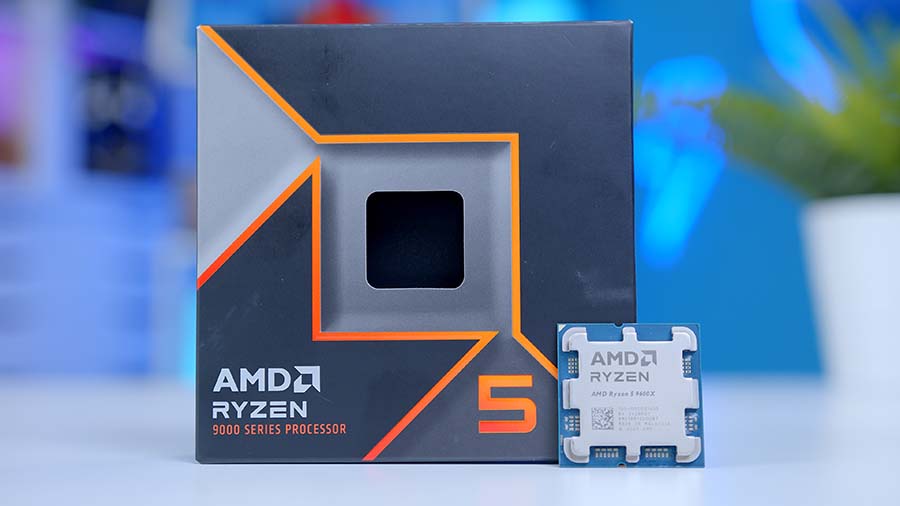
AMD’s Ryzen 5 9600X is a strong gaming-focused Zen 5 chip, pairing 6 cores with high single-threaded speed to suit a balanced 1440p build without overspending on the CPU.
Corsair NAUTILUS 360 RS ARGB
Skip to Section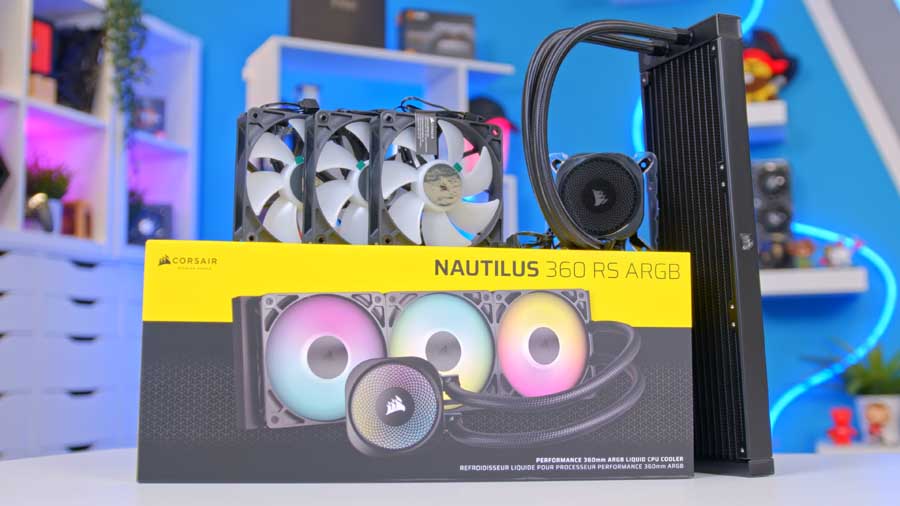
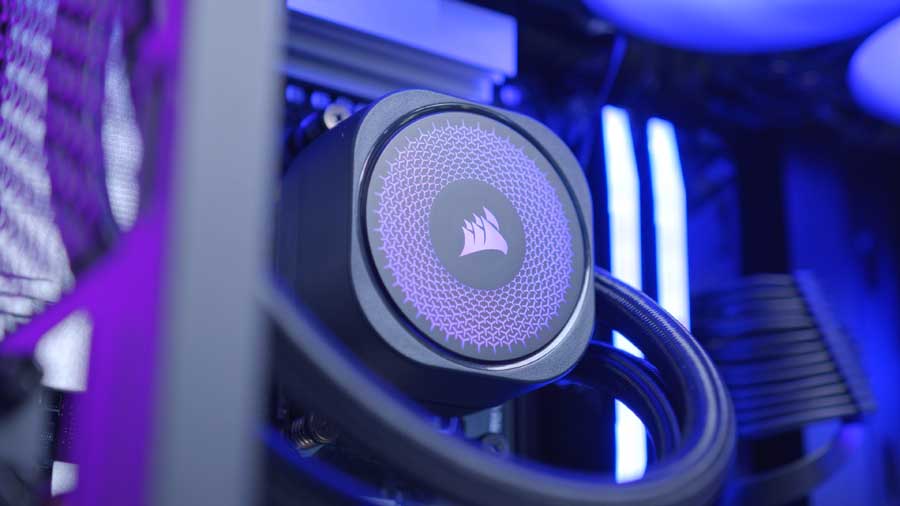
Corsair’s 360mm NAUTILUS RS ARGB keeps installation simple with direct motherboard connectivity while still delivering the airflow, static pressure, and radiator size needed for a modern AM5 gaming system.
MSI PRO B850-P WIFI
Skip to Section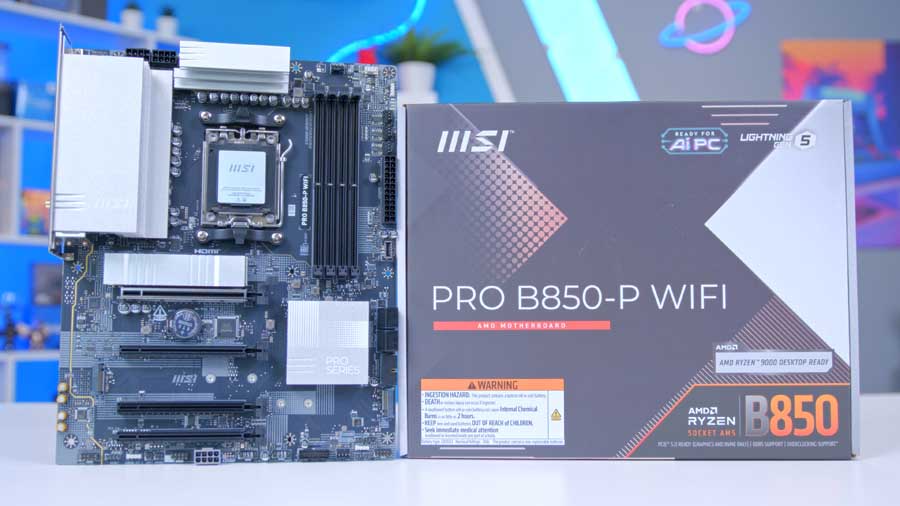
MSI’s PRO B850-P WIFI gives this AM5 build a sensible feature set, combining PCIe 5.0 graphics support, multiple M.2 slots, 5G LAN, and Wi-Fi 7 + Bluetooth 5.4 on a full-size ATX board.
CORSAIR VENGEANCE RGB DDR5
Skip to Section
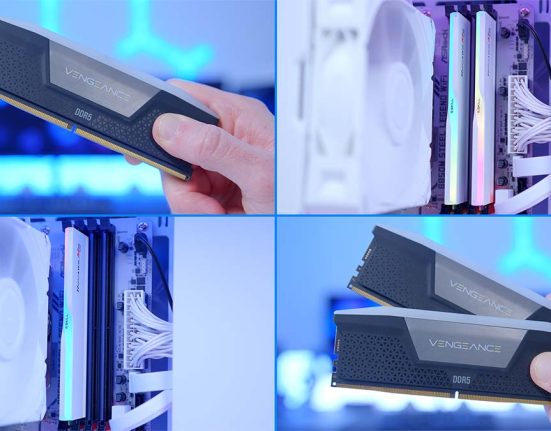
This VENGEANCE RGB DDR5 kit hits a familiar AM5 sweet spot with a 32GB capacity, 6000MT/s speed, and AMD EXPO support, while adding Corsair’s panoramic RGB light bar.
TeamGroup NV5000
Skip to Section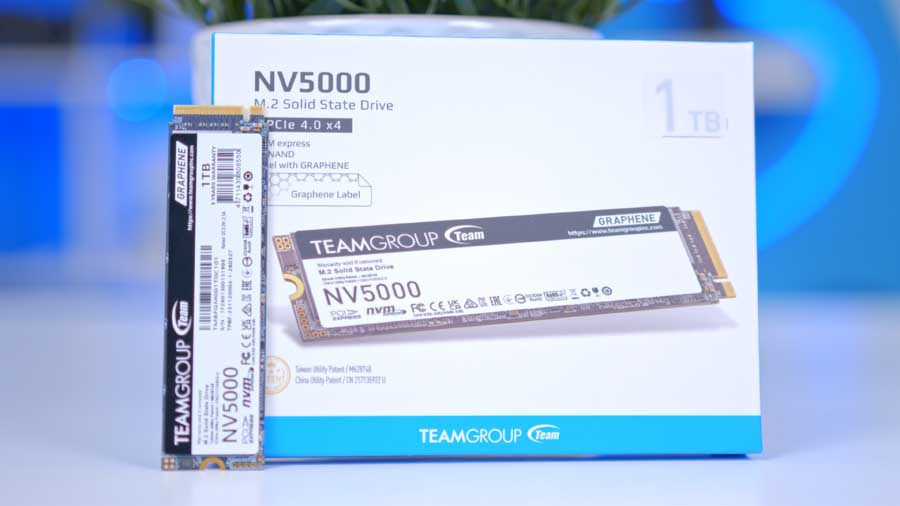
TeamGroup’s NV5000 is an entry-level PCIe 4.0 NVMe drive aimed at straightforward gaming builds, offering enough throughput for a snappy OS and game library without demanding a premium budget.
PowerColor Reaper RX 9070 16GB
Skip to Section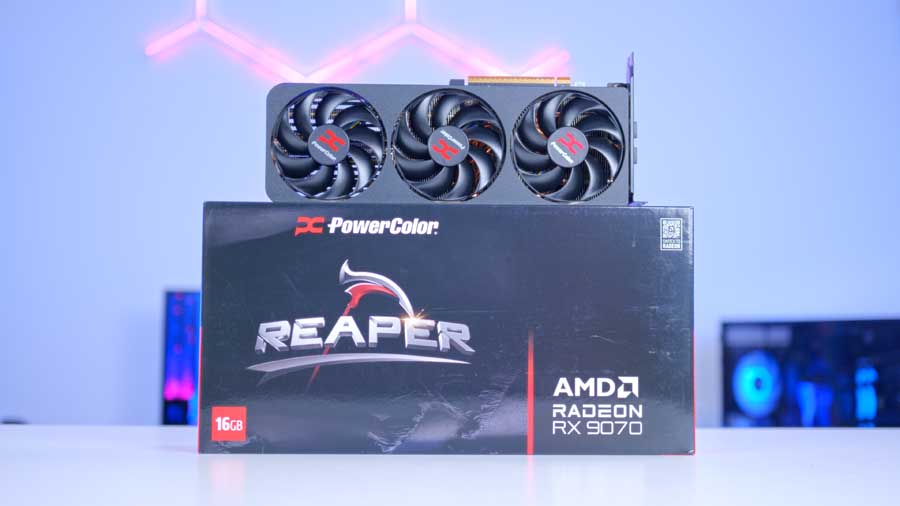
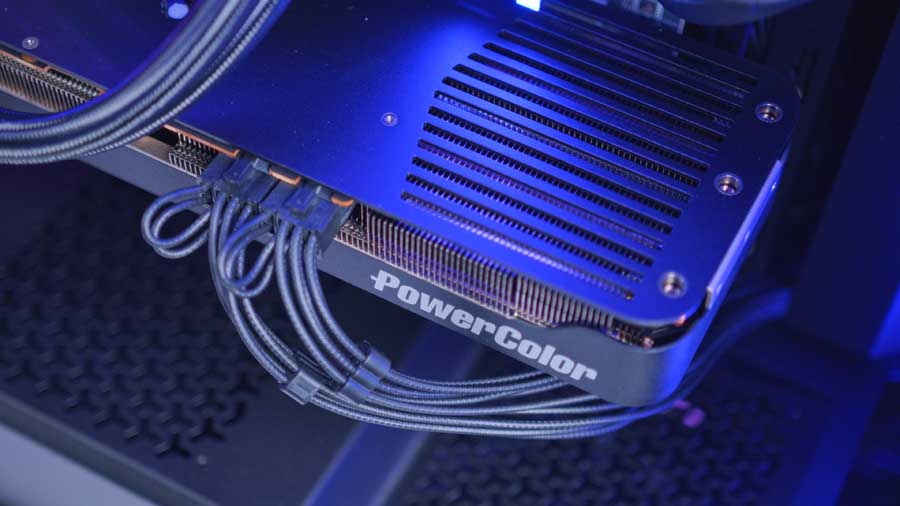
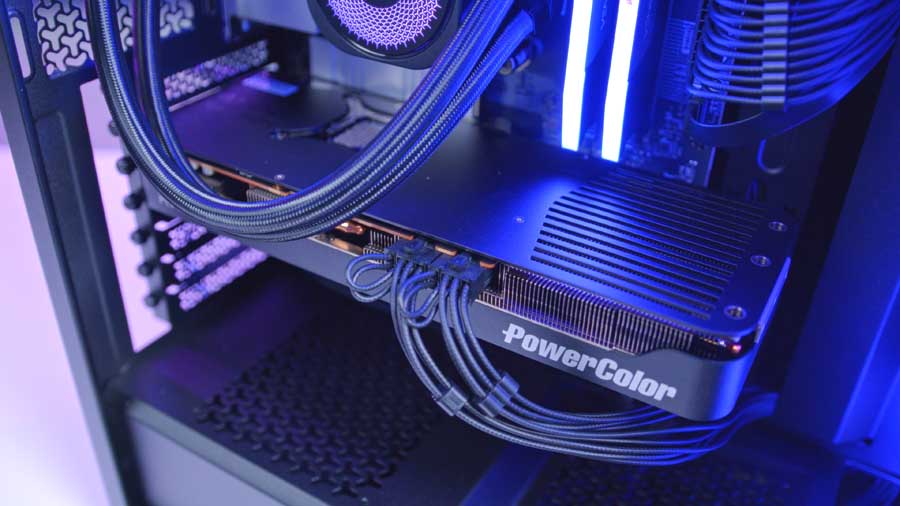
PowerColor’s Reaper RX 9070 is the graphics centerpiece here, bringing 16GB of GDDR6 memory, a compact dual-slot design, and the raster performance expected from a modern 1440p-focused Radeon card.
Corsair 3200D
Skip to Section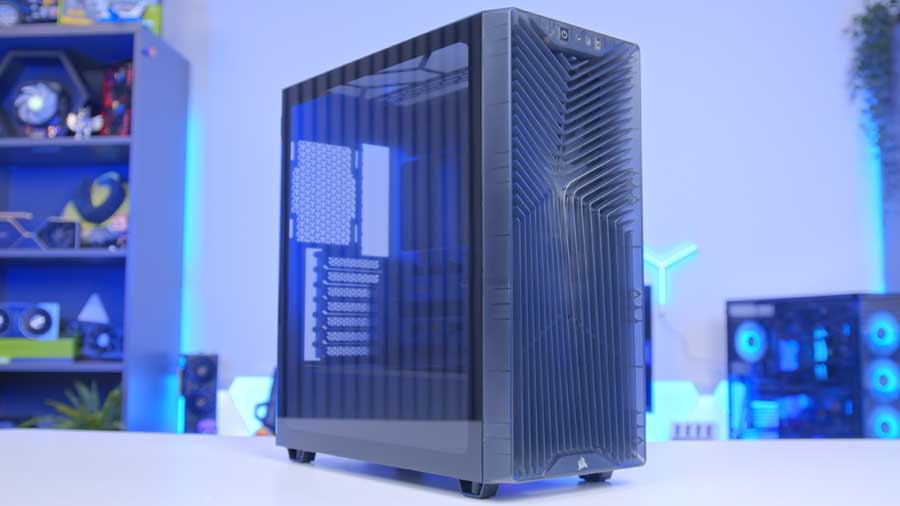
Corsair’s 3200D focuses on airflow and easy building, with roof radiator support, direct GPU airflow from the angled PSU shroud fan mount, and tidy cable routing for a clean gaming PC build.
Corsair RM650e
Skip to Section
Corsair’s RM650e rounds the build out with a compact fully modular design, ATX 3.1 readiness, and enough modern GPU cabling flexibility to support this Radeon system cleanly.
AMD Ryzen 5 9600X
For the CPU in this build, we recommend AMD’s Ryzen 5 9600X chip – with 6 cores, 12 threads, and strong clock speeds that easily surpass the 5GHz mark, it’s a well-rounded, high-performing option. The Ryzen 5 9600X has the edge in single-core applications and games due to its exceptional boost clock speed and low power budget. Because it consumes little power, it can sustain its 5.4GHz boost speed in modern games, making it an excellent pickup for 4K or 1440p with the right graphics card.
Crucially, it also lives on the AMD AM5 socket, which does a huge amount for ensuring good upgrade paths, and keeps motherboard costs down with a huge range of options to choose from. While the Ryzen 5 9600X offers excellent performance and efficiency, it’s worth noting that it is one of the more affordable options.
Corsair NAUTILUS 360 RS ARGB
At GeekaWhat we were impressed by the Corsair Nautilus 360 RS ARGB, so much so that we actually feature the CPU cooler in one of our many prebuilds on our GeekaPC prebuilt PC site. It’s an efficient, low-noise cooler with typically straightforward connectivity and no controller required for the fans. The Fans also come daisy-chained for easier cable management, and the water block cooling plate comes with pre-applied thermal paste for a speedy installation.
While its cooling performance is impressive for the price, the installation in the Corsair 3200D can be a bit finicky. In this particular system, mounting the radiator requires removing the front panel, which adds an extra layer of friction to the build process. In the video linked at the end of the article, James will offer guidance on installing the radiator despite the difficulties outlined.
From Our Full Review
★★★★☆
3.5/5

Pros and Cons
Pros
- Daisy-chained fans
- Doesn’t use proprietary cabling
- Simple to install
Cons
- Flimsy magnetic faceplate
- Fans aren’t pre-installed
- Pricey for a budget cooler
Bottom Line
The Corsair Nautilus 360 RS ARGB gets the basics right with straightforward installation, daisy-chained fans, and standard ARGB cabling that avoids the usual proprietary hassle. Its value is harder to justify, though, because the weaker faceplate design and relatively high price make it a tougher sell against stronger budget AIO alternatives.
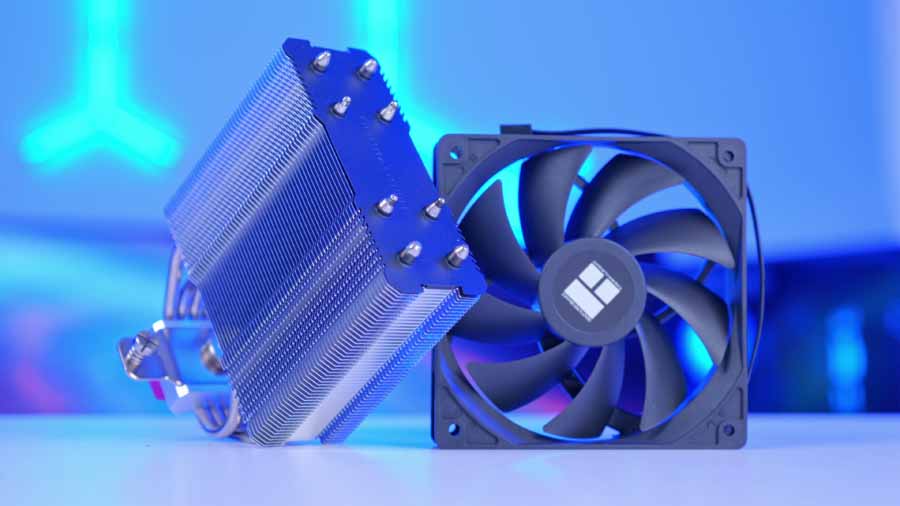
Read The Full ReviewIf you’re looking for a more streamlined assembly, especially for the thermally efficient Ryzen 5 9600X, we recommend the Thermalright Assassin X 120 Refined SE. It trades the liquid-cooling bulk for a dead-simple installation without sacrificing the thermal headroom this CPU needs.
Alternative Air Cooler Choice
Thermalright Assassin X 120 Refined SE
If you want to step away from a 360mm liquid cooler entirely, the Thermalright Assassin X 120 Refined SE is the kind of budget-friendly air option that makes sense for a simpler build. Compared with the Corsair NAUTILUS 360 RS ARGB, the appeal here is lower cost, easier installation, and avoiding mounting complexity while still covering mainstream CPU cooling duties.
MSI ATX PRO B850-P WiFi
For this build, we don’t need anything overly flashy, but we still want a motherboard with strong, future‑proof features. That’s why we’ve chosen the MSI ATX PRO B850‑P WiFi. It delivers the core capabilities you’d expect from higher‑end B850 gaming boards at a more accessible price, while maintaining a clean, professional aesthetic ideal for productivity‑focused users.
Motherboard Specifications
-
Model
MSI PRO B850-P WIFI
-
Chipset / Socket
AMD B850 / Socket AM5
-
Form Factor
ATX (244 x 305 mm)
-
CPU Support
AMD Ryzen 9000 / 8000 / 7000 Series desktop processors
-
Memory Support
4 x DDR5 UDIMM,
Up to 256GB,
DDR5 8200+ MT/s (OC),
Dual-channel -
VRM Design
12+2+1 Duet Rail Power System
-
Graphics Card Compatibility (1 Slot)
Primary PCI_E1 slot supports up to PCIe 5.0 x16 for modern full-size graphics cards
-
Expansion Card Compatibility
PCI_E1: PCIe 5.0 x16
PCI_E2: PCIe 3.0 x1
PCI_E3: PCIe 4.0 x4
PCI_E4: PCIe 3.0 x1 -
M.2 Compatibility (3 Slots)
M2_1 PCIe 5.0 x4 (2260/2280)
M2_2 PCIe 4.0 x4 (2280/22110)
M2_3 PCIe 4.0 x2 (2260/2280) -
SATA Storage
4 x SATA 6Gb/s
-
Networking
5G LAN
Wi-Fi 7
Bluetooth 5.4 -
Rear IO
1 x USB 10Gbps Type-A
2 x USB 10Gbps Type-C
1 x USB 5Gbps Type-A
4 x USB 2.0
2 x Audio jacks
1 x Optical S/PDIF out -
Front IO Headers
1 x USB 5Gbps Type-C front header
2 x USB 5Gbps headers (4 ports)
2 x USB 2.0 headers (4 ports)
Front-panel audio header -
Audio
Realtek ALC897 7.1-channel high-definition audio
With support for Wi‑Fi 7, Bluetooth 5.4, and 5G networking, you’ll have fast and flexible connectivity options. The board also includes a wide selection of USB ports, including both Type‑A and Type‑C, offering speeds up to 10Gbps across the front and rear IO.
The MSI ATX PRO B850‑P WiFi also supports CPU and memory overclocking thanks to its 12+2+1 VRM design and AMD EXPO compatibility, allowing RAM speeds up to 8200 MT/s when paired with capable modules.
CORSAIR VENGEANCE RGB DDR5
The Corsair Vengeance RGB DDR5 RAM is another part that contributes to the stable gaming performance of this build. More specifically, the kit used is the 32GB option with speeds of up to 6000MT/s and a CL36 CAS latency. 32GB of DDR5 memory is more than enough to support blockbuster games for years to come, no matter the kit’s speeds or latency. Corsair Vengeance RAM kits are incredibly stable and solid choices in any build, and the branding ties in with the cooler, case and PSU, making the RGB more cohesive and flow easier.
Whilst it’s possible to pick up a DDR5 kit with transfer speeds of up to 8200 MT/s for this build, thanks to the motherboard of choice, these kits can be quite pricey for the performance they offer. Because of this, we’ve decided to stick to a slightly more ‘affordable’ option, as it will deliver similar performance while allowing funds to be put to good use on other parts, especially considering the current cost of RAM.
TEAMGROUP NV5000
We’re opting for the TEAMGROUP NV5000 1TB for this build. To be transparent: this isn’t a record-breaking component. While it technically uses a Gen4 interface, its speeds sit in that awkward ‘entry-level’ bracket, making it slightly faster than the best Gen3 drives, but well below the Gen4 leaders.
The upside? It’s a brilliant budget Gen4 NVMe that performs ‘well enough’ for gaming and daily tasks, allowing you to donate those extra savings to a better GPU or CPU where they’ll actually make a difference.
Reflecting on historic data storage like HDDs, we’ve come a staggering way. While a Sequential Read of 4,500 MB/s and Write of 1,900 MB/s might look modest on a Gen4 spec sheet, it’s still lightning-fast in practice. For the average user, the difference between this and a flagship drive in boot times or game loading is measured in fractions of a second, not minutes. Before, the choice was between making a cup of tea and waiting for your system to load; now, you can barely fit in a sigh or two. Still, if you’re chasing even faster load times, we could recommend the KIOXIA EXCERIA PLUS G4 or the TEAMGROUP MP44L as slightly more expensive alternatives.
PowerColor Radeon RX 9070 Reaper 16GB
Engineered for 1440p gaming, the RX 9070 is the component that carries the graphical workload; it’s powerful enough to take the weight off the AMD Ryzen 5 9600X – eliminating any CPU-to-GPU bottlenecks and resulting in a well-balanced pairing in some games, even at 4K resolution. This graphics card offers immense significance in terms of overall price-to-performance value.
From Our Full Review
RX 9070 Benchmarking

This carousel compares the RX 9070 against RX 9070 XT, RTX 5090, RTX 5080, and RTX 5070 Ti at 1440p High graphics settings.
Delivering 16GB of GDDR6 VRAM on a wide 256-bit memory bus, along with a 2.07 GHz game clock, the RX 9070 leverages the latest RDNA 4 architecture. This generation marks a massive shift with the introduction of AI-accelerated FSR 4. Unlike previous versions, FSR 4 uses machine learning to reconstruct crisp, high-quality visuals from lower-resolution frames. By intelligently generating and inserting new frames between rendered ones, it provides a fluid, high-refresh experience that feels native, even in the most demanding AAA titles.
From Our Full Review
★★★★☆
3.5/5
Pros and Cons
Pros
- Competitive pricing versus the RTX 5070
- Outperforms the RTX 5070 in most games
- Strong 4K performance for the price
Cons
- Ray tracing still struggles without frame generation
- The Gigabyte Gaming OC design is fairly simplistic
- The RX 9070 XT is a very close and tempting step-up option
Bottom Line
The Radeon RX 9070 is a strong-value graphics card for a high-end 1440p or entry-level 4K gaming build, especially if you are comparing it directly with NVIDIA’s RTX 5070. It wins on pricing and raster performance in a lot of modern games, but weaker ray tracing and the existence of the slightly pricier RX 9070 XT make the buying decision less clear-cut than it first appears.
Read The Full ReviewThe PowerColor Radeon RX 9070 Reaper 16GB itself is praised for maintaining decent thermals and running silently in games, likely thanks to the high-quality Japanese dual ball bearings and high-efficiency ring blade fans that PowerColor has integrated. Whilst the red accents are a bold choice, these are typically hidden due to the natural mounting orientation of the GPU when mounted, so this makes for a thermally sound and quiet graphics card.
Corsair 3200D
We’ve picked up the Corsair 3200D in the sophisticated Smoke colourway, with Black and White also available. It’s a fresh entry from Corsair that makes a strong first impression, packing an appealing feature set into a clean, modern mid-tower chassis. The Smoke finish in particular adds character, subtly diffusing the front RGB for a softer, more premium glow.
On paper, it checks nearly every box builders tend to look for: support for a 360mm radiator on the top panel, three pre‑installed RGB fans (model dependent), a convenient front IO with USB Type‑C, an included GPU anti‑sag bracket for cards up to 370mm, and a tempered‑glass side panel. It’s a well-rounded package that feels thoughtfully equipped rather than padded with filler.
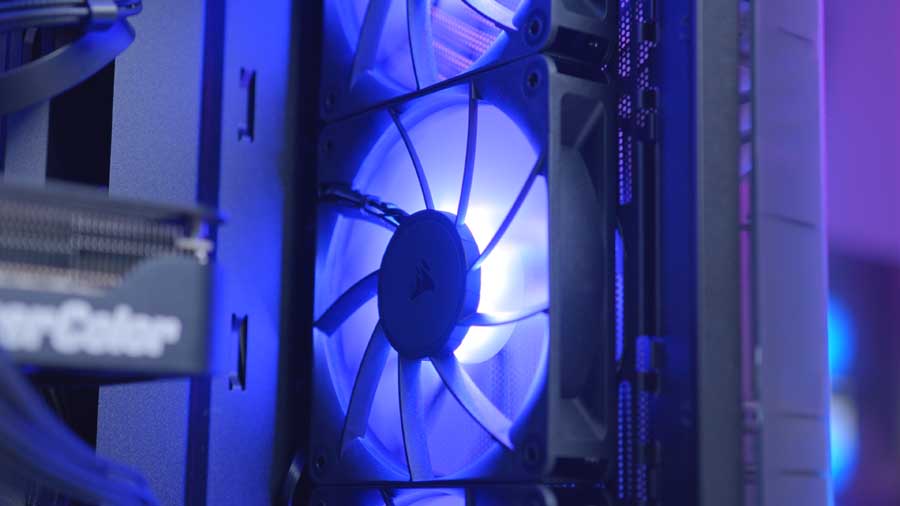
Corsair clearly designed the 3200D with airflow and ease of building in mind. The angled PSU shroud helps direct cool air toward the GPU, the radiator bracket and pre-installed fans simplify setup, and the mesh front panel, paired with a dust filter, keeps temperatures in check while protecting components. The intent is obvious, and we appreciate how builder‑friendly the layout feels.
That said, we did run into some challenges when mounting a radiator on the top panel. While the case technically supports a 360mm unit, clearance can get tight even with a Corsair cooler, so installation may require a bit more patience than expected.
Corsair RM650e (2025)
For a reliable PSU to power this system, we’re choosing our all-time favourite. This power supply is rated Gold for both 80 PLUS and Cybenetics, indicating it is highly energy efficient. It’s also ATX 3.1- and PCIe 5.1-certified, supporting the latest CPUs and GPUs. It’s fully modular, giving you complete control over your cable management setup. It’s really a unit we refuse to leave on our shelves.
Gallery

Performance
We tested this system at 1080p and 1440p in a range of games to showcase the level of gameplay experience it would provide if you were to build it. Whilst the GPU and CPU combination will be capable of delivering 4K at above 60 FPS for the vast majority of games, we wanted to provide a realistic scenario of what the average user would dial the settings to in popular titles. That means fast-paced, high-refresh experiences like Call of Duty: Black Ops 7, Battlefield 6, Marvel Rivals, and ARC Raiders, alongside heavier, more cinematic titles, including Resident Evil Requiem, Cyberpunk 2077 – which is slightly outdated but relevant for graphics benchmarking.
The most impressive result we found was RE Requiem with a whopping 295.8 FPS at 1080p. Whilst this is absolutely a testament to the game developers’ optimisation of this new release, we have to say that the RX 9070 handles this graphically demanding game very well. Aside from that, all other games maintain a frame pacing well above 100 FPS, resulting in an incredibly smooth overall gaming experience.

![FI_[SR190] HYTE X50 Ryzen 5 9600X & MSI RTX 5070 Ti](https://geekawhat.com/wp-content/uploads/2026/01/FI_SR190-HYTE-X50-Ryzen-5-9600X-MSI-RTX-5070-Ti-551x431.jpg)
![FI_[DP064] ASUS Prime AP303 + 9070XT](https://geekawhat.com/wp-content/uploads/2026/03/FI_DP064-ASUS-Prime-AP303-9070XT-551x431.jpg)
![FI_[DM89] Phanteks Evolv + AORUS 5090 9850X3D Gallery (8)](https://geekawhat.com/wp-content/uploads/2026/02/FI_DM89-Phanteks-Evolv-AORUS-5090-9850X3D-Gallery-8-551x431.jpg)