

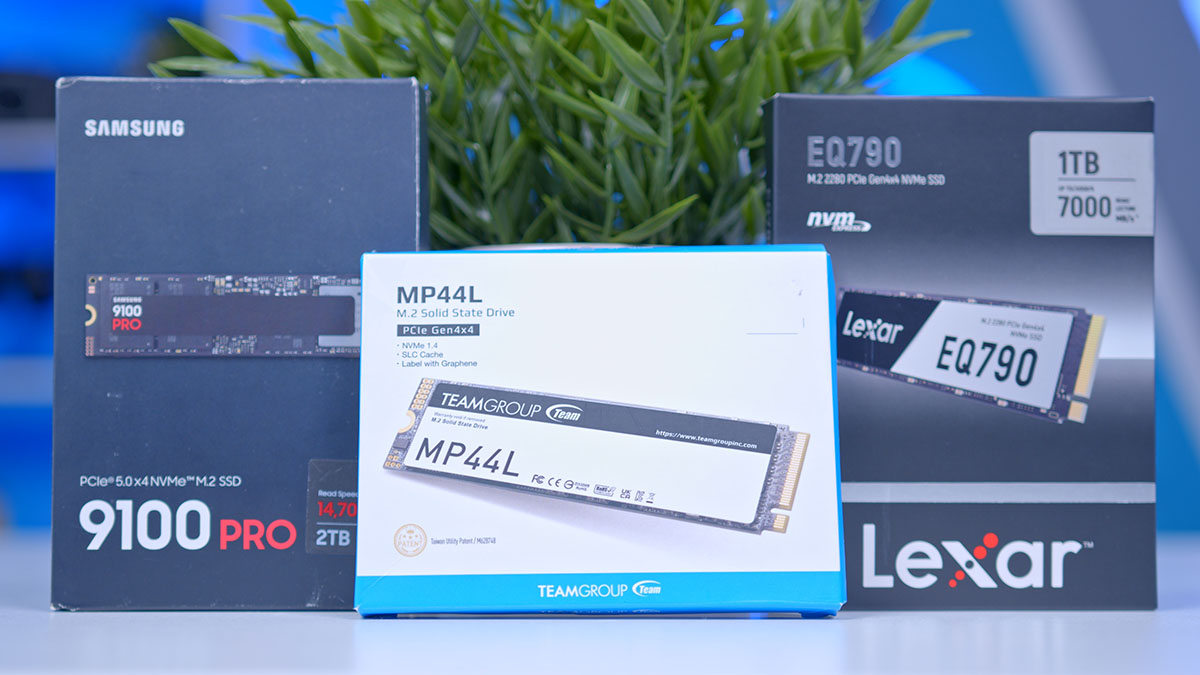
The storage market has seen significant changes in the past couple of years, with Gen4 SSDs seeing huge price drops following an oversupply of flash chips. Gen5 SSDs also launched in 2023, offering insane read and write speeds but carrying the significant caveat of high thermals. To determine which drives offer the best value proposition, we’ve tested the best SSDs that we believe provide an outstanding balance of capacity and performance.
We’ve tested a multitude of Gen4 and Gen5 SSDs to see which options are worth picking up and which drives are worth avoiding. In this guide, we’ve analysed a few drives for different use cases and budgets, discussing why they’re worth considering compared to market alternatives.
The Best SSDs
1. TeamGroup MP44L
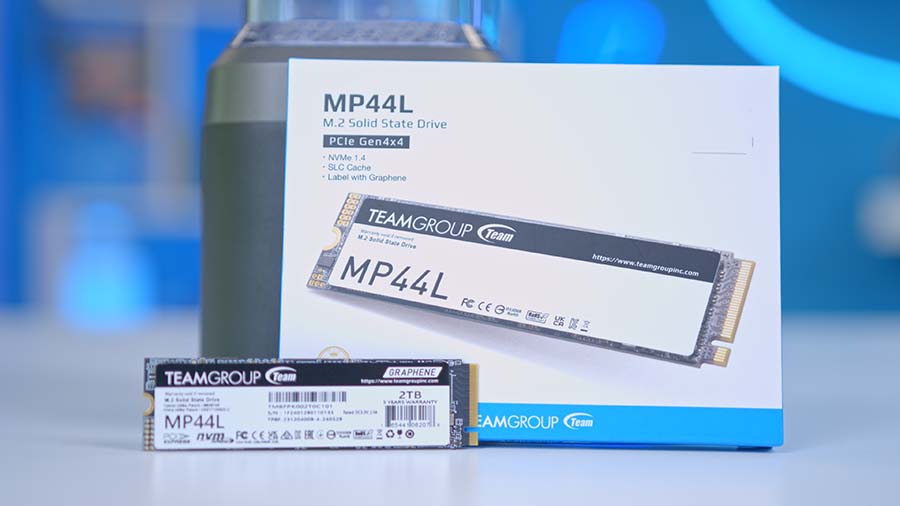
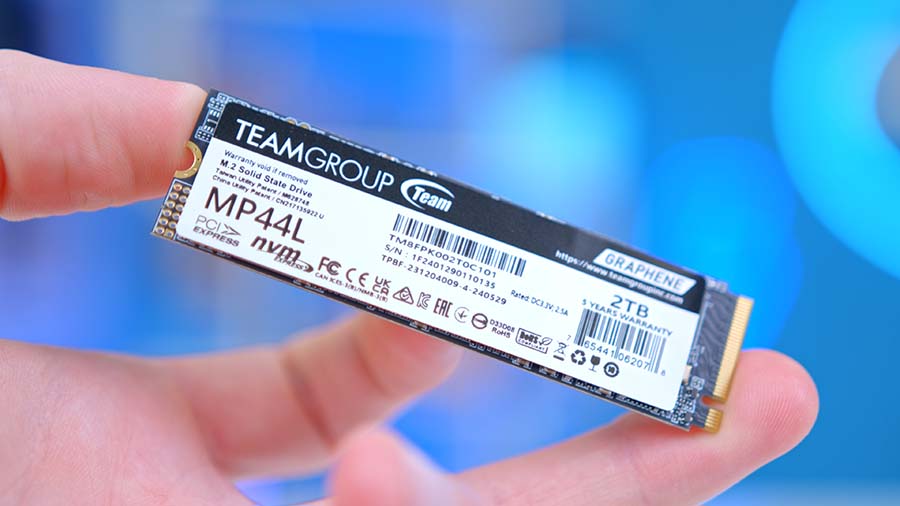
You’ll recognise this drive as the one we use most often in our more cost‑effective PC builds, including our Affordable Gaming PC for 2026. We rely on this SSD because it has consistently proven to be a sturdy and dependable Gen4 option, delivering respectable speeds without inflating the overall system cost.
One thing worth highlighting is a potential thermal concern. During our testing, we avoid using heatsinks to maintain a fair and consistent testing environment. While the temperatures we recorded weren’t dangerous, they were high enough to raise some concerns. With modern games and applications becoming increasingly demanding, this drive may draw more power under load, which naturally leads to higher heat output. For that reason, we strongly recommend pairing it with a heatsink; it’s a simple precaution that helps ensure long‑term stability.
| Specification | TeamGroup MP44L |
|---|---|
| PCI-E Generation | Gen4 |
| Capacity | 250GB, 500GB, 1TB, 2TB |
| Sequential Read Speed | 250GB: 4650MB/s 500GB, 1TB: 5000MB/s 2TB: 4800MB/s |
| Sequential Write Speed | 250GB: 1900MB/s 500GB: 2500MB/s 1TB: 4500MB/s 2TB: 4400MB/s |
| Warranty | 5 years |
| Endurance | 250GB: 200TBW 500GB: 300TBW 1TB: 600TBW 2TB: 1200TBW |
| Form Factor | M.2 2280 |
TeamGroup’s MP44L is a standard 22 mm by 80 mm (2280) Gen4 M.2 SSD, advertised with sequential read speeds up to 4800 MB/s and write speeds up to 4400 MB/s. These figures aren’t chart‑topping by today’s standards, but they remain perfectly suitable for low‑ to mid‑range gaming systems where value and reliability matter more than raw speed.
If you’re looking for an SSD that isn’t overpriced, offers solid gaming performance, and is dependable, we recommend the TeamGroup MP44L. In our testing, we found that the drive performed better than advertised, even after retesting, so we were pleasantly surprised.
Suggested Article: TeamGroup MP44L SSD Review


2. LEXAR EQ790
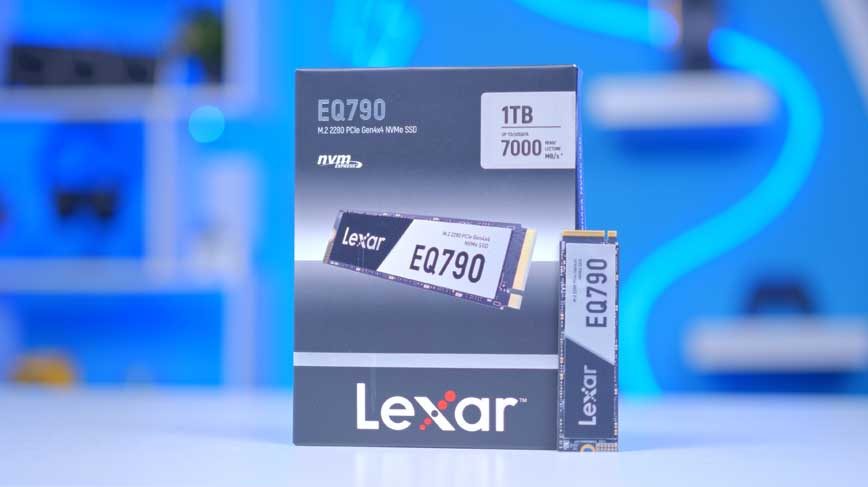
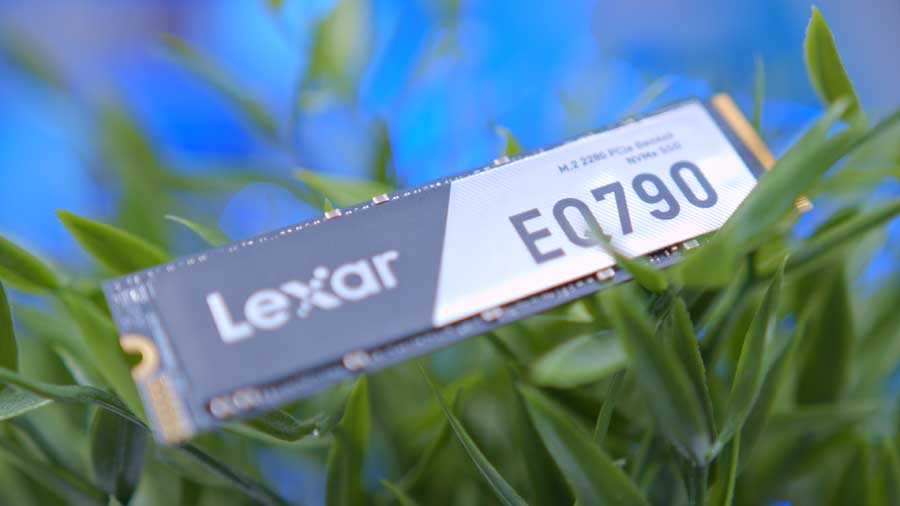
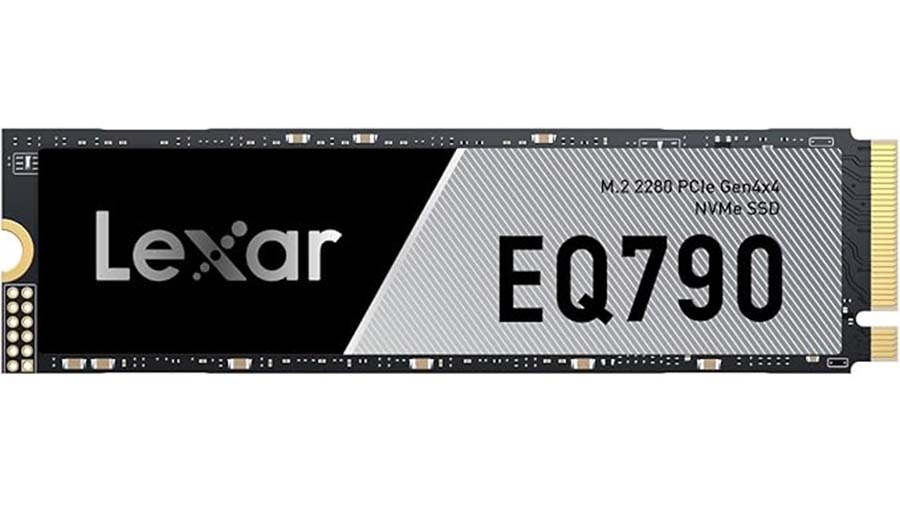
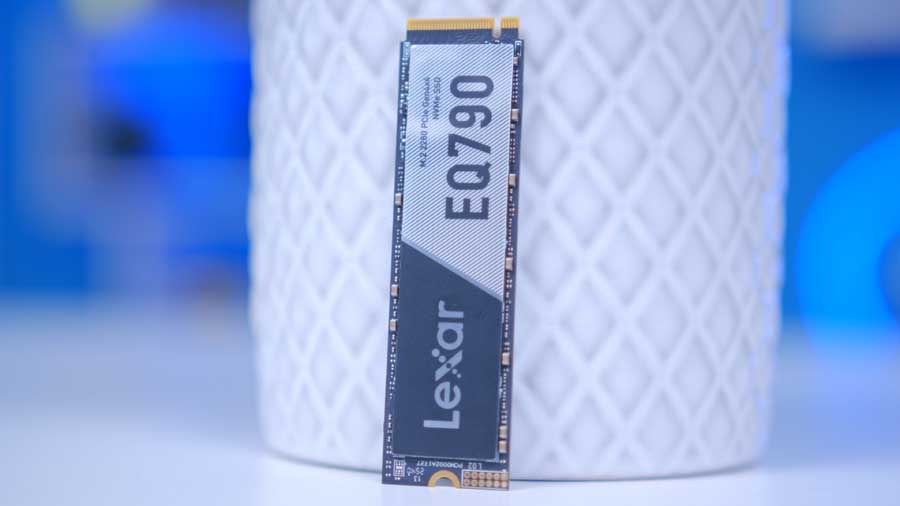
The Lexar EQ790, released in 2025, represents Lexar’s latest approach to delivering high-speed NVMe performance with a strong focus on efficiency and value. Designed to build on the success of earlier models, targeting users who want fast everyday performance while benefiting from improved thermal behaviour and a more cost-effective design.
While the Lexar NM790 remains a great option for heavy workloads thanks to its TLC NAND and higher endurance, the EQ790’s use of QLC NAND allows it to offer competitive speeds at a more accessible price point. This makes it a great choice for users who want strong performance without paying a price premium for endurance they may not fully need.
| Specification | Lexar EQ790 |
|---|---|
| PCI-E Generation | Gen4 |
| Capacity | 1TB, 2TB, 4TB |
| Sequential Read Speed | 1TB, 2TB, 4TB: 7000MB/s |
| Sequential Write Speed | 1TB, 2TB: 5000MB/s 4TB: 6000MB/s |
| Warranty | 5 Years |
| Endurance | 1TB: 600TBW 2TB: 1200TBW 4TB: 2400TBW |
| Form Factor | M.2 2280 |
The Lexar EQ790 spans a standard capacity range from 1TB to 4TB, all advertised to almost reach the theoretical maximum of Gen4 drives, with sequential read speeds up to 7000MB/s and sequential write speeds up to 6000MB/s. The theoretical maximum prediction is around 8000MB/s for sequential reads and roughly 7000MB/s for sequential writes, meaning the EQ790 comes impressively close to the upper limits of the PCIe Gen4 interface.
This drive is best suited for builders looking for a large‑capacity SSD at a reasonable price, with fast transfer speeds for its generation and competitive performance in today’s market. It’s an excellent choice for gaming, general use, and mid‑range systems, and it also fits well in high‑end builds where the user isn’t focused on monitoring sustained write speeds or endurance‑heavy workloads.
Suggested Article: Lexar NM790 SSD Review
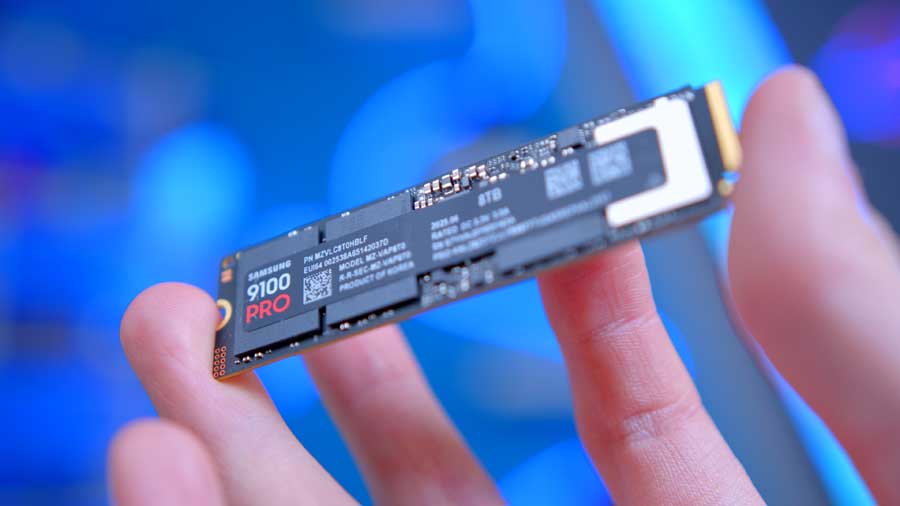
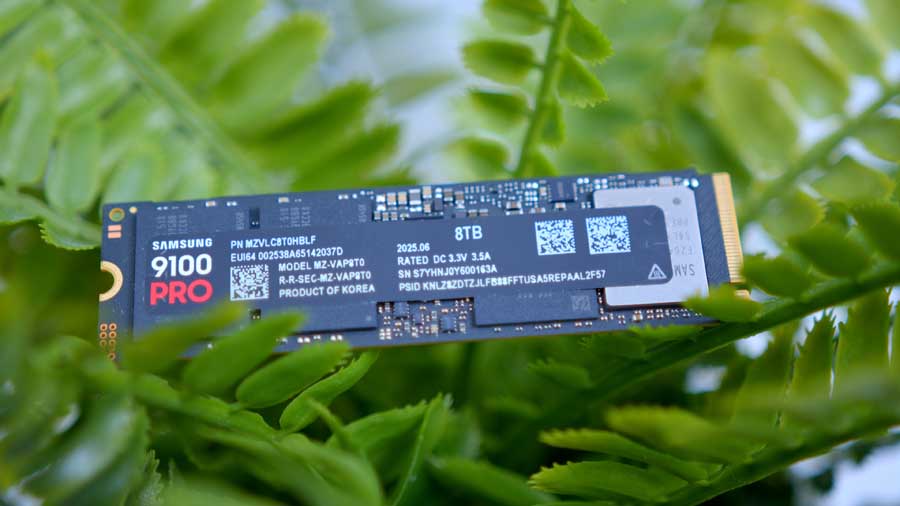
3. Samsung 9100 Pro
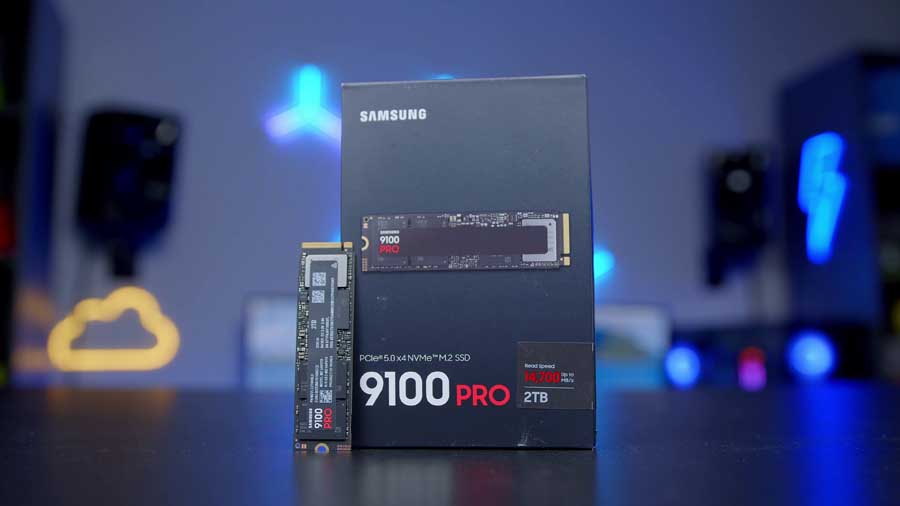
Samsung’s 9100 Pro SSD has quickly become a favourite here at Geekawhat, and for good reason. Across every capacity, it delivers exceptional performance that competitors have yet to match since our initial review. As a Gen5 drive running on the PCIe 5.0 interface, it offers up to twice the transfer speeds of PCIe 4.0 and Gen4 M.2 alternatives, putting it in a completely different league from our other recommendations. However, it comes with a steeper price tag.
The 9100 Pro uses the standard M.2 2280 form factor, which is the most common size for consumer NVMe SSDs. The “2280” designation refers to its physical dimensions of 22 mm by 80 mm.
While it’s more than capable of handling gaming and operating system loads such as Windows 11, the 9100 Pro truly excels in heavy data transfer and professional content‑creation workloads. With blisteringly fast sequential read and write speeds of 14,800MB/s and 13,400MB/s, tasks like video editing, 3D rendering, and long streaming sessions feel effortless.
| Specification | Samsung 9100 Pro |
|---|---|
| PCI-E Generation | Gen5 |
| Capacity | 1TB, 2TB, 4TB, 8TB |
| Sequential Read Speed | 1TB, 2TB: 14,700MB/s 4TB, 8TB: 14,800MB/s |
| Sequential Write Speed | 1TB: 13,300MB/s 2TB, 4TB, 8TB: 13,400MB/s |
| Warranty | 5 years |
| Endurance | 1TB: 600TBW 2TB: 1,200TBW 4TB: 2,400TBW 8TB: 4,800TBW |
| Form Factor | M.2 2280 |
Given the extreme speeds of Gen5 SSDs, heat management is crucial, and Samsung has equipped the 9100 Pro with a robust heat spreader to keep temperatures under control. The drive features a low‑profile aluminium heat spreader designed to draw heat away from the controller and NAND chips, helping maintain consistent performance during sustained workloads. While it isn’t as bulky as some third‑party Gen5 coolers, it’s engineered to work seamlessly with motherboard‑level heatsinks, which most modern boards include. This combination ensures the drive avoids thermal throttling even during heavy data transfers or long rendering sessions.
Capacity options range from 1TB all the way up to 8TB, making it one of the most versatile and spacious SSDs available as of January 2026. The Samsung 9100 Pro is, without question, an enthusiast‑grade component built for users who demand the absolute best.
Suggested Article: Samsung 9100 Pro SSD Review

How We Tested the Best SSDs
To test the best SSDs, we put all these drives through the wringer in CrystalDiskMark. We use this application across all of our SSD testing to provide data that closely matches real-world scenarios in which an SSD is constantly written to and read. CrystalDiskMark applies an artificial load on the drive you’re using, which then provides sequential read and write speed data. We then arrange the data into a graph to cross-compare our results and determine the best-performing SSDs.
Performance
The graph below includes USB 3.2 Gen2 drives, Gen3 SSDs, Gen4 SSDs and Gen5 SSDs. Looking at the graph, the Samsung 9100 Pro is the best-performing drive, delivering impressive sequential read and write speeds of 14,054MB/s and 13,189MB/s, respectively. Next up is Lexar’s EQ790, which gave us sequential read speeds of 7,070MB/s and sequential write speeds of 5,410MB/s. Lastly, TeamGroup MP44L came in with a 5,152MB/s read speed and a 4,450MB/s write speed.
The Samsung 9100 Pro’s 1TB and 2TB capacities are advertised to perform the same at Sequential Read speeds of 14,700MB/s, which is why this metric still holds up against the other two drives testing at their 1TB capacities. The difference only lies in the sequential write speeds, advertised at 100MB/s for the 1TB and 2TB capacities.
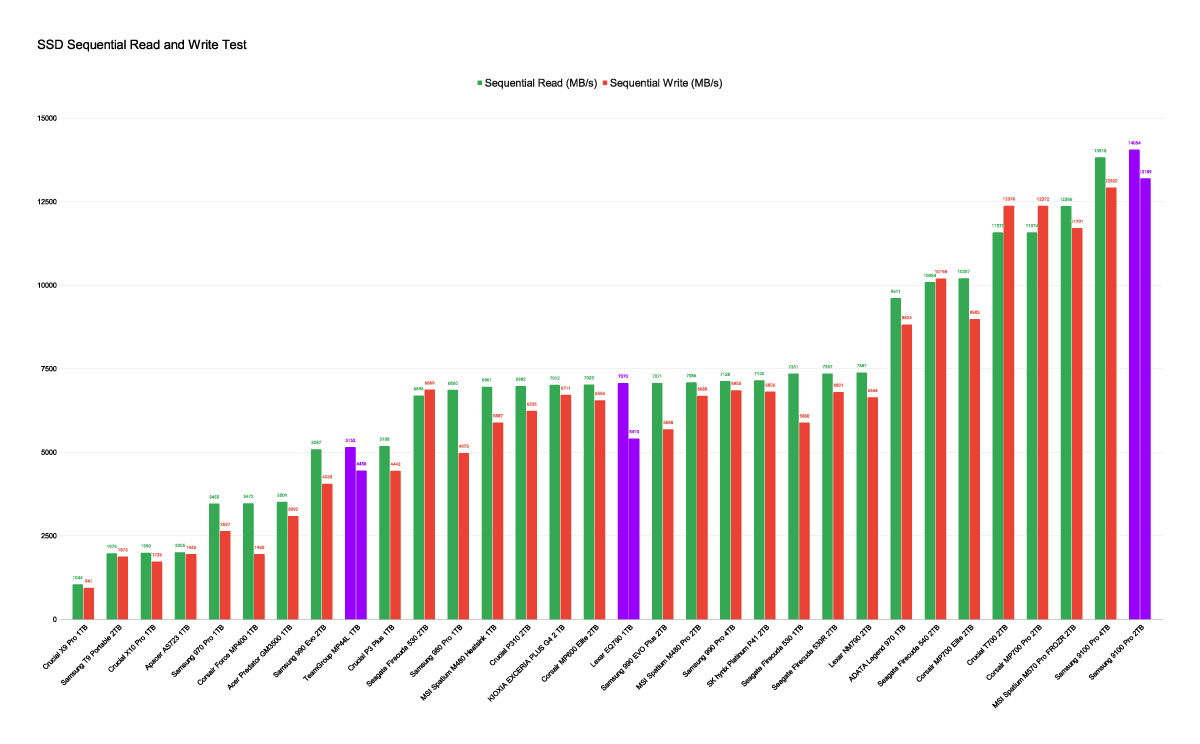
It’s no surprise that the Samsung 9100 Pro stands as our best‑performing drive. As mentioned earlier, its performance is on a whole other level compared to the Gen4 options we’ve recommended. To be transparent, it isn’t entirely fair to compare the 9100 Pro directly with the Lexar EQ790 or the TeamGroup MP44L, as the gap in specifications between Gen4 and Gen5 hardware is significant. Ultimately, when comparing Gen4 and Gen5 performance, Gen5 will usually win because the write speeds are much higher.
However, the benefit of Gen4 SSDs is that their thermals are much better and their pricing is much more affordable, with larger-capacity SSDs being much more affordable for budget systems. However, given the current landscape of storage and memory-related devices and the wide range of pricing and performance tiers available, we felt it was essential to showcase options that span from budget‑friendly to true enthusiast‑grade components.

![FI_[SR190] HYTE X50 Ryzen 5 9600X & MSI RTX 5070 Ti](https://geekawhat.com/wp-content/uploads/2026/01/FI_SR190-HYTE-X50-Ryzen-5-9600X-MSI-RTX-5070-Ti-551x431.jpg)
![FI_[DP064] ASUS Prime AP303 + 9070XT](https://geekawhat.com/wp-content/uploads/2026/03/FI_DP064-ASUS-Prime-AP303-9070XT-551x431.jpg)
![FI_[DM93] Corsair 3200D Launch](https://geekawhat.com/wp-content/uploads/2026/03/FI_DM93-Corsair-3200D-LAUNCH-551x431.jpg)
![FI_[DM89] Phanteks Evolv + AORUS 5090 9850X3D Gallery (8)](https://geekawhat.com/wp-content/uploads/2026/02/FI_DM89-Phanteks-Evolv-AORUS-5090-9850X3D-Gallery-8-551x431.jpg)