Liquid coolers are the most efficient units for cooling power-hungry processors that generate a lot of heat. Still, with the market offering a range of specifications, prices, and aesthetics, picking a standout cooler for your PC can feel confusing and problematic.
But what do all of these specs really mean in terms of real-world value? Is it worth picking the most potent option for longevity? Or are there cheaper options for consumers on a more restrictive budget? We’re sure you have questions about performance, price, and long-term value.
So we’ve rounded up some of the best-performing 360mm liquid coolers we’ve seen, based on all the above, covering a range of coolers from various brands with price points suited to a variety of budgets.
1. MSI MPG CORELIQUID P13 360
Buy the MSI MPG CoreLiquid P13 Cooler in Black:
Buy the MSI MPG CoreLiquid P13 Cooler in White:
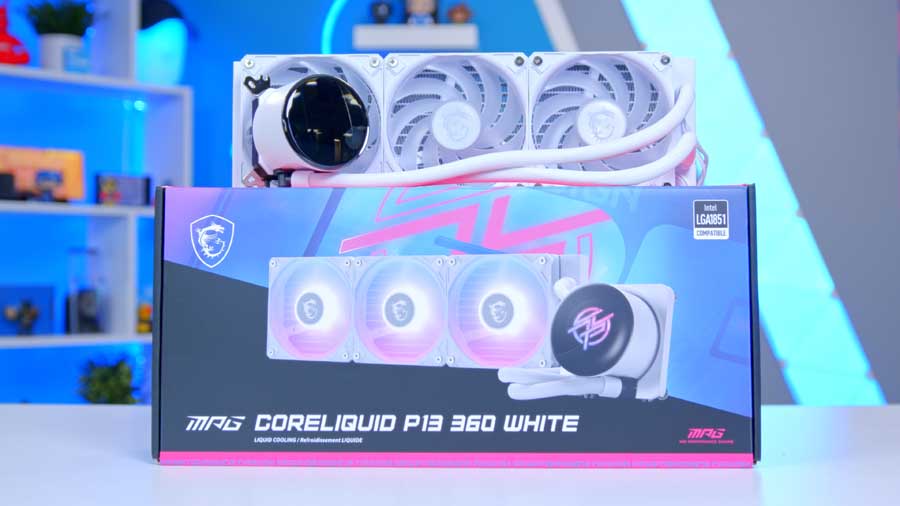
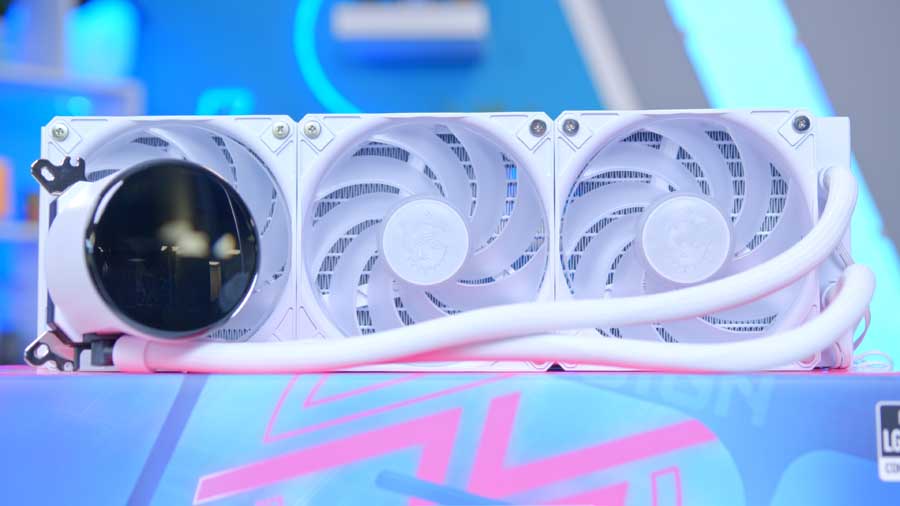
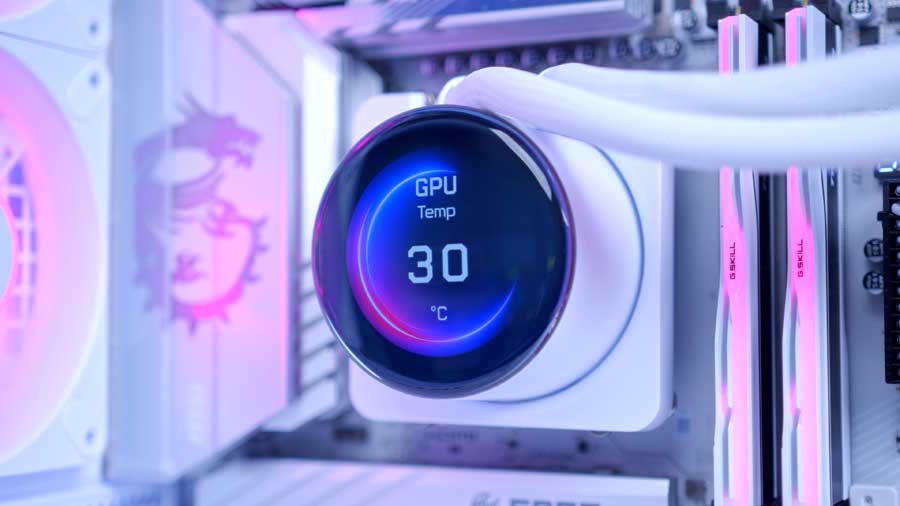
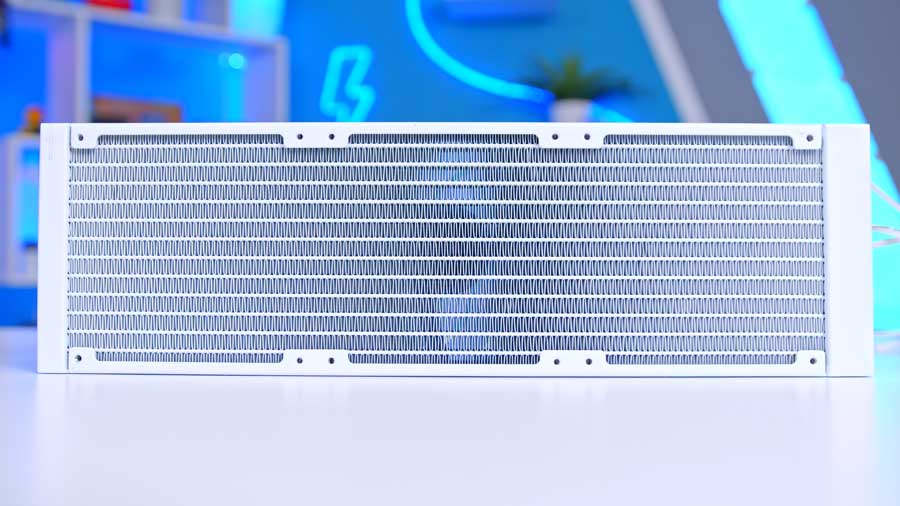
First up in our 360mm buyer’s guide roundup is MSI’s MPG CoreLiquid P13, which is a magnificent All-In-One liquid CPU cooler built for high performance. Inspired by the appearance of a water droplet, the CoreLiquid P13’s design emphasises fluid efficiency with its contoured, smooth edges. The water block is a functional centrepiece, incorporating a 2.1-inch IPS LCD to provide builders with real-time monitoring of temperatures, system stats, and personalised content. The P13’s cooling performance is driven by a high-speed PWM pump topping out at 3400 RPM, ensuring consistent coolant circulation. This is paired with a 394 mm radiator, featuring a slim 27.2 mm profile, making installation in mid-tower cases easier.
The unit integrates MSI’s UNI BRACKET system, simplifying installation by allowing the water block to be installed from the start. We will note, however, that we have sometimes found it to have alignment issues when mounting the bracket to a motherboard, though unfortunately. The screw holes on the bracket don’t align snugly with the holes on the motherboard, and what doesn’t help is that the bracket is metal, so it’s not dynamic or adjustable. It’s a brilliant feature if it weren’t for this minor issue.
| Key Specs | MSI MPG CoreLiquid P13 |
|---|---|
| Radiator Size | 360 mm |
| Radiator Dimensions (L x W x H) | 394 x 119.6 x 27.2 mm |
| Number of Fans | 3 |
| Bearing Type | Rifle Bearing |
| Pump Connector | PWM |
| Max Pump Speed | 3400 RPM |
| Max Fan Speed | 2050 RPM |
| Socket Compatibility | Intel – LGA 1700, 1851 AMD – AM5, AM4 |
The MPG CoreLiquid P13 uses Streamline, which is MSI’s latest hidden-cable design technology that fully integrates all power and signal cables for the water block directly into the sleeved tubing, eliminating any visible external wires. By routing both power and LCD signals through the tubing itself, Streamline creates a truly seamless connection between the water block and the motherboard. This results in a cleaner build aesthetic, reduced cable clutter, and a significantly simplified installation process. It redefines cable management for modern liquid cooling systems and elevates the standards of form-meets-function design.
The system employs three ARGB CycloBlade 9 fans with durable rifle bearings, capable of reaching 2050 RPM. MSI’s attention to detail also extends to daisy-chain connectors, which minimise cable clutter again and contribute to a clean, premium aesthetic. It offers substantial thermal headroom for the latest chips on the market as of late 2025, providing consistent, peak-efficiency cooling for both Intel LGA 1700/1851 and AMD AM5/AM4 sockets. In short, the CoreLiquid P13 combines luxurious minimalism with engineering precision, and we consider it one of the best 360mm coolers money can buy.
Suggested article: MSI MPG CoreLiquid P13 Cooler Review
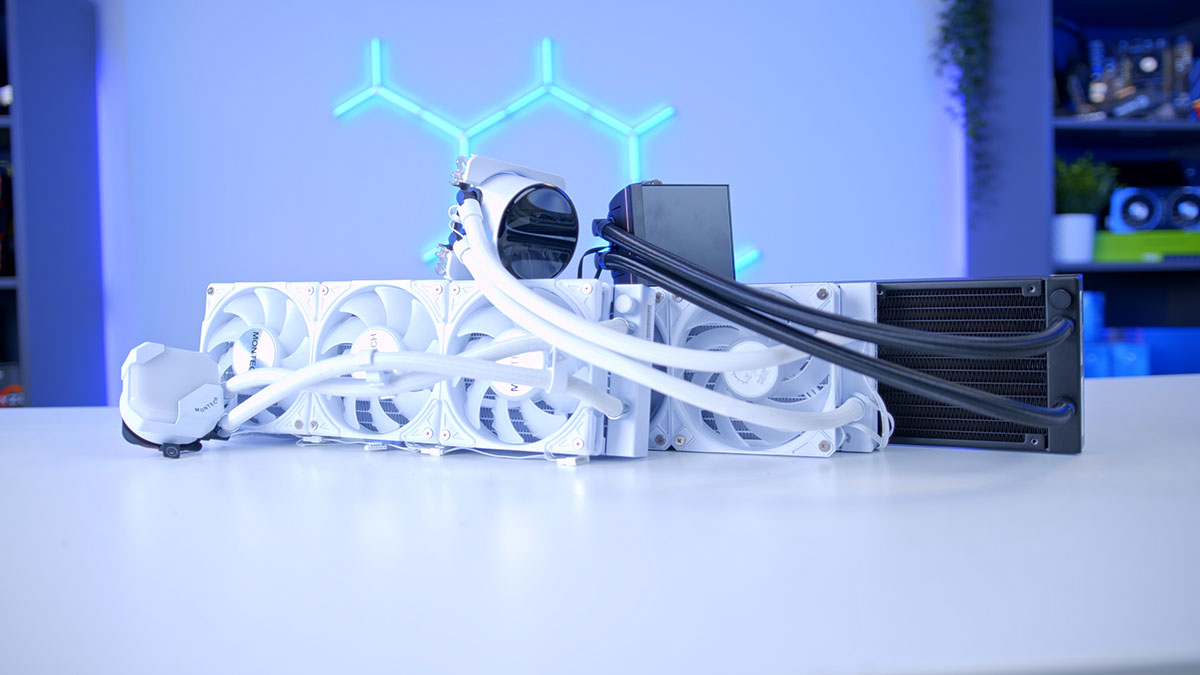
2. Montech Hyperflow ARGB 360

Buy the Montech HyperFlow ARGB 360 In Black.
Buy the Montech HyperFlow ARGB 360 in White.
During testing, the Montech HyperFlow ARGB 360 CPU cooler impressed us with performance well beyond its price bracket. Despite being positioned as a budget cooler, it consistently matched results from far more expensive liquid units, holding firm across both four‑thread and eight‑thread workloads.
Aesthetics are another highlight: offered in black or white, the latter delivers a crisp, minimalist look that pairs beautifully with modern builds. ARGB illumination spans the fans and CPU block, all fully synchronisable through motherboard software for seamless control. Installation is refreshingly simple thanks to intuitive mounting hardware, and the daisy‑chain fan cabling keeps wiring neat. Although the pump block cannot be rotated, this limitation is minor compared to the overall design strengths and ease of use.
| Key Specs | Montech HyperFlow ARGB 360 |
|---|---|
| Radiator Size | 360mm |
| Radiator Dimensions (L x W x H) | 397mm x 120mm x 27mm |
| Number of Fans | 3 |
| Max Fan Speed | 2200RPM |
| Bearing Type | Fluid Dynamic |
| Pump Connector | PWM |
| Max Pump Speed | 3300RPM |
| Socket Compatibility | Intel – LGA 1851, 1700, 1200, 115X, 20XX AMD – AM5, AM4, AM3 |
The HyperFlow ARGB 360 offers broad socket compatibility, making it a versatile choice for builders. On the Intel side, it supports LGA 1851, 1700, 1200, and 115X, ensuring readiness for both current and next‑generation CPUs. For AMD users, the cooler is compatible with AM5 and AM4, providing reliable support across the latest platforms.
So, the Montech HyperFlow ARGB 360 already impresses with its spec and value, but Montech has gone a step further with the HyperFlow Digital 360. This updated model retains the same strong cooling capabilities while refining fan speeds and bearings for improved efficiency. The standout addition is its integrated digital display, which provides real‑time system information directly on the CPU block. It’s a small but meaningful upgrade that enhances usability and aesthetics, giving builders both the thermal performance they expect and a touch of modern flair.
Suggested article: Montech Hyperflow Digital 360 Cooler Review


3. Thermaltake MAGFloe 360 Ultra ARGB Sync
Buy the Thermaltake MAGFloe 360 Ultra ARGB Sync In Black:
Buy the Thermaltake MAGFloe 360 Ultra ARGB Sync in White:
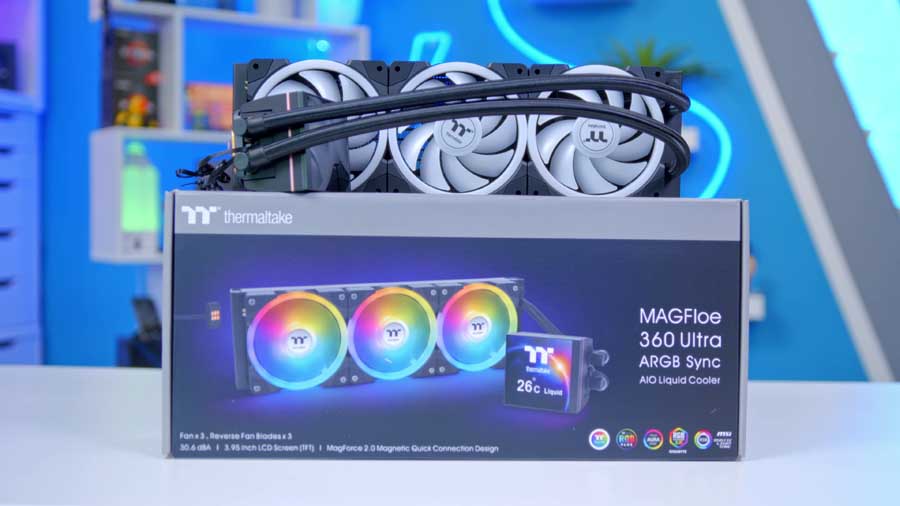
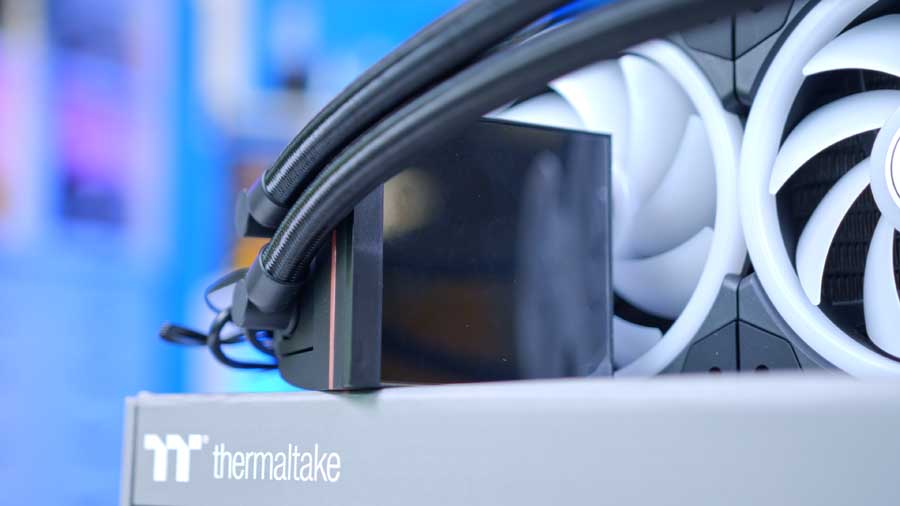
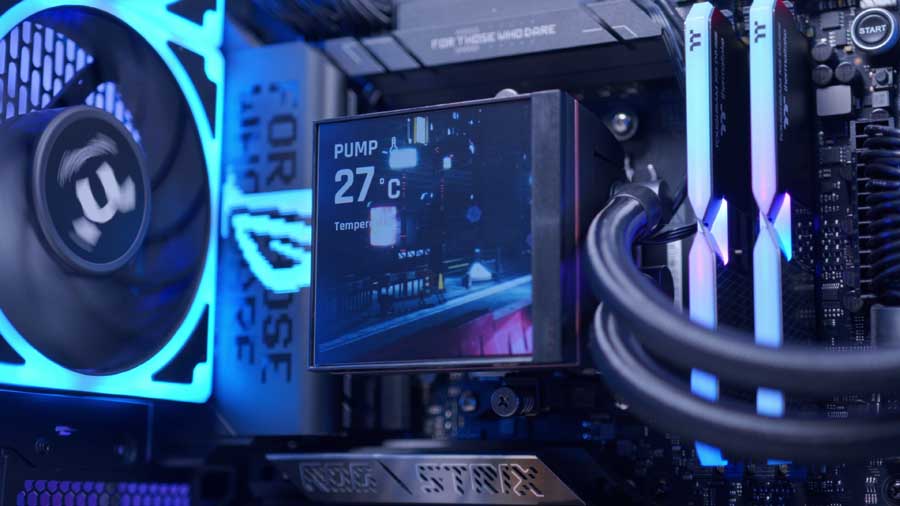
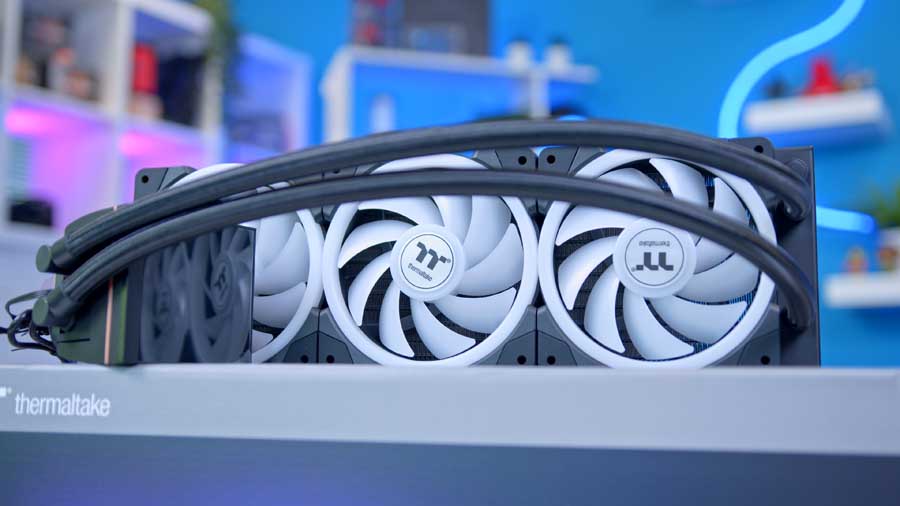
Our final cooler recommendation is the Thermaltake MAGFloe 360 Ultra ARGB Sync. This is the best-performing cooler out of our three recommendations, and it blends the best features of both products: the Hyperflow’s performance and the CoreLiquid P13’s screen to produce a high-performance cooler. However, some of you, like myself, may feel that its overall design philosophy leans heavily toward a bold, almost military or industrial aesthetic, which isn’t always the most attractive style.
It packs a powerful punch while maintaining a relatively low profile, with its thin radiator measuring just 27mm in height and 396mm in length. This slim design makes it an excellent fit for a broader range of cases, especially those with tight top-panel clearance. Its performance is backed by a pump capable of reaching 3300 RPM and three fans spinning up to 2000 RPM, ensuring it can handle even the most power-hungry CPUs.
| Key Specs | Thermaltake MAGFloe 360 Ultra ARGB Sync |
|---|---|
| Radiator Size | 360 mm |
| Radiator Dimensions (L x W x H) | 396mm x 120mm x 27 mm |
| Number of Fans | 3 |
| Bearing Type | N/A |
| Pump Connector | PWM |
| Max Pump Speed | 3300 RPM |
| Max Fan Speed | 2000 RPM |
| Socket Compatibility | Intel – LGA 2066, 2011-3, 2011, 1851, 1700, 1200, & LGA 1156, 1155, 1151, 1150 AMD – AM5, AM4, AM3+, AM3, AM2+, AM2, FM2, FM1 |
It comes equipped with an extensive list of socket compatibility, covering every major Intel and AMD desktop platform from the last decade, ensuring that system builders can integrate this high-performance cooler into virtually any modern or legacy rig without worrying about compatibility adapters. This broad support makes it a truly versatile and future-proof choice for enthusiasts.
Suggested article: Thermaltake MAGFloe 360 Ultra ARGB Sync Review
How We Tested the Best 360mm Liquid Coolers
To determine the best coolers for the Ryzen 7 9700X, we put all of the coolers in this roundup through the wringer, assessing thermal performance in games and synthetic benchmarks. This provides performance data for each cooler, showing how it copes with gaming and multi-core workloads. Our benchmarking system has a demanding CPU at its core, with four 140mm fans to maximise airflow. Each cooler is set to the default fan curve in the BIOS, or we use an equivalent fan curve in the cooler’s software, so testing is fair. All the data we collect is gathered from benchmarks in Cinebench and CPU-Z, with HWMonitor running in the background to record temperature information.
Cinebench 4-Thread
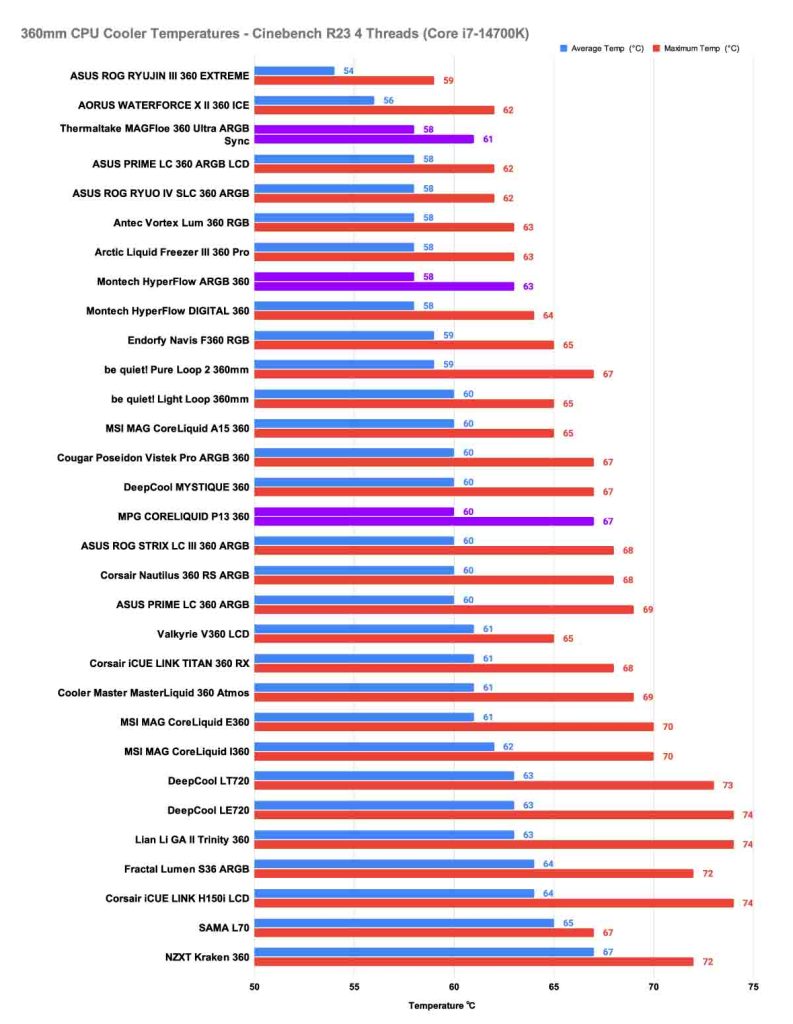
During our Cinebench 4-Thread test, which is akin to light workloads or playing games, we found that the Thermaltake MAGFloe 360 Ultra ARGB Sync performed best, and whilst it maintained an average temperature of 58℃, like many others, it technically came second overall in the highest temperature that it allowed the CPU to reach. The next best performing CPU cooler was the Montech HyperFlow ARGB 360, and whilst the cooler looks a fair bit lower down in the graph, you must remember that its performance is tied with the Arctic Liquid Freezer III 360 Pro and the Antec Vortex Lum 360 RGB, putting the HyperFlow in 5th place for this test overall. What’s great about the HyperFlow is that it’s a budget cooler that performs amazingly, with an average of 58℃ and a max of only 63℃! Rounding out the top three is MSI’s MPG CoreLiquid P13. With an average of 60℃ and a maximum of 67℃, it demonstrated reliable cooling performance, earning it a solid podium finish. MSI’s design focus on durability and aesthetics makes the P13 a strong contender for those who want balanced performance with a premium look.
Cinebench 8-Thread
The next test we conduct is an 8-thread Cinebench benchmark. This test simulates Content creation and heavier gaming scenarios where background apps run alongside the game. In this round of testing, claiming first place among our recommended 360mm CPU coolers is the Thermaltake MAGFloe 360 Ultra ARGB Sync, and whilst it did climb by 8℃ in its average temperature, its maximum temperature impresses us the most at 70℃, it is again the second best performer overall, being beat out by the Valkyrie V360 LCD. MSI’s CoreLiquid P13 proved consistent, delivering an average of 67℃ and peaking at 71℃. While not the lowest temperatures in the lineup, this result demonstrates reliable thermal management under heavier loads. For builders who value MSI’s design language and durability, the P13 remains a strong contender.
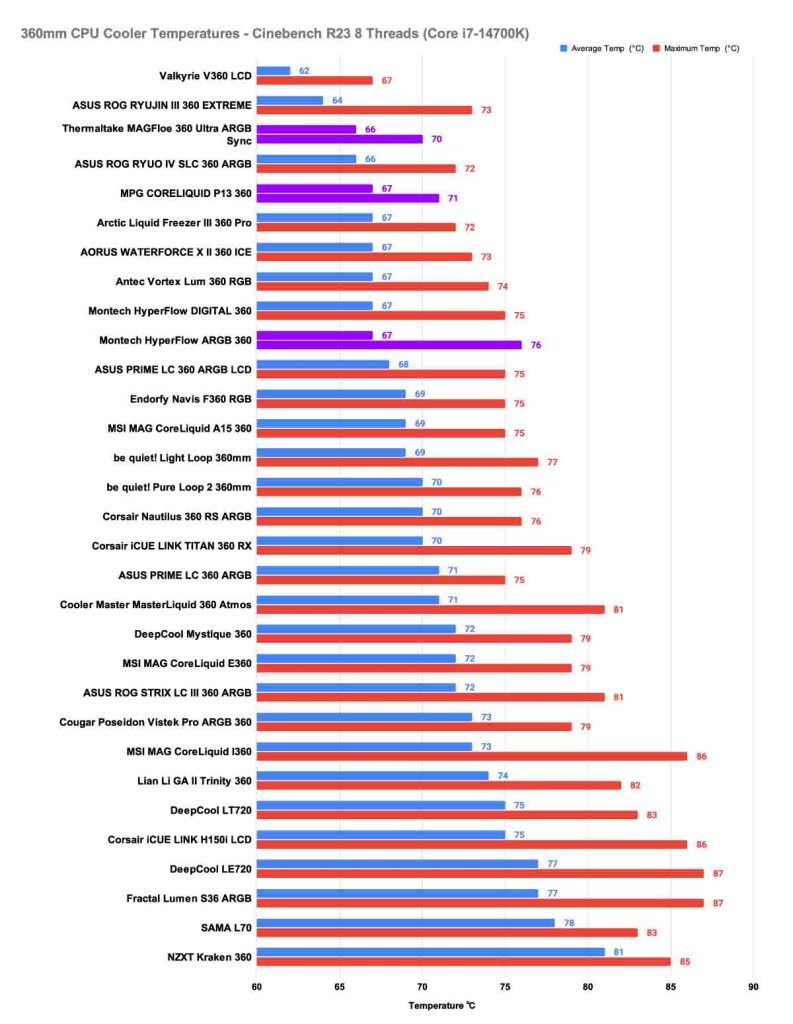
The HyperFlow continues to impress as a budget option, though its limitations become clearer in this test. It matched MSI’s average of 67℃, but its maximum temperature climbed to 76℃, placing it behind the premium performers. Even so, given its price point, HyperFlow’s ability to remain competitive under heavier workloads reinforces its reputation as one of the best-value coolers in the 360mm category.
CPU-Z 8-Thread
The next test we conduct is an 8-thread CPU-Z benchmark. This test simulates heavier multitasking scenarios, such as content creation or gaming, with background applications running. This workload places greater stress on the CPU, revealing how well each cooler manages sustained thermal output. The HyperFlow ARGB 360 continued to deliver substantial value, averaging 69℃ and reaching 72℃. For a budget‑friendly cooler, these results are excellent, showing that it can keep pace with more premium designs even when workloads intensify. Claiming third place, MSI’s CoreLiquid P13 followed closely, with an average of 70℃ and a maximum of 73℃. While slightly warmer than the competition, it still delivers reliable cooling performance, making it a solid option for builders who want MSI’s design and ecosystem integration alongside dependable thermal performance!
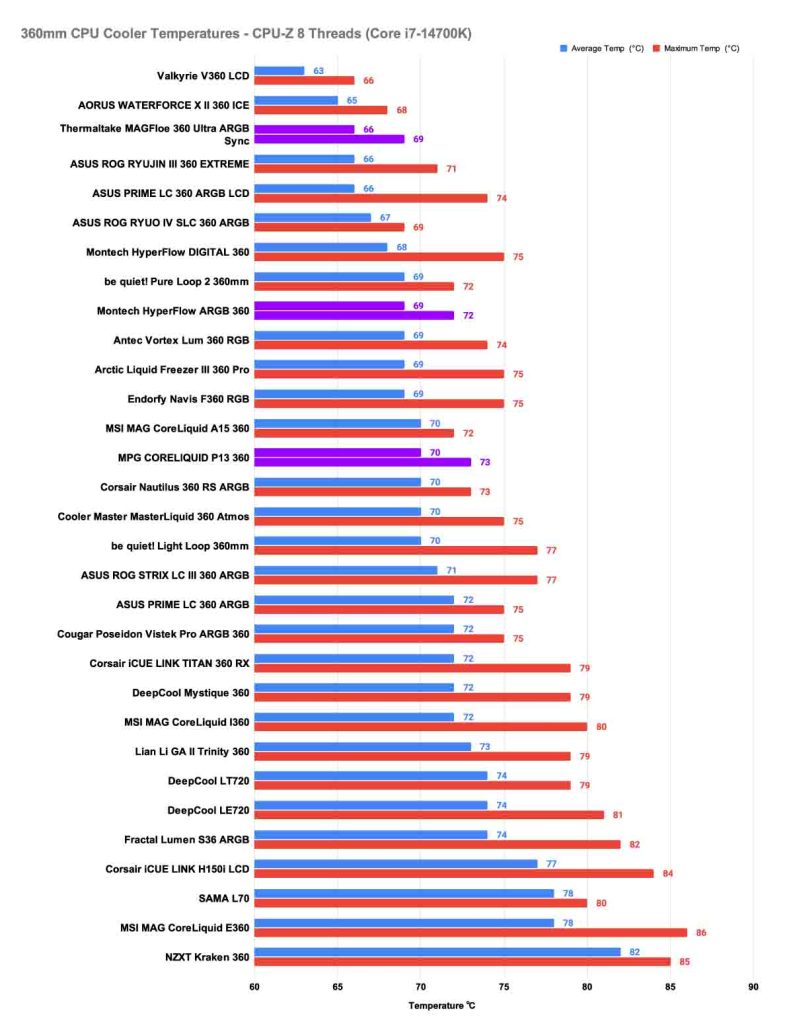
We want to note that the reason we haven’t recommended the ASUS ROG RYUJIN III ARGB Extreme, despite its excellent performance, is that we can’t justify its price-to-performance enough for it to be one of the absolute best coolers. This cooler is a brilliant alternative for builders who are happy to spend a little extra, say, if they want resounding brand harmony for an all-ASUS PC build, or if they’re looking to piece together an enthusiast-grade system.

![FI_[DM93] Corsair 3200D Launch](https://geekawhat.com/wp-content/uploads/2026/03/FI_DM93-Corsair-3200D-LAUNCH-551x431.jpg)