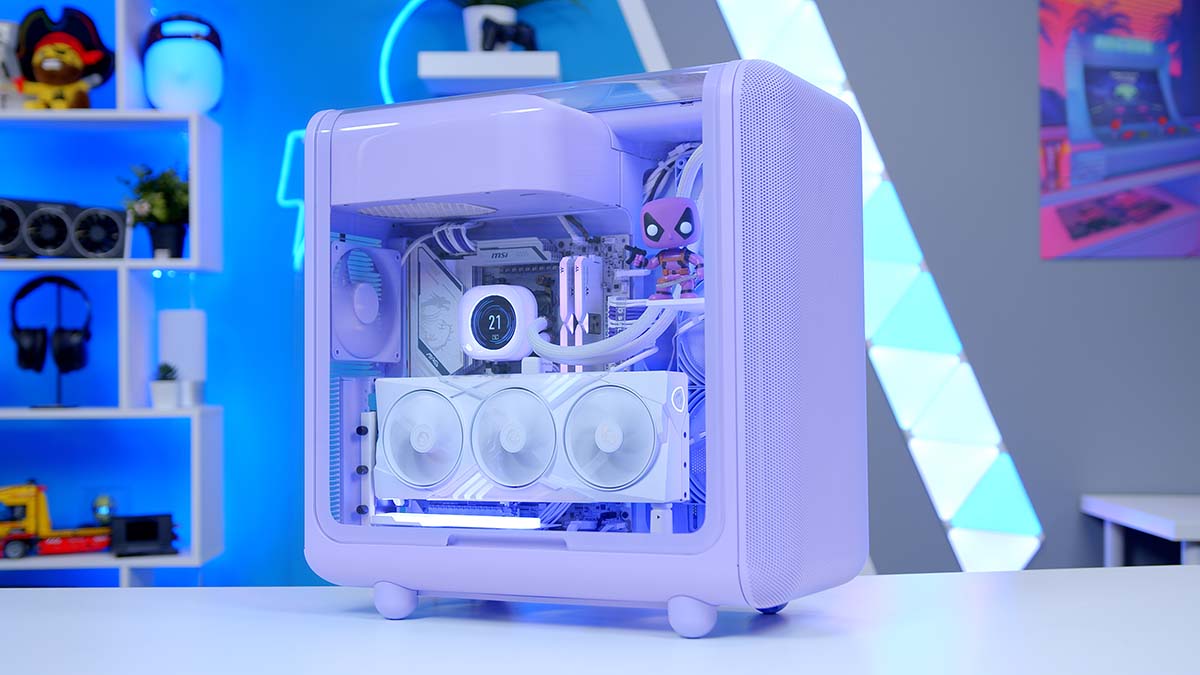
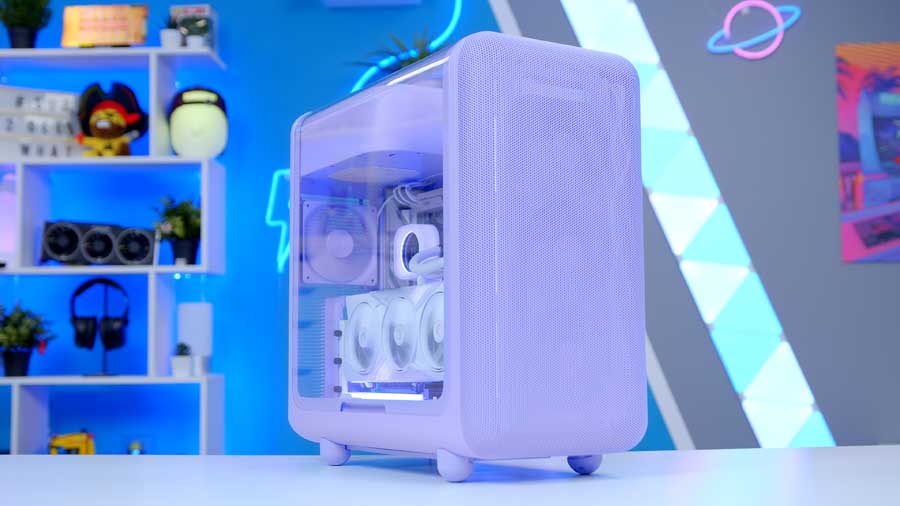
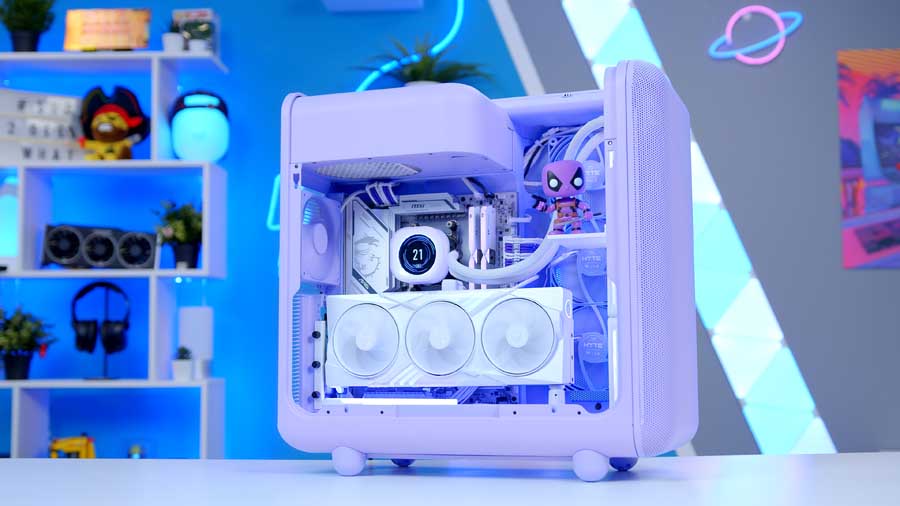
This gaming PC build is one we’ve been itching to reveal. The HYTE X50 has been on our radar for a while, and today we’re finally diving into a system that’s less about hitting a price target and more about indulging pure enthusiast energy. With its bold, colourful aesthetic, the X50 practically invites creativity and personality, so instead of building to a budget, we built to a vision. This one is all about looking captivating, feeling premium, and experiencing the joy behind PC building.
If you’ve been an avid follower of our content, you may have been eagerly awaiting our gaming PC build with the HYTE X50. Well, it’s finally here – that moment you have been waiting for, so join us as we detail the components we have used, dish out the performance specs and share the step-by-step video of how we built it.
Components
CPU: AMD Ryzen 5 9600X
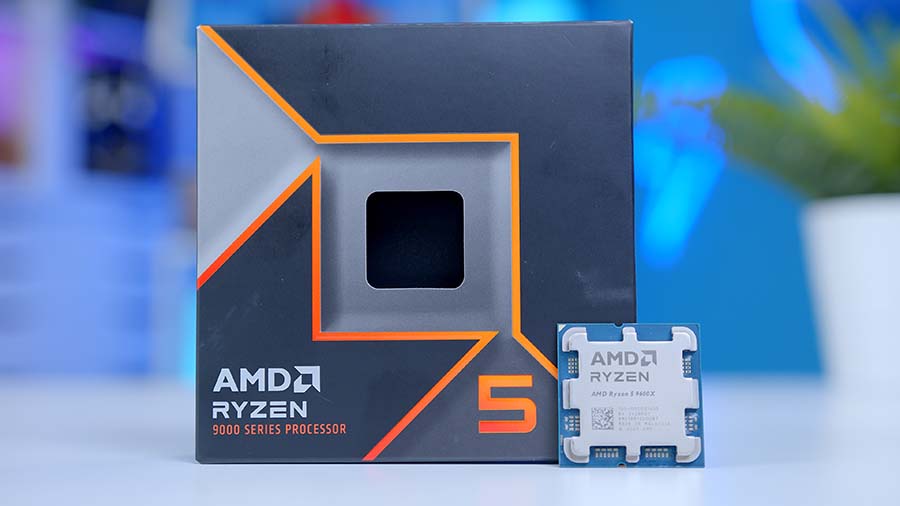
The AMD Ryzen 5 9600X is the ultimate budget gaming CPU with six cores and twelve threads at a boost clock speed of 5.4GHz. The Ryzen 5 9600X is a solid competitor in single-core workloads, making it excellent for gaming, though the graphics card pairing matters as we’ll discuss later. While the Ryzen 5 9600X offers excellent performance and efficiency, it’s worth noting that it is one of the more affordable options. Crucially, it also lives on the AMD AM5 socket, which does a considerable amount for ensuring good upgrade paths, and keeps motherboard costs down with a huge range of options to choose from.
CPU Cooler: Corsair iCUE Link H150i
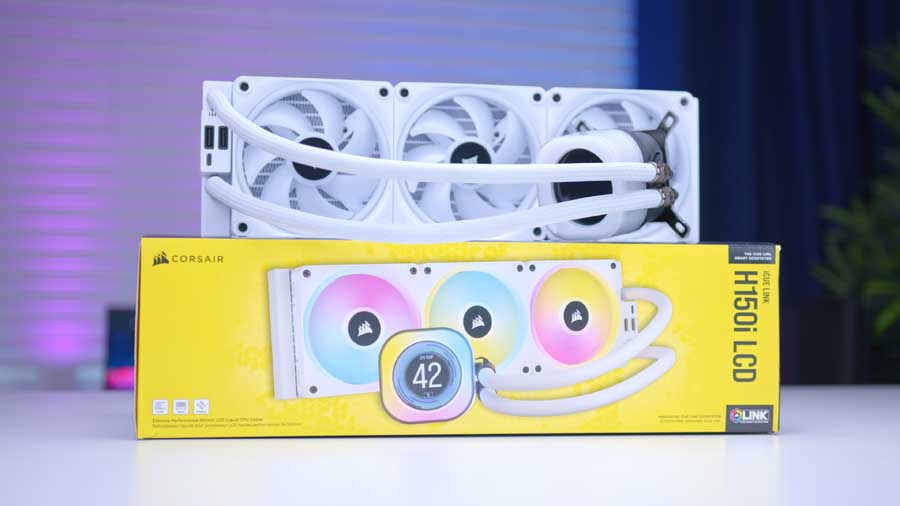
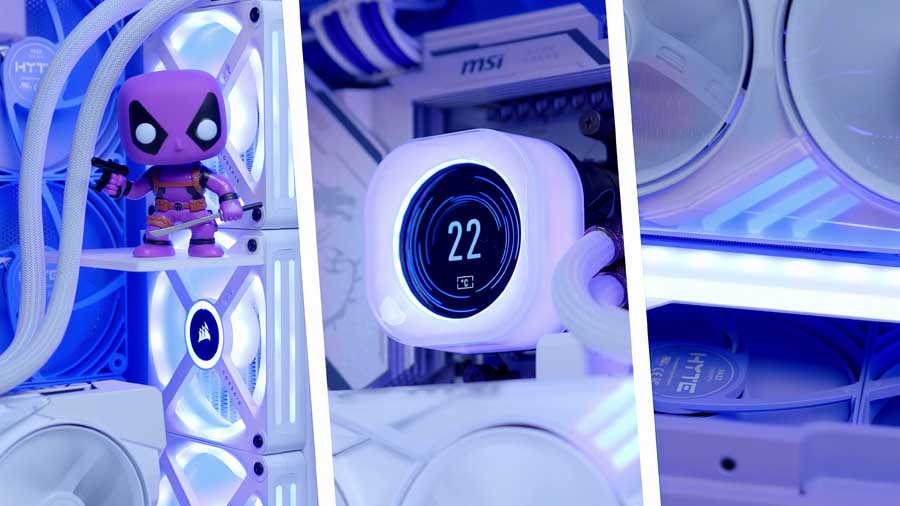
The Corsair iCUE Link H150i is a high-performance All-In-One liquid CPU cooler with a 360mm radiator. The cooler’s triple-fan configuration ensures strong airflow across the radiator, allowing the heat made by the CPU to be efficiently dissipated and taken away from the chip. The H150i’s ARGB water block is customisable, and so are the ARGB fans. Because this unit has iCUE Link, you can seamlessly connect other compatible iCUE Link devices to the controller and easily sync up hardware using Corsair’s iCUE application.
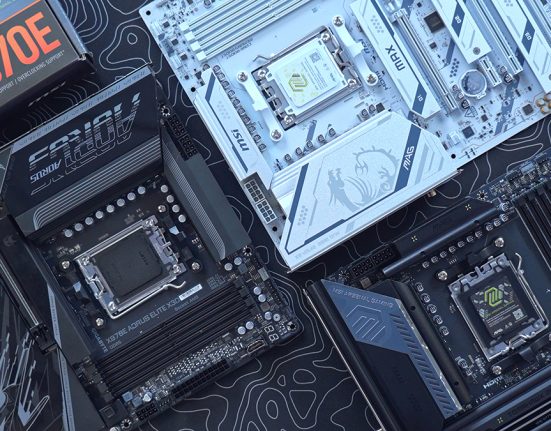
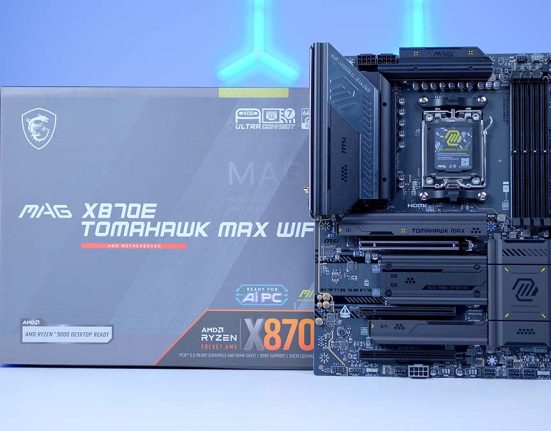
Motherboard: MSI MAG X870E GAMING PLUS MAX WiFi
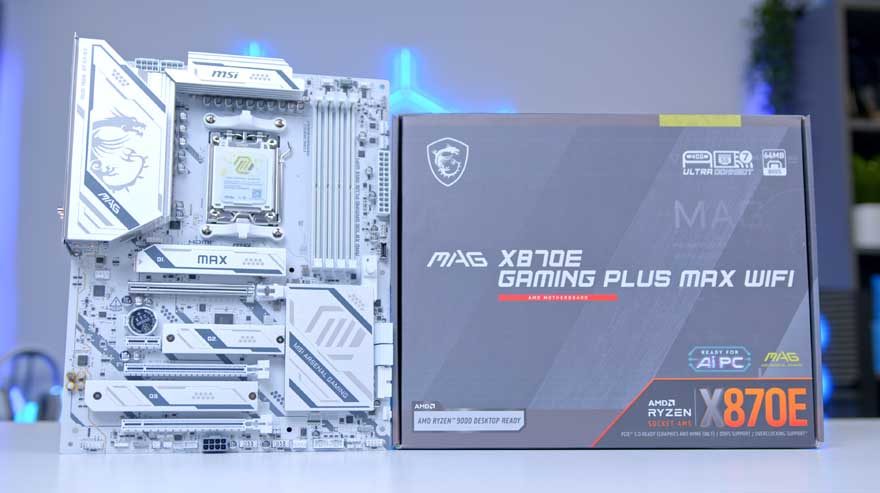
The MSI MAG X870E GAMING PLUS MAX WIFI is a cutting‑edge AM5 motherboard, engineered for gamers who want a stable, durable and highly DIY‑friendly foundation for their next‑generation PC build. MSI’s EZ‑DIY features streamline GPU and M.2 drive installation, reducing the need for tools and making upgrades far more accessible, even for first‑time builders.
Connectivity is a major strength of this board. It comes equipped with WiFi 7, 5G LAN, and Bluetooth 5.4, ensuring ultra‑fast networking whether you prefer wired or wireless setups. The rear I/O includes premium high‑speed ports such as USB4 Type‑C (40Gbps) and USB 3.2 Gen 2×2 Type‑C, giving creators and power users the bandwidth they need for fast external storage and modern peripherals.
| Specification | MSI MAG X870E GAMING PLUS MAX WIFI |
|---|---|
| Form Factor | ATX |
| Supported Memory | 256GB DDR5 8200MT/s |
| PCI-E x16 Slots | 1 x PCI-E 5.0 1 x PCI-E 4.0 x16 (x4 electrically) 2 x PCI-E 3.0 (x1 electrically) |
| PCI-E x4 Slots | 1 x PCI-E 5.0 2 x PCI-E 4.0 |
| VRM Power Phases | 14+2+1 Duet Rail Power System |
| Front IO | 1 × USB 3.2 Gen 2×2 Type-C (20Gbps) 2 × USB 3.2 Gen 1 Type-A (5Gbps) 6 × USB 2.0 Type-A |
| Rear IO | 1× USB4 Type-C (40Gbps) 1 × USB 3.2 Gen 2×2 Type-C 2 × USB 10Gbps Type-A 2 × USB 5Gbps Type-A 4 × USB 2.0 Type-A |
| Audio | 1 x Optical S/PDIF 2 x Audio Jacks |
| Networking | 5G LAN WiFi 7 |
Visually, the MAG X870E GAMING PLUS MAX WIFI stands out with a bold yet refined aesthetic. Its monochromatic design is accented by harmonic branding elements, including the iconic MSI dragon on the I/O shield and clean MSI/Max lettering across the heatsinks. The result is a board that looks powerful without being overly aggressive, making it a perfect match for minimalist or themed builds.
RAM: Thermaltake TOUGHRAM XG RGB D5

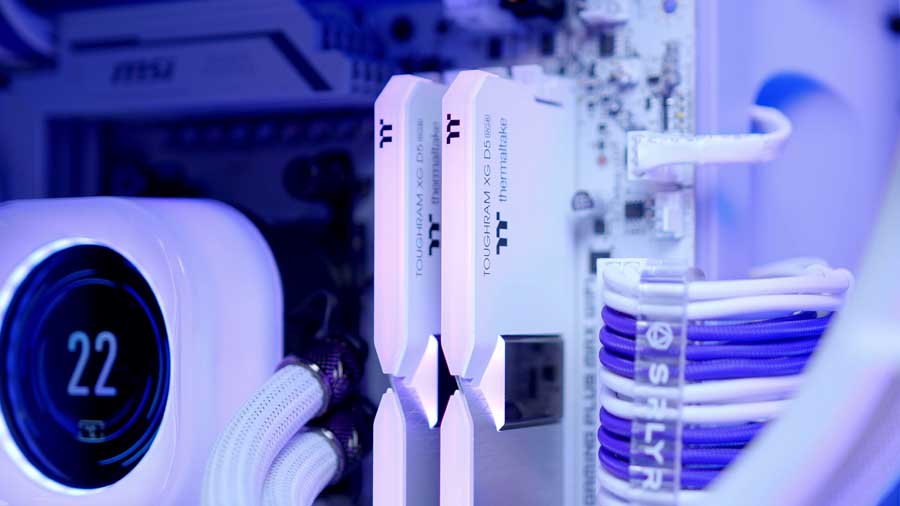
The Thermaltake TOUGHRAM XG RGB D5 features a unique design with two distinct white tones, a chrome stripe in the middle, and high-quality material. Thermaltake has designed this RAM to have double the capacity for better efficiency. With a doubled bank group architecture, the TOUGHRAM XG RGB D5 Memory DDR5 delivers faster memory access and higher capacities without lag, leading the way to next-gen memory. The RAM also supports overclocking, a lovely feature to see, with support for both Intel and AMD processors via Intel XMP 3.0 and AMD EXPO, allowing you to optimise your system’s stability with simple tweaks.
SSD: Samsung 9100 Pro
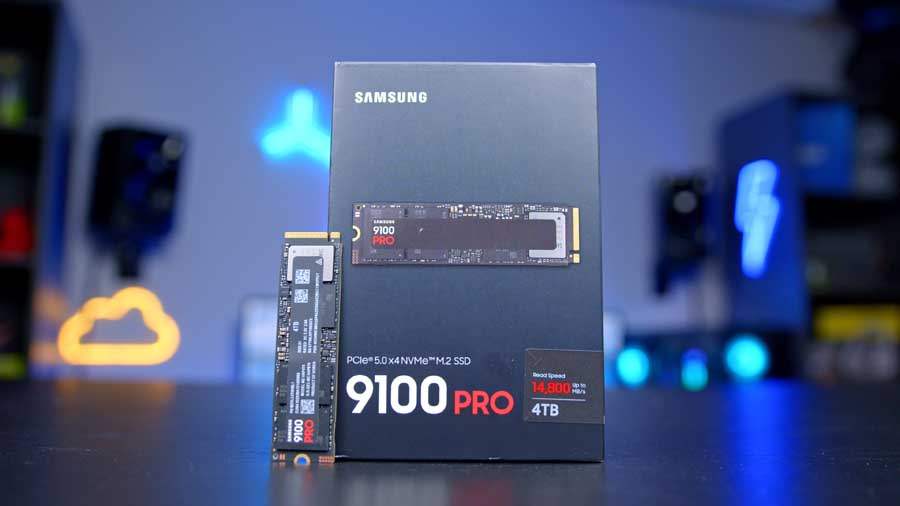
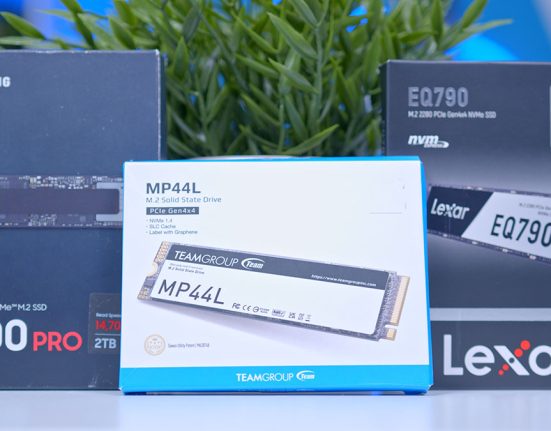
The Samsung 9100 Pro is a robust and powerful SSD that performed exceptionally well during our benchmarks. For any gaming build, we recommend opting for 2TB as the minimum capacity, given how much space games and applications take up, but for this build, we are doubling that and choosing the 4TB capacity, because we don’t have a spending budget. The Samsung 9100 Pro is a Gen5 M.2 drive that spans a capacity range of 1TB to 8TB, and the 4TB recorded blazing-fast sequential read and write speeds of 13818MB/s and 12920MB/s during our testing. For gamers, this level of performance translates to faster load times, reduced download bottlenecks, and an overall smoother experience. Whether for gaming rigs or professional workloads, the 9100 Pro sets the standard for high-end SSDs.
Suggested Article: The best SSDs to buy in 2026
GPU: MSI RTX 5070 Ti Gaming Trio White
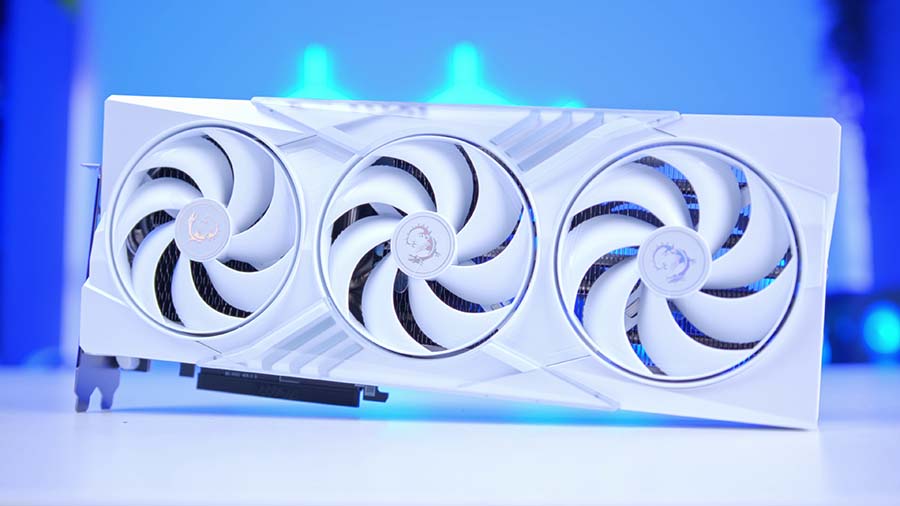
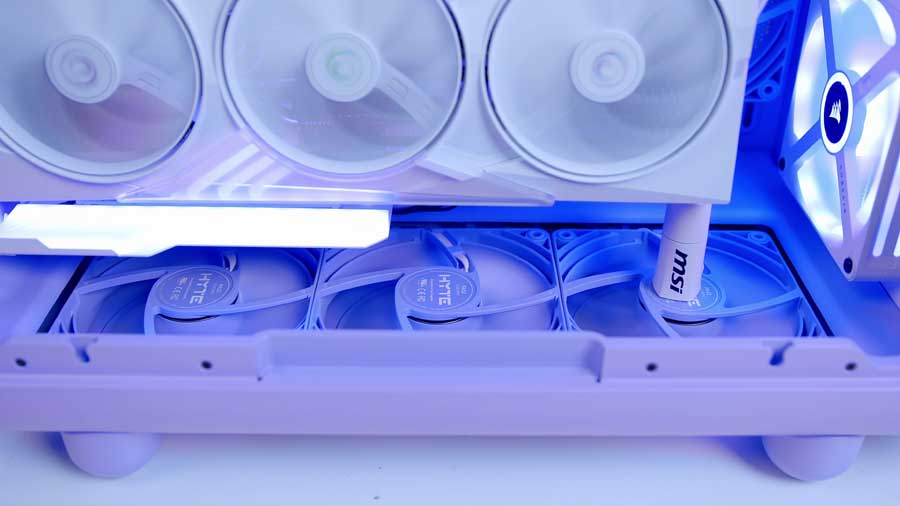
At the heart of this build lies a commitment to aesthetic excellence. The HYTE X50 is more than just a case; it’s a stage. Its unique curved architecture and panoramic views provide the perfect backdrop for the white MSI RTX 5070 Ti Gaming Trio. By mounting this card vertically, we’ve moved the GPU from being just a high-performance component to the centrepiece of the build. It’s a gorgeous GPU with subtle hints of customisable RGB lighting fused with pretty holographic accents and MSI’s signature dragon logo on the outer casing.
Powered by the NVIDIA Blackwell architecture, this card features 16GB of ultra-fast GDDR7 memory and the latest DLSS 4 technology, making it a beast for 1440p and 4K gaming. Paired with the AMD Ryzen 5 9600X, your system will achieve zero-bottleneck gaming in modern titles, as the CPU’s higher boost clocks ensure the RTX 5070 TI is never left waiting for instructions.
Suggested Article: Best CPUs to Buy for the RTX 5070 Ti in 2025
Case: HYTE X50
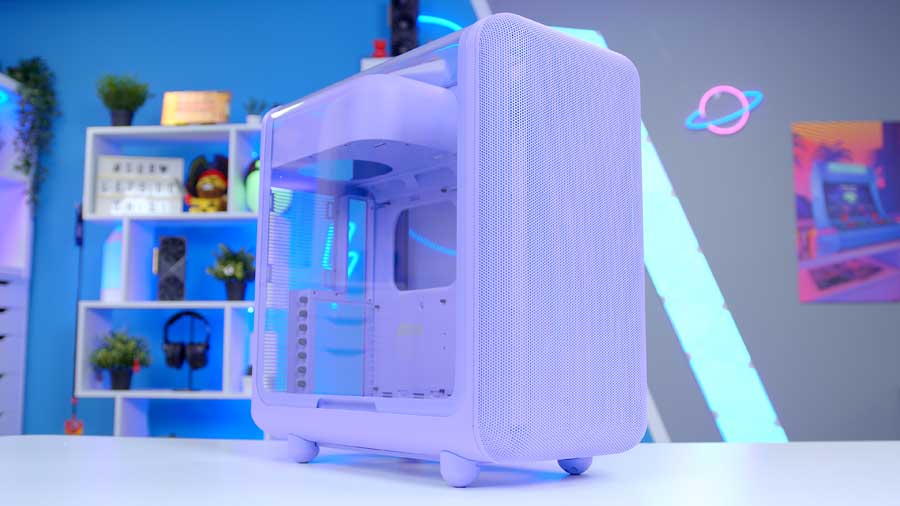
HYTE’s X50 case is almost a blast from the past, mixed together with a bubbly aesthetic. This line was released with a broad colour spectrum available for purchase, and we received one of our first opportunities to try to breathe some personality into a chassis rather than just populate it with high-end components. This computer chassis is designed to improve airflow and lower temperatures while maintaining a trendy aesthetic.
| Specification | HYTE X50 |
|---|---|
| Form Factor | Mid-Tower |
| Motherboard Support | E-ATX | ATX | mATX | ITX |
| Case Dimensions (L x W x H) | 510 x 255 x 515 mm |
| Front IO | 2 x 3.2 Gen1 (5 Gbps) USB Type-A 1 x 3.2 Gen2 (20 Gbps) USB Type-C 1 x Combo Headphone Jack Power Button |
| PCI-E Slots | 7 x Horizontal |
| Colour Options | Snow White | Pitch Black | Wild Cherry | Strawberry Milk | Taro Milk | Matcha Milk |
| Max Clearance | CPU Cooler Height: Up to 170mm GPU Length: 430mm PSU Length: Up to 223mm (ATX) |
| Drive Support | Up to 2 x 2.5 inch Up to 1 x 3.5 inch |
| Fan Support | Front: Up to 3 x 140mm Top: None. Bottom: Up to 3 x 120mm Side: Up to 3 x 120mm Rear: 1 x 120mm |
| Radiator Support | Front: Up to 360mm Top: None. Bottom: None. Side: Up to 360mm Rear: Up to 120mm |
| Pre-Installed Fans | None. |
This mid-tower chassis leans a little on the bigger and heavier side, and if we lightly touch on the development process HYTE went through to bring this case to market, it’s easy to forgive and understand why. This case features the PSU chamber snugly at the top, echoing the design of older PC cases. The front IO selection offered by this case is a feature that sets it apart from many others on the market.
The only real downside to buying this chassis is that it doesn’t come with pre-installed fans; on the flip side, this lets you configure your build however you like. For this specific gaming build, we have some of HYTE’s colour-matched FA12 Taro Milk fans, which is great, as the case is Taro Milk too.
PSU: NZXT C850 Gold
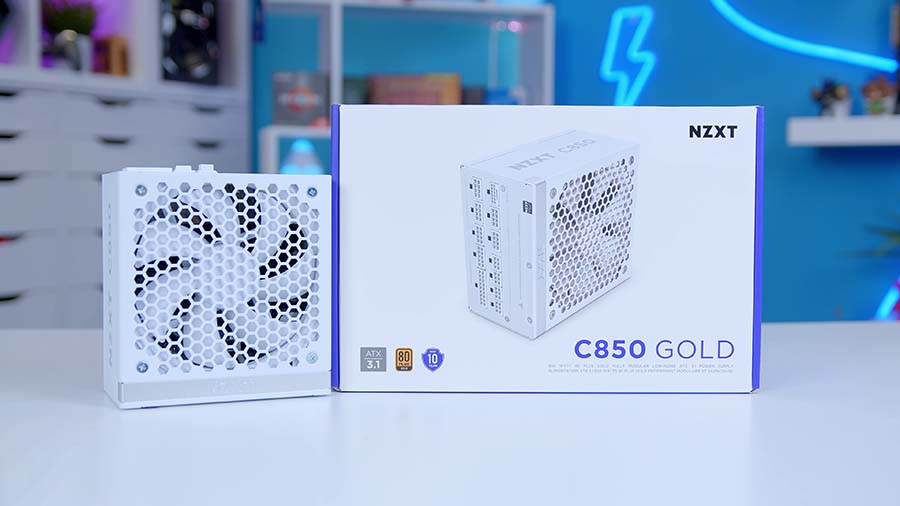
We’ve selected the NZXT C850 Gold for this build for a couple of key reasons. First, we want to ensure the RTX 5070 Ti has more than enough power to run reliably. Since the card calls for a minimum of 750W, choosing an 850W unit gives us comfortable headroom for future upgrades or additional components. The second reason is aesthetics. The design of the C850 Gold pairs nicely with both the motherboard and the case. With the PSU chamber positioned at the top of the chassis, a portion of the unit is visible from below, so choosing a clean‑looking model helps the whole build feel more cohesive.
Additional Accessories:
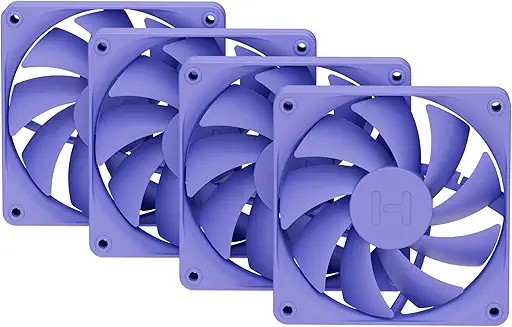
Luxury High-Airflow Case Fans - Taro Milk (Purple).
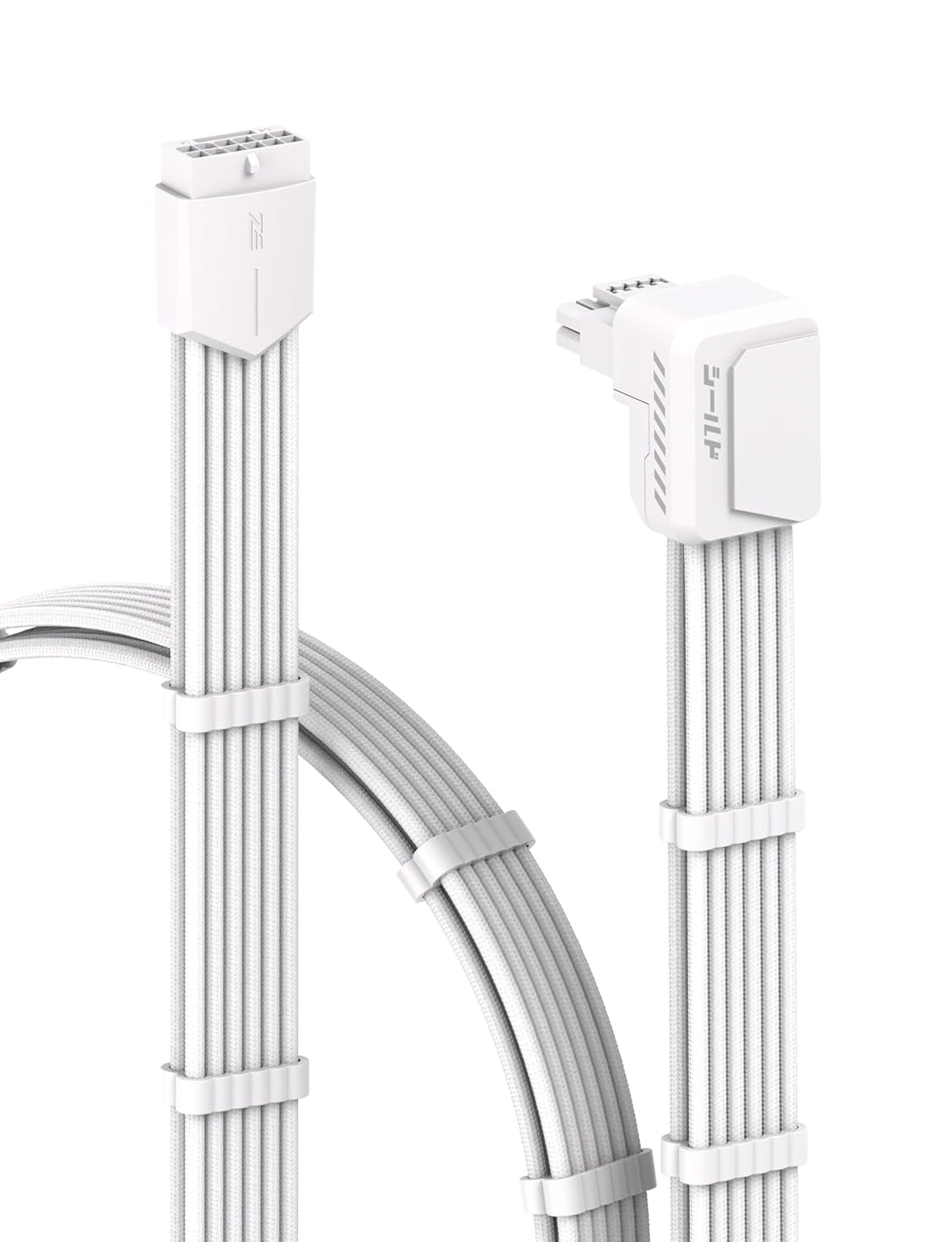
90 Degree 12V-2x6 GPU Cable Extension,PCIe 5.1 12+4 Pin GPU Angle Adapter.
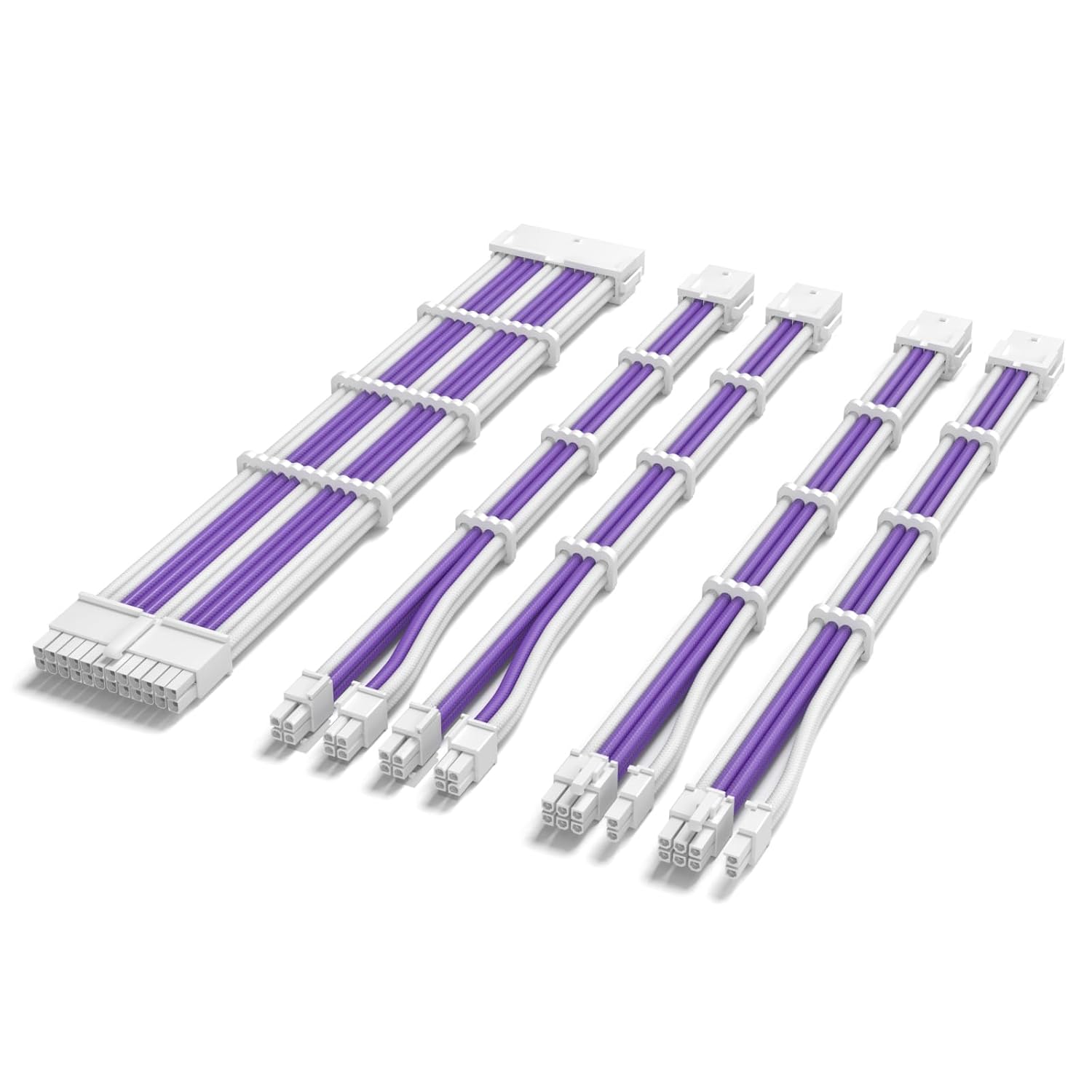
Custom Sleeved white and purple PSU extension cables.
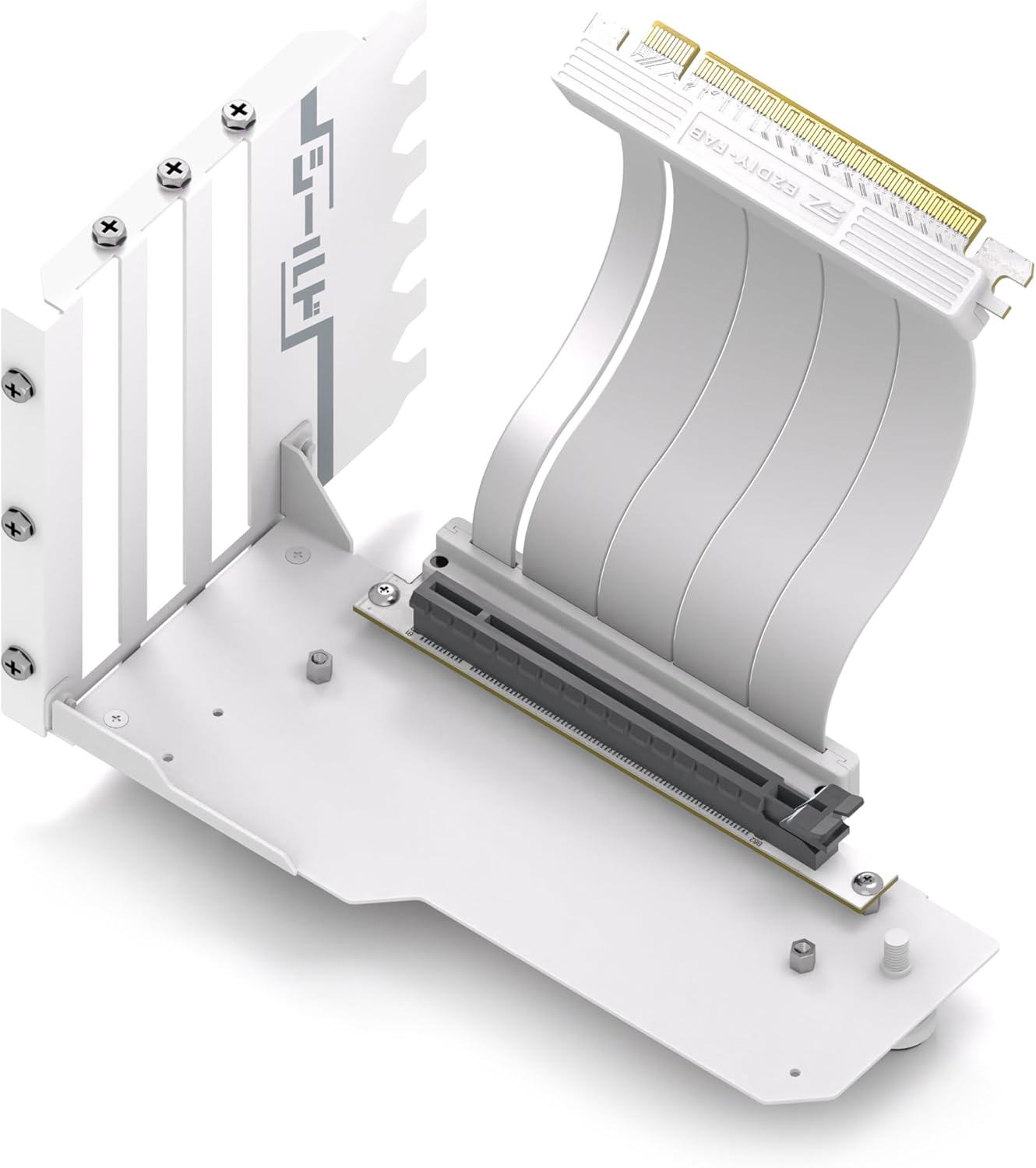
Vertical GPU Mount for Graphics Cards – High-Speed PCIe 4.0 Riser Cable.
Gallery
Performance
This system delivers consistently strong framerates across a wide range of modern titles, demonstrating how well the Ryzen 5 9600X and RTX 5070 Ti pair. In Arc Raiders, the build averages 108.7 frames per second, with 1 per cent lows at 62.5 and 0.1 per cent lows at 41.7, giving the game a smooth, stable feel even during chaotic moments. Battlefield 6 pushes higher averages to 119 frames per second while maintaining 62.5 for the 1% lows and 21 for the 0.1% lows, keeping large multiplayer battles responsive.
| Game Title | Average FPS | 1% Lows | 0.1% Lows |
| Arc Raiders (@1440p High) | 108.7 | 62.5 | 41.7 |
| Battlefield 6 (@1440p High) | 119 | 62.5 | 21 |
| Cyberpunk 2077 (@1440p High) | 148.1 | 98.3 | 69.1 |
| F1 25 (@4K High) | 194.9 | 82.1 | 67.3 |
| Marvel Rivals (@4K High) | 85 | 100.2 | 50.6 |
| Fortnite (@1080p Comp) | 295.4 | 60.9 | 52 |
Cyberpunk 2077 performs impressively with an average of 148.1 frames per second and lows of 98.3 and 69.1, showing that the system handles demanding open-world environments with ease. Even at 4K high settings, F1 25 runs at 194.9 frames per second with lows of 82.1 and 67.3, highlighting the GPU’s strength in fast-paced racing scenarios. Marvel Rivals at 4K high settings averages 85 frames per second with 100.2 for the 1% lows and 50.6 for the 0.1% lows, keeping gameplay fluid during team fights.
For competitive players, Fortnite at 1080p with competitive settings reaches 295.4 frames per second, with lows of 60.9 and 52, giving plenty of headroom for high-refresh-rate monitors. Overall, the system delivers excellent performance across genres and resolutions, making it a strong choice for both competitive and cinematic gaming experiences.

![FI_[DM87] HAVN BF & RTX 5090 Build](https://geekawhat.com/wp-content/uploads/2026/01/FI_DM87-HAVN-BF-RTX-5090-Build-551x431.jpg)

![FI_[DM86] Montech King 45 Pro + RX 9070](https://geekawhat.com/wp-content/uploads/2026/01/FI_DM86-Montech-King-45-Pro-RX-9070-551x431.jpg)