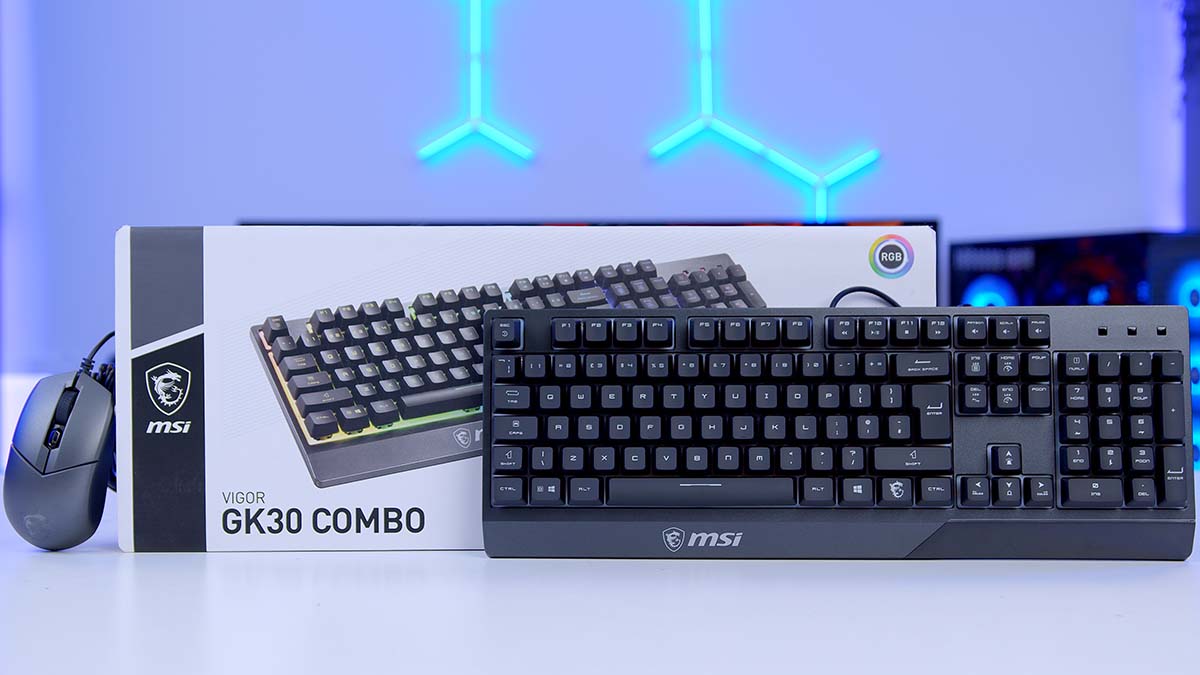
When it comes to gaming peripherals, not everyone is chasing the latest mechanical switches or ultra‑high DPI sensors. Sometimes, what you really want is a straightforward, affordable pairing that covers the essentials without fuss. That’s precisely where the MSI VIGOR GK30 COMBO steps in. First released in 2019, this keyboard‑and‑mouse duo has held its ground as a robust, no‑nonsense option for everyday use and casual gaming.
The GK30 keyboard and GM11 mouse aren’t designed to dazzle with cutting‑edge technology, but together they deliver a reliable experience that lets you work, play, and even dip into competitive gaming without breaking the bank. Suppose you’re not particularly concerned with the finer technical distinctions between switches and sensors. In that case, this combo quite literally gets the job done, with enough grace to make it worth considering even years after its launch.
Buy the MSI VIGOR GK30 COMBO on:
MSI VIGOR GK30 COMBO in Black.
MSI VIGOR GK30 COMBO in White.
Specification
MSI CLUTCH GM11 Mouse
The MSI CLUTCH GM11 is a wired gaming mouse that aims to deliver reliable performance without overcomplicating the formula. Available in black or white, it weighs in at 89 grams (without the cable), making it light enough for fast movements while still feeling substantial in hand. The 1.8‑metre rubber cable terminates in a gold‑plated USB 2.0 Type‑A connector, ensuring stable connectivity, low latency, and resistance to corrosion and rust over time. This wired setup also means you never have to worry about battery life or wireless interference, which adds to the GM11’s appeal as a straightforward, dependable option.
| Key Specs | MSI CLUTCH GM11 Mouse |
|---|---|
| Sensor | PMW-3325 Optical Sensor (5000 DPI) |
| Polling Rate | 1000 Hz |
| Mouse Feet | Yes |
| Connectivity Modes | Wired-Only |
| Wired Connectivity | USB 2.0 Type-A |
| Cable | 1.8m |
| Weight | 89g (without cable) |
| Colours | Black | White |
At its core, the GM11 uses the PMW‑3325 optical sensor, capable of up to 5000 DPI, with an acceleration rating of 20g. While this isn’t a flagship sensor, it’s more than adequate for mainstream gaming scenarios, offering responsive tracking and consistent accuracy across a wide range of titles. The PMW‑3325 is known for its balance of precision and efficiency, delivering smooth performance without the jitter or prediction issues that plagued older entry‑level sensors. Coupled with a 1000 Hz polling rate, the mouse keeps pace with competitive standards that have held firm for years, ensuring inputs feel immediate and reliable.
On‑board lighting and DPI profile switching add a touch of customisation, letting players adjust sensitivity on the fly without diving into software menus. This makes the GM11 remarkably versatile for users who want quick control over their setup, whether they’re swapping between fast flicks in shooters or steady tracking in strategy games. The RGB lighting, while modest compared to MSI’s premium offerings, still provides enough flair to complement a gaming rig without being distracting.
MSI VIGOR GK30 Keyboard
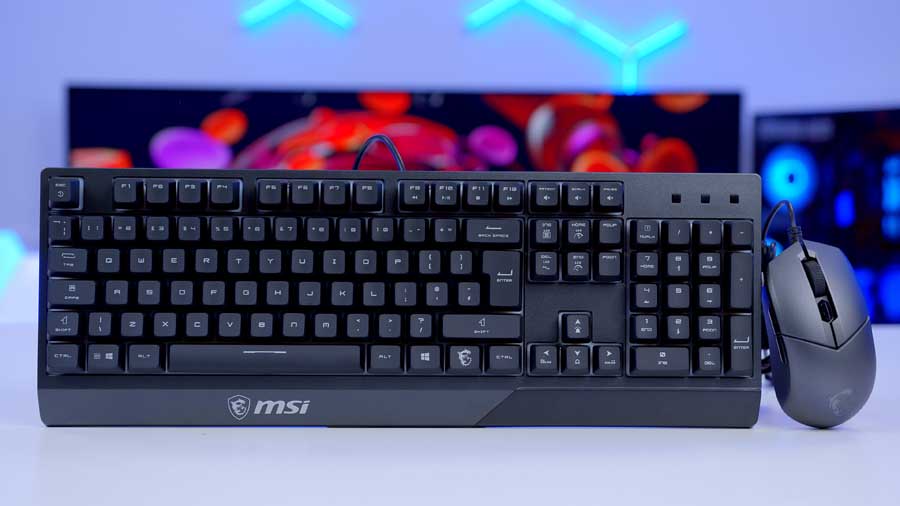
The MSI VIGOR GK30 is a full‑size wired gaming keyboard that measures 438 mm in length, 157 mm in width, and 38 mm in height. It uses Plunger Switches, a lesser‑known switch type that mimics the feel of mechanical keys without the cost. While these switches aren’t hot‑swappable, that’s not a significant drawback here because the GK30 is positioned as a budget‑friendly option rather than a premium mechanical board.
| Specifications | MSI VIGOR GK30 Keyboard |
|---|---|
| Size | 438 x 157 x 38mm Full-Size |
| Keycap Material | Undisclosed |
| Switches | Plunger Switches |
| Hot-Swappable | No |
| Key Rollover | 6 Keys Rollover 20 Keys Anti-Ghosting |
| Macro Keys | N/A |
| Connectivity | USB 2.0 Type-A |
| Report Rate | N/A |
| RGB | On-board and software-based backlit RGBs |
Connectivity is handled via a standard USB 2.0 Type‑A cable. The keyboard supports on‑board and software‑based RGB backlighting, giving users the flexibility to customise lighting effects without needing third‑party software. Anti‑ghosting is limited to 20 keys, with 6‑key rollover, which is sufficient for most gaming scenarios but falls short of the full N‑key rollover offered by higher‑end boards.
Design
MSI CLUTCH GM11 Mouse

The CLUTCH GM11 is a mouse that can be purchased separately. It features a symmetrical design for consumers looking for a comfortable left-handed mouse. Although MSI did not disclose it, the mouse appears to be made of durable ABS plastic. The mouse feels lightweight yet sturdy, with a metallic dark grey finish that gives it a sleek, understated look. Its smooth, bean‑like curvature adds a touch of ergonomics, ensuring comfort during extended sessions without appearing bulky.

At the centre of the palm rest sits MSI’s signature dragon emblem, illuminated with RGB lighting. This is complemented by a subtle U‑shaped light strip along the base, creating a balanced glow that avoids being overly flashy. Together, these lighting areas support over seven effects, seven different colours, plus one rainbow mode, allowing users to tailor the GM11’s aesthetic to their setup.
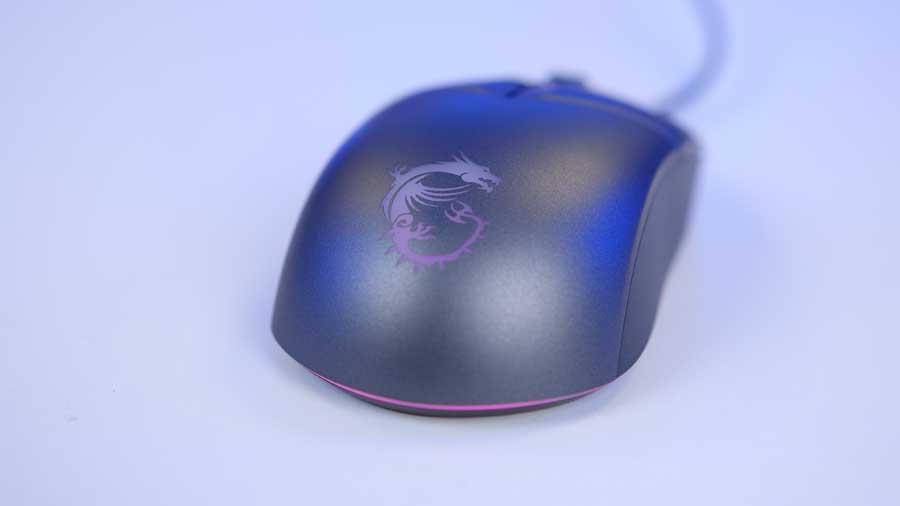
Functionality is woven into the design: the five‑level DPI sensor, ranging from 800 to 5000 DPI, is colour‑coded, so each sensitivity setting is identifiable by its corresponding light. OMRON switches rated for over 10 million clicks provide tactile, reliable feedback, while the PixArt optical sensor delivers up to 5000 DPI for accurate tracking. A linear engraved scroll wheel and smoothed side grips round out the package, ensuring a secure hold and precise control in fast‑paced gameplay.

MSI VIGOR GK30 Keyboard
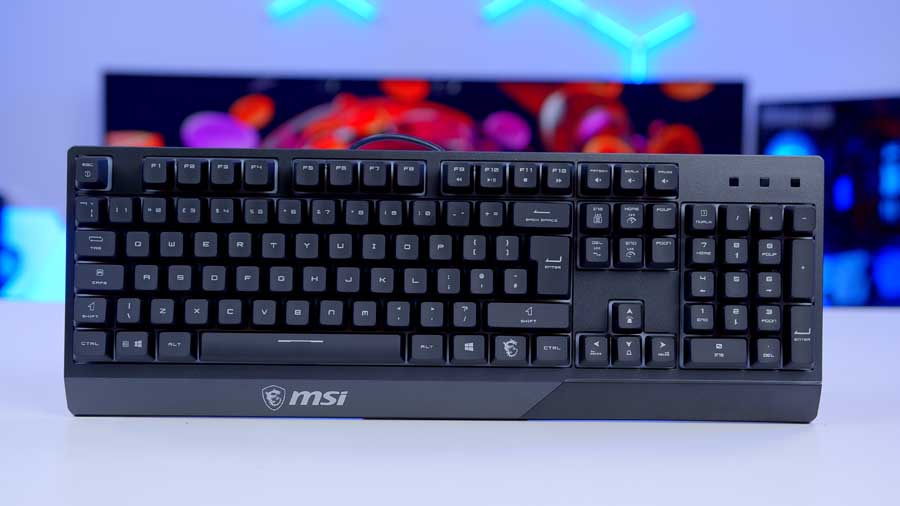
Visually, the VIGOR GK30 strikes a balance between practicality and gamer‑friendly flair. Its floating keycap design gives the keyboard a modern, elevated look, allowing the RGB lighting to spill out more dramatically across the board. The six lighting zones create a segmented glow rather than a single wash of colour, adding definition and making the keyboard feel more dynamic on a desk. The lighting is customisable, with multiple effects available to suit different setups. Practicality is also baked in: the keyboard features a water‑repellent design with drainage holes, offering peace of mind against accidental spills without compromising its overall aesthetic.

The VIGOR GK30’s typing experience immediately stands out for its distinctive typing sound. It has a sharp, typewriter‑like clatter, mainly due to the absence of any sound‑dampening technology. While this might feel nostalgic to some, it also means the keyboard produces noticeable pinging and loud keystrokes, which could be distracting in quieter environments or in an office.

The overall finish is understated, leaning toward a matte plastic body that doesn’t scream “premium” but does keep fingerprints and smudges at bay. Combined with the smooth, slightly contoured keycaps, the GK30 has a clean, functional aesthetic that avoids being overly aggressive.
Keyboard Keycaps and Switches
MSI doesn’t go into detail about the manufacturing process of the keycaps, but they appear to be ABS with laser‑engraved legends. This combination gives them a smooth texture but is more prone to wear and shine over time. The shine‑through design works well with the floating keycap layout, allowing the RGB lighting to spill out more vividly across the board. That same floating design also contributes to the keyboard’s water‑repellent qualities, adding a practical layer of protection without compromising aesthetics.
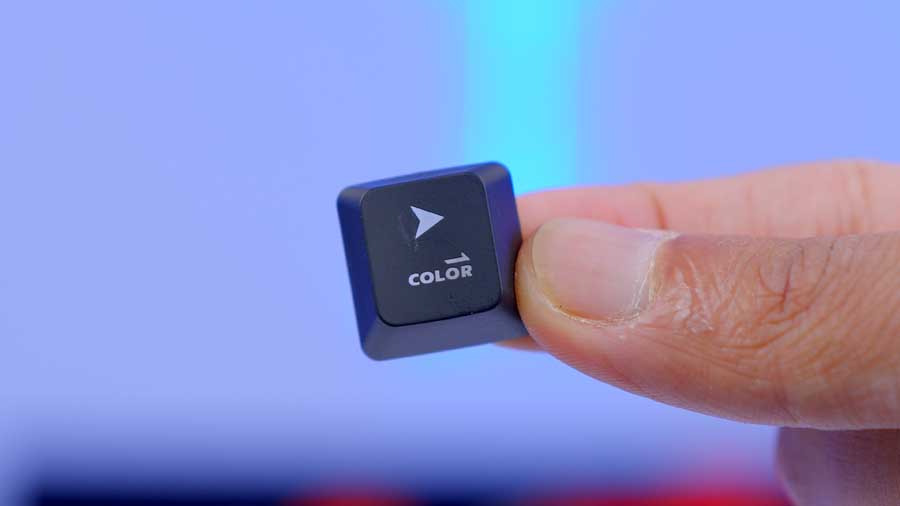
In terms of feel, the keycaps have a smooth, matte finish that almost seems to absorb your fingertips, creating a comfortable, consistent typing experience. Each cap features a subtle ergonomic dip in the centre, guiding your fingers naturally into place and reducing strain during longer sessions. Together, these design choices strike a balance between visual flair and everyday usability, making the keyboard both striking to look at and satisfying to use.
Switches
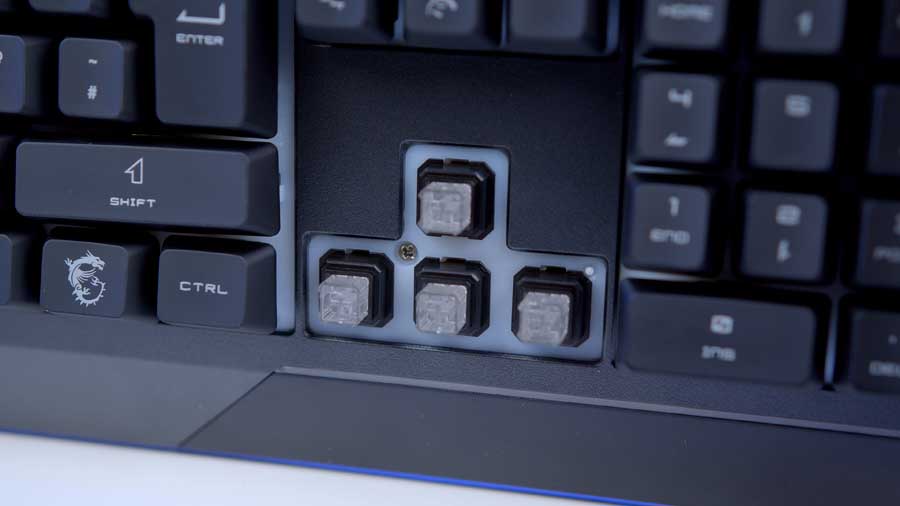
The VIGOR GK30 keyboard features a mech‑membrane design that uses mechanical‑like plunger switches. Each switch is built with a three‑part construction: a plunger stem that guides the keycap, a spring‑like mechanism that adds resistance and travel, and a membrane contact layer that registers the input. This layered design provides a crisp typing experience and extends durability to over 12 million keystrokes, a lifespan much longer than that of regular membrane keyboards. So, whilst the keyboard isn’t mechanical, it certainly provides a feel that resonates with that popular, sought-after experience because they are designed to replicate tactile feedback.
Features We Like
Plug and Play
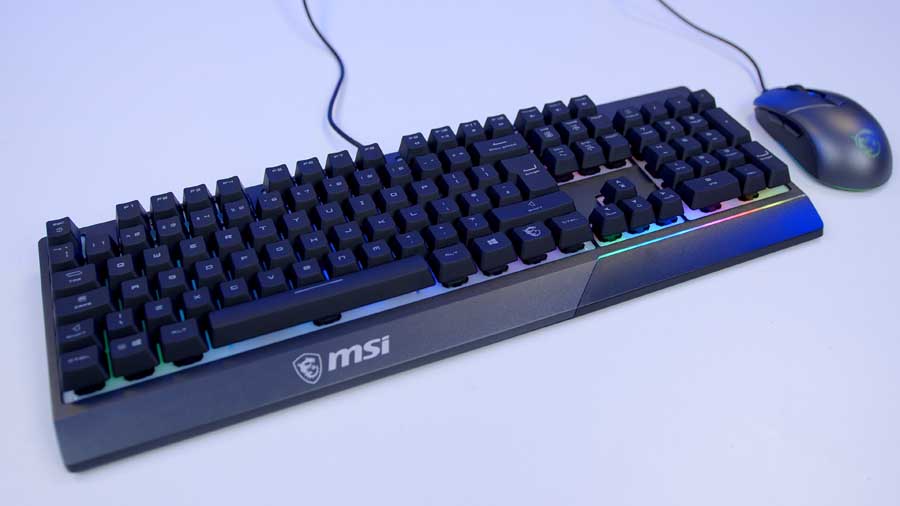
Because the VIGOR GK30 Combo is fully wired, setup is effortless. There’s no need to fuss with drivers or extra software before you can start using it; plug it in, and you’re ready to go. That simplicity makes it ideal for anyone who values a straightforward experience, whether you’re working, gaming, or just browsing. The wired connection also ensures consistent performance without the interruptions or battery concerns that can come with wireless gear, so you can focus entirely on your activity.
Software Support
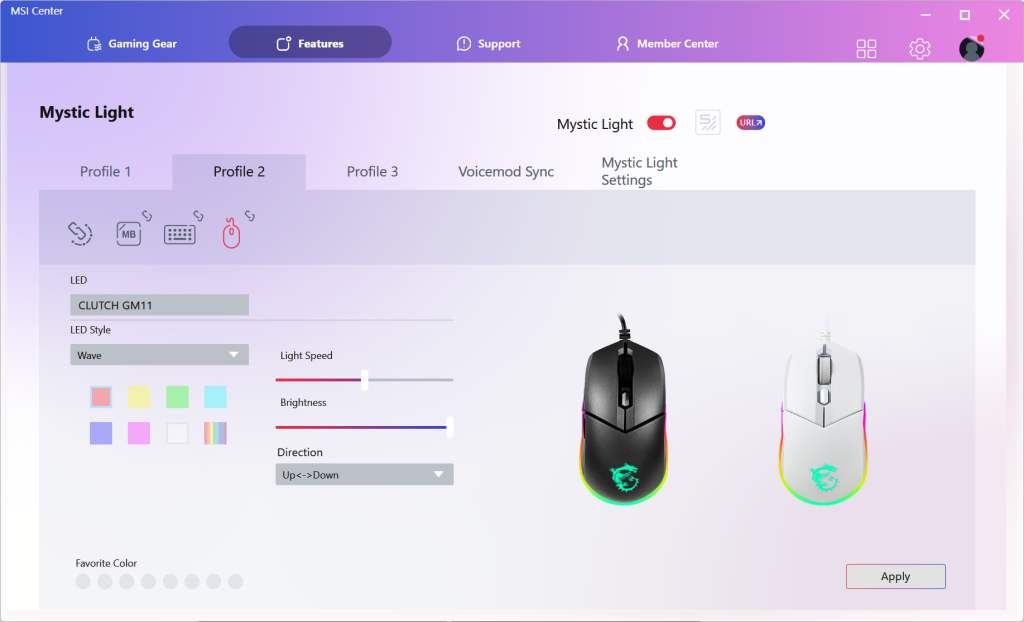
MSI Center doesn’t provide in-depth customisations for the VIGOR GK30 Combo’s keyboard and mouse, but it’s good to see that basic options are available. You can adjust the Combo’s RGB lighting, tweak the mouse’s DPI, and remap its buttons. Interestingly, the products that have been lacking this so far that we’ve reviewed have also been budget peripherals.
Water Repellent
With this keyboard, you can drink and game without guilt or worry about damaging it, since it is water-resistant up to 60 millilitres! Unfortunately, the number pad and LED indicator are not included in the Splash-Proof Drain Hole Design, but at least the majority of the keyboard features them.
Features We Don’t Like
Keyboard’s Tilt-Angle
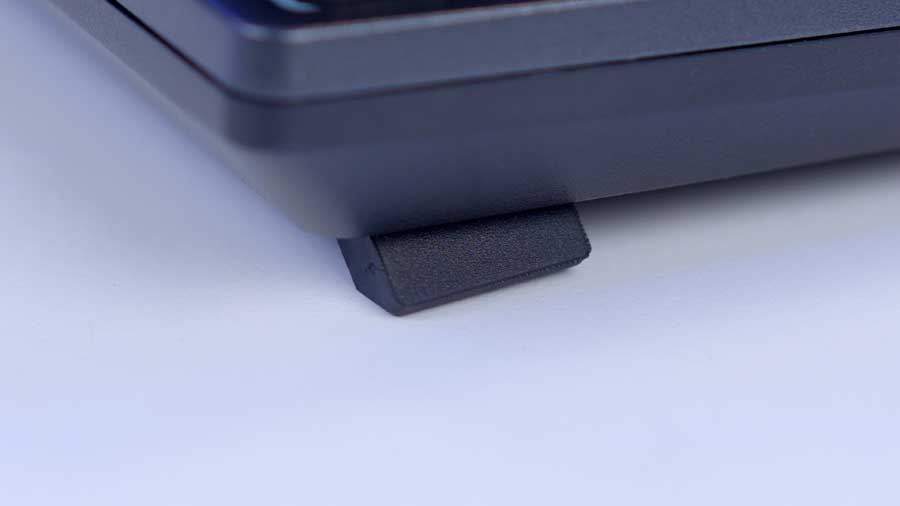
The keyboard comes with two rubberised feet that extend to give you a little elevation; it’s almost pointless to offer this feature. The keyboard virtually lies flat, whether or not you use the ’tilted’ mode, leading to an incredibly uncomfortable user experience, especially after prolonged use. My wrists strain as my hands hover above the keyboard instead of resting on it or the desk. This problem could have been solved with an included wristrest, which would have supported and elevated your wrists, but this is a budget combo, so we can see why it wasn’t included.
Keyboard Not Entirely Robust
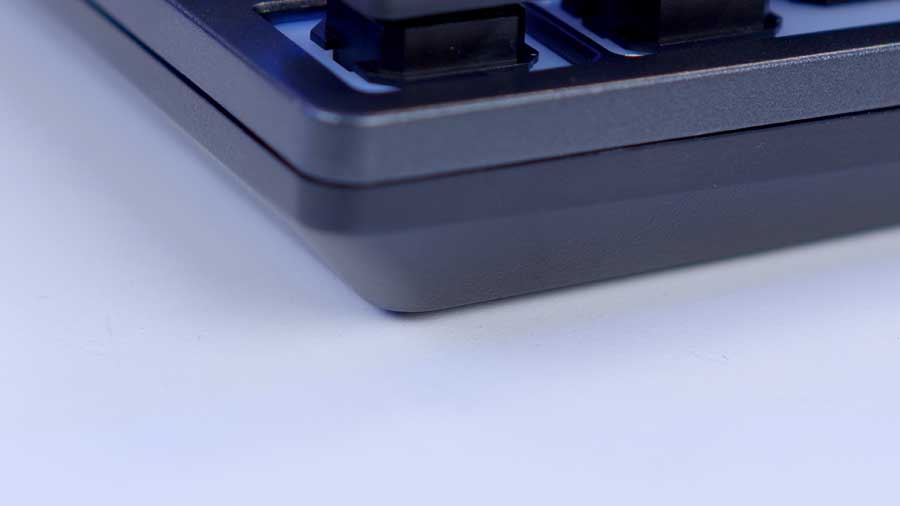
The keyboard strikes a weird balance between not feeling cheap and not feeling premium. It does, however, have some weight. It appears to be mainly plastic, and it flexes quite a bit in the middle under pressure, with the top plates separating in the process.
RGB Lighting
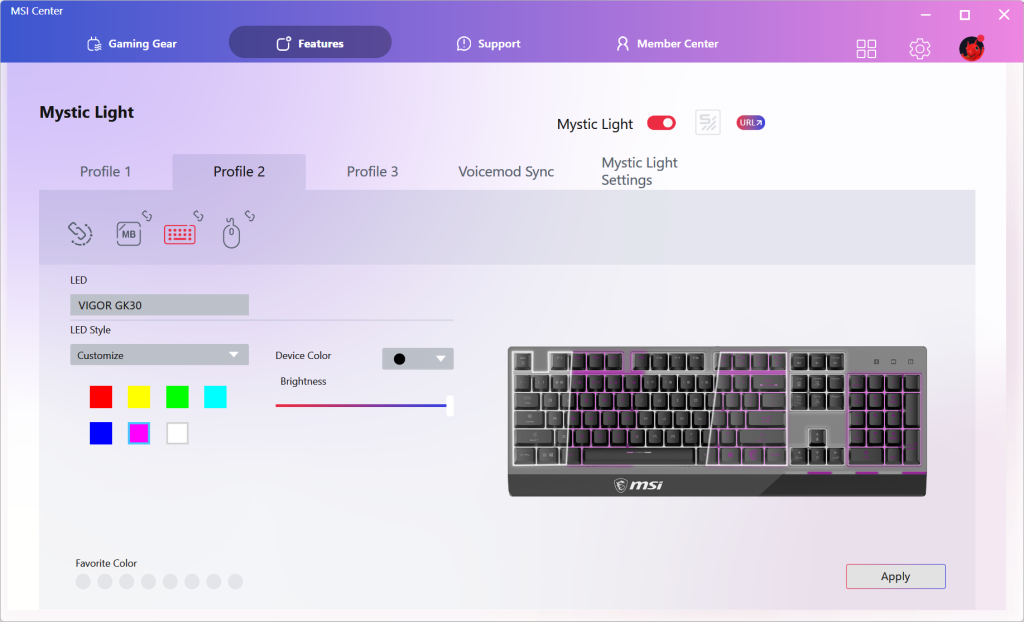
Whilst this keyboard isn’t top of the range, I do feel like a better attempt could have been made with the RGB lighting. There appear to be six major lighting zones across the keyboard, but unlike other keyboards, the lighting seems to bleed between them. There are also rather annoying brightness inconsistencies. This, unfortunately, makes the keyboard look relatively cheap.
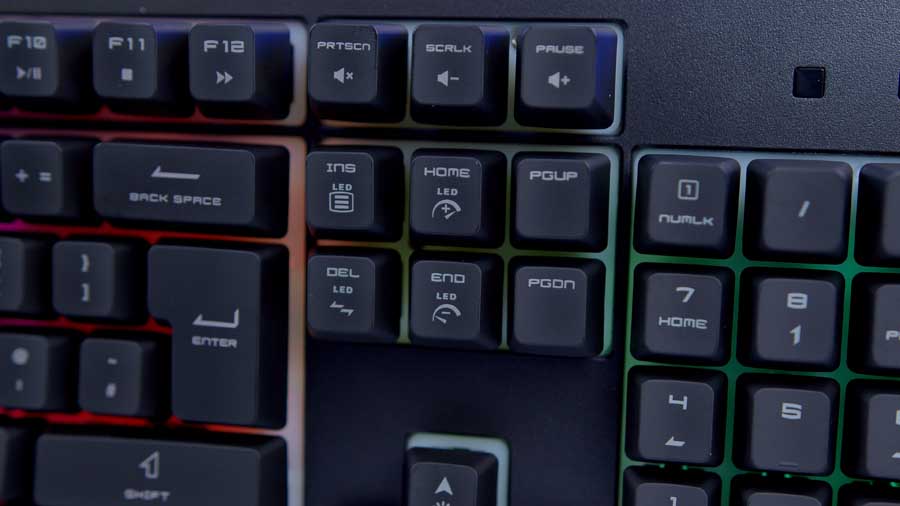
A second point that ties into this complaint is that the lighting isn’t strong enough to pass through the keycaps, which are designed to let it shine through. It is actually rather disappointing that the keycaps have a slightly redundant design; it feels like MSI considered adding a good feature for playing games in the dark, but didn’t fully execute it.
Conclusion
MSI VIGOR GK30 Combo Keyboard and Mouse

Product Name: VIGOR GK30 Combo
Brand: MSI
-
Features
-
Design
-
Performance
-
Value For Money
Summary
In conclusion, this pairing is a great starter set for a first-time purchase or a quick-fix peripheral solution if you’re looking for a kit that serves both gaming and typing. You can’t go wrong with this purchase as it does everything you need it to and a little more. I can also think of scenarios where this would be an excellent gift for someone. If you’re not up to date on the latest tech and how it works together, you can at least have confidence that this mouse and keyboard are a perfect match. Yes, it misses out on the fancy features of high-end keyboards, but you get what you pay for, and it’s still an enjoyable experience.
It definitely prioritises reliable performance over exciting innovation, but this is what also makes it a brilliant starter keyboard and mouse. If you don’t know what you need from a peripheral, you need a baseline to start from. I think its ease of use makes this keyboard incredibly friendly to people of all types and ages. It’s hassle-free and works without software, making it a convenient choice. The MSI VIGOR GK30 Combo gets a thumbs up from me for short to mid-term use.
Pros
✅ Affordable
✅ Plug-and-play
✅ Strong Value for money
Cons
❌ Build material mismatch
❌ Build quality
❌ Keyboard flexes

![FI_[SR190] HYTE X50 Ryzen 5 9600X & MSI RTX 5070 Ti](https://geekawhat.com/wp-content/uploads/2026/01/FI_SR190-HYTE-X50-Ryzen-5-9600X-MSI-RTX-5070-Ti-551x431.jpg)