

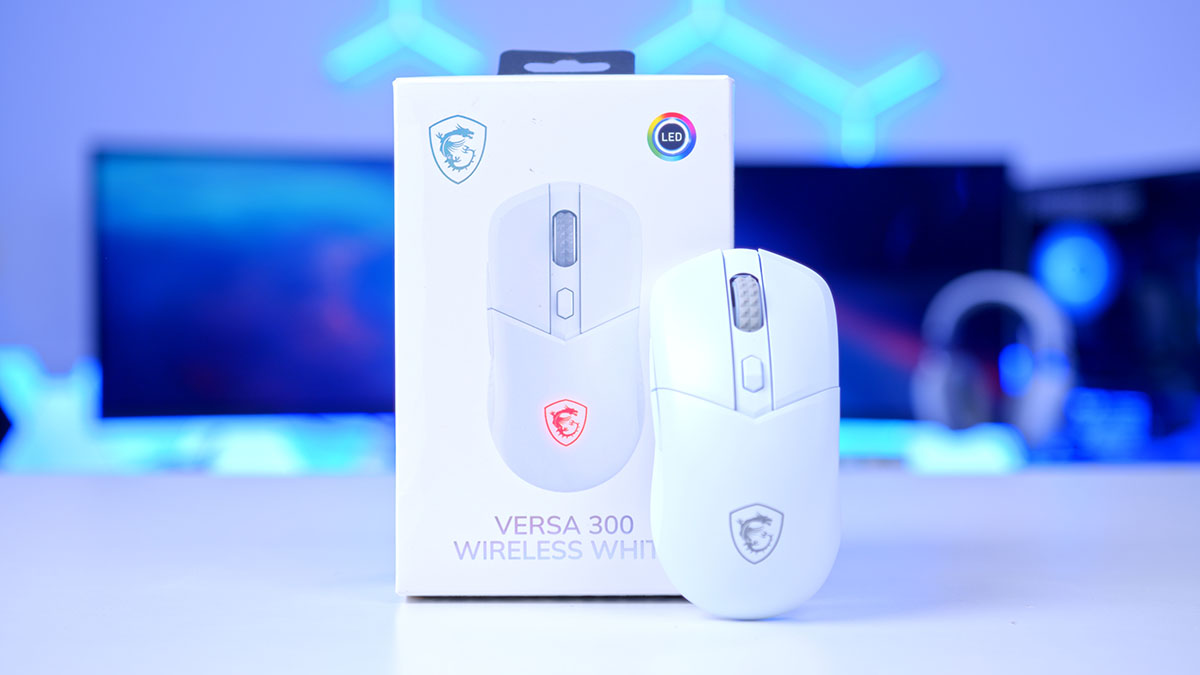
The VERSA series has three different models: the VERSA 300, the VERSA 300 ELITE, and the VERSA PRO, which can be charged with a mouse dock. We have already reviewed the VERSA PRO, and the article for that can be found in the ‘gaming mice’ tab on the homepage.
Finding the right mouse can be challenging. There are numerous scenarios where a mouse is particularly needed. You may be a gamer, or you may use your PC for leisure. The VERSA 300 is a lightweight wireless gaming mouse, weighing just 60 grams. It has been ergonomically designed for both gamers and professionals, making it adaptable for multiple purposes.
Specification
The VERSA 300 offers multiple connectivity modes, with its main feature being wireless connectivity, allowing for connections via a 2.4GHz Wi-Fi dongle or Bluetooth 5.3. When not being used wirelessly, the mouse comes with a 2 metre long braided cable which has a USB-C to USB-A port. The mouse has a battery life of up to 50 hours and can also be used while on charge, meaning that you don’t have to stop gaming when your battery is flat.
With a polling rate of 1000Hz, it sits in the sweet spot for serious and competitive gaming. You would only really need higher if you were a professional player. You can also toggle the DPI (dots per inch) up to 8000, making it a decently responsive mouse that offers control and precision for the standard consumer.
| Key Specs | MSI VERSA 300 Wireless |
|---|---|
| Connectivity | Wired 2.4GHz Bluetooth 5.3 |
| Sensor | PixArt PAW3104DB (8000 DPI) |
| Polling Rate | 1000 Hz / 1 ms |
| Switch Type | Kailh Micro Switch |
| Switch Durability | 30 Million Clicks |
| Battery Life | up to 50 Hours |
| Mouse Feet | N/A |
| Wired Connectivity | USB-C to USB-A 2.0 |
| Cable | 2m FriXionFree Cable |
| Weight | 60g |
| Colours | Black White |
| MSRP | $44.99 £30.00 |
For a higher-performing gaming mouse, this mouse is lightweight, with gaming mice typically weighing around 80g or more. This characteristic is designed to enhance speed and agility, while also reducing hand fatigue, thereby improving overall gaming performance in scenarios where these attributes are crucial.
Every peripheral has a lifespan or durability per se, the VERSA 300 Wireless uses Kailh Micro Switches that have a durability of 30 million clicks. The average mouse user clicks their mouse between 5000 and 7000 times a day. Taking this into account, the mouse is likely going to give you a good few years of usage!
MSI VERSA 300 Wireless Design
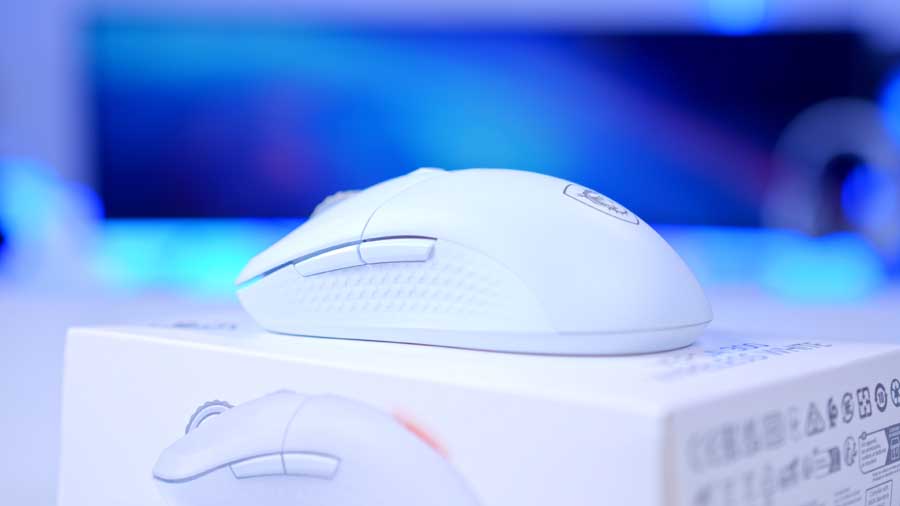
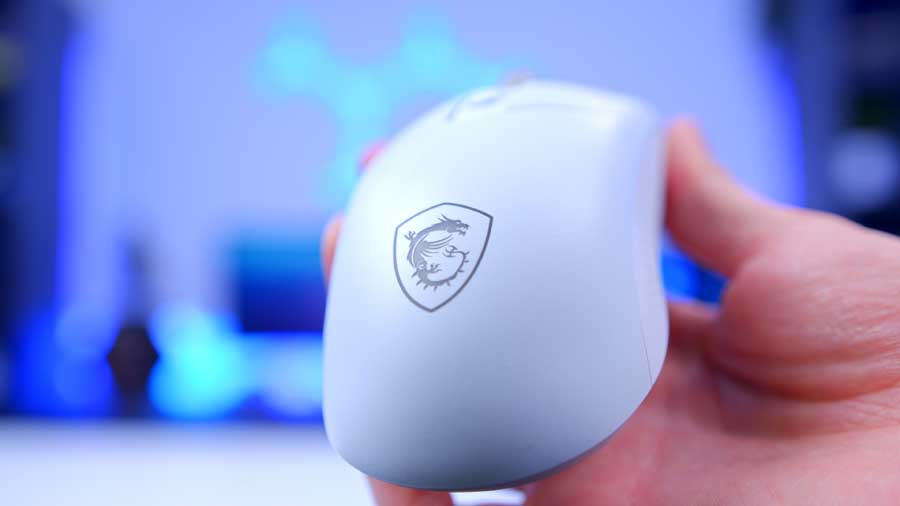
This mouse has a symmetrical design, making it comfortable for either right-handed or left-handed users. The ergonomic and supportive handshape design accommodates hands of various sizes, allowing comfortable extended use periods. The mouse is about average in size, coming in at 125 x 64 x 41 mm in dimensions. It’ll fit nicely on a desk space and won’t occupy the environment. The shape is tailored to support a wide range of grip styles that include palm, claw and fingertip grips. The bezels on the mouse around the buttons and edges are stylistically smoothed, presenting a minimalistic and smooth appearance overall.
The VERSA 300 Wireless features a diamond-patterned grip in several zones, providing enhanced resistance and anti-slip functionality. It has been exclusively designed to allow gamers to hold the mouse firmly in hand for precise manoeuvring with excellent feel. The scroll wheel also features this pattern with a rubber material, ensuring your fingers stay in place when in use.

As mentioned in the Specification section, this mouse has Kailh Micro Switches. They are high-quality mechanical switches, an upgrade to regular optical switches, and are built for intense use. They ensure reliable performance and long-lasting responsiveness, making them perfect for any task.
Powered by the PixArt PAW3104DB Optical Sensor, this advanced sensor delivers pinpoint accuracy with a maximum DPI of 8000 for responsive and precise movements. The DPI can be changed using the refined DPI button that sits on top of the mouse behind the scroll wheel. It’s easy to reach without having to change your hand position, and it sits just slightly higher than the left and right mouse buttons. Pressing this button allows you to cycle through preset DPI levels of 400 / 800 / 1600 / 2400 / 3200 / 4000 / 6400 / 8000, giving you the option to make quick adjustments without having to use an application mid-task.
The mouse is made of a plastic material that likely contributes to its overall weight and durability, making it easier to clean and more resistant to breakage, although not entirely impossible.
Features We Like
The click
We love that the mouse features Kailh Micro Switches – they sound crisp, feel great, and provide precise, high-quality tactile feedback.
Ambidextrous grip design
This feature should make the mouse attractive to all users. I tried using the mouse with my left hand and found the experience to be just as comfortable. I just realised I couldn’t use the side buttons as easily as I thought, unfortunately.
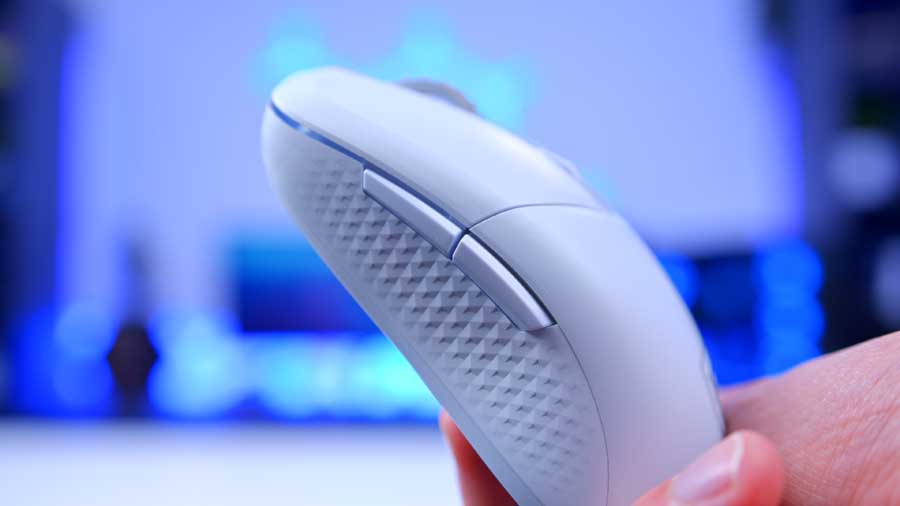
Diamond-patterned sidegrips
I am a fan of this feature; my own personal mouse has rubber grips that have degraded significantly over the 3 years I have owned it. The rubber has worn away in places and lost its resistance. However, the diamond-patterned sidegrips on both sides of this mouse provide resistance for my thumb, at least! I can see there being a buildup of oils and debris over a short time, but this should be easy to wipe clean.
Features We Don’t Like
Missing a pinky finger ledge
I constantly find my pinky and ring finger resting on my mouse mat when using this mouse, which is actually quite frustrating, as I feel a buzzing in these two fingers; it’s very distracting and can potentially contribute to ailments such as Repetitive Strain Injury (RSI) issues, especially when using it for long periods at a time or with FPS gaming. This is considering that now I am making more of a conscious effort to lift my fingers off the mat. Mice like the Logitech MX Master 3S Wireless Mouse and the Razer Basilisk V3 have considerable finger ledges, embodying the essence of ‘ergonomic’; however, it is only fair to note that mice like these tend to have a price point of $70 and upwards. Not to say that this mouse doesn’t have a comfortable grip – it does.
Minimal scroll wheel resistance
The resistance the scroll wheel has is just enough for you to register that the wheel is moving. I would have liked to have a stronger resistance, as it provides confidence that the content I’m using is being manipulated accurately in accordance with my actions. Having used a mouse that lets me stipulate the resistance to my own preference, I can say that when gaming and particularly with FPS gaming, I prefer a stronger tactile feedback with a higher resistance, as it offers a more precise point of control. Given that this mouse is “ergonomically designed for both gamers and professionals”, it is somewhat disappointing that this feature was not given more thorough consideration.
Ambidextrous grip, not buttons

The mouse buttons on the side of the mouse are only on the left-hand side, meaning that if you are right-handed, you will be able to use these buttons easily; however, if you are left-handed, you may experience some strain when using them. So, the supposedly “symmetrical design” only refers to the grips, and I am willing to argue that left-handed users would benefit from choosing a different mouse, as they would miss out on standard features of a gaming mouse. MSI could have benefited from making the side panels hot-swappable if they genuinely wanted to consider a wider demographic. Given that this is an entry-level gaming mouse, this feature is not included within the pricing.
No software support
MSI have done it again; this peripheral has no supporting software. The MSI Centre app doesn’t even recognise it as a device, meaning that the buttons are not reprogrammable, and this furthermore means that the lighting is not customisable. There is also no RGB button on the mouse, so you are left with just a typical rainbow cycle, which isn’t the worst, but you lose out on your setup having character overall. I will note that the upgraded VERSA 300 ELITE Wireless and the VERSA PRO Wireless versions do have custom lighting options, albeit limited.
Conclusion
MSI VERSA 300 Wireless
Product Name: VERSA 300 Wireless
Brand: MSI
-
Features
-
Design
-
Performance
-
Value For Money
Summary
This mouse serves as a versatile option for both casual gaming and everyday office tasks. While its gaming features are modest, they offer a slight edge for newcomers. As an entry-level device from a reputable brand, it delivers reliable performance and a clean aesthetic – especially in the white variant. Comfort is decent, though not exceptional, and much of its appeal lies in the brand name and visual design. If you’re starting out in gaming and need a budget-friendly peripheral with a well-rounded feature set, this mouse is a solid pick.
MSI doesn’t seem to like offering software support, and if there is any software, it typically isn’t great, as seen in our MSI VERSA PRO Wireless Gaming Mouse review. MSI produces quality gaming peripherals, but they often seem to lack the deeper level of support and fine-tuning that’s expected from a premium brand for high-end gaming.
It’s disingenuous for MSI to market it as a symmetrical design, as it alludes to the idea that it is completely left-hand friendly. Left-hand users would likely invest in another mouse upon discovering that gaming mouse buttons, which are standard for right-handed users, are not as easy to use for them.
The battery life isn’t breathtaking at 50 hours; consider that this mouse doesn’t offer any particularly strenuous features either. This mouse does not blow me away. It’s a budget gaming mouse for a premium brand; other third-party gaming mice will offer you more for around the same price point. It’s about whether you’d rather choose a well-established and quality brand or not.
Pros
✅ Somewhat comfortable
✅ Accurate
✅ Versatile connectivity options
✅ Super lightweight
Cons
❌ Marketing talks up too much
❌ No software
❌ Not customisable


![FI_[DM88] 16GB DDR5 9060 XT Build Gallery](https://geekawhat.com/wp-content/uploads/2026/02/FI_DM88-16GB-DDR5-9060-XT-Build-Gallery-551x431.jpg)
![FI_[SR190] HYTE X50 Ryzen 5 9600X & MSI RTX 5070 Ti](https://geekawhat.com/wp-content/uploads/2026/01/FI_SR190-HYTE-X50-Ryzen-5-9600X-MSI-RTX-5070-Ti-551x431.jpg)