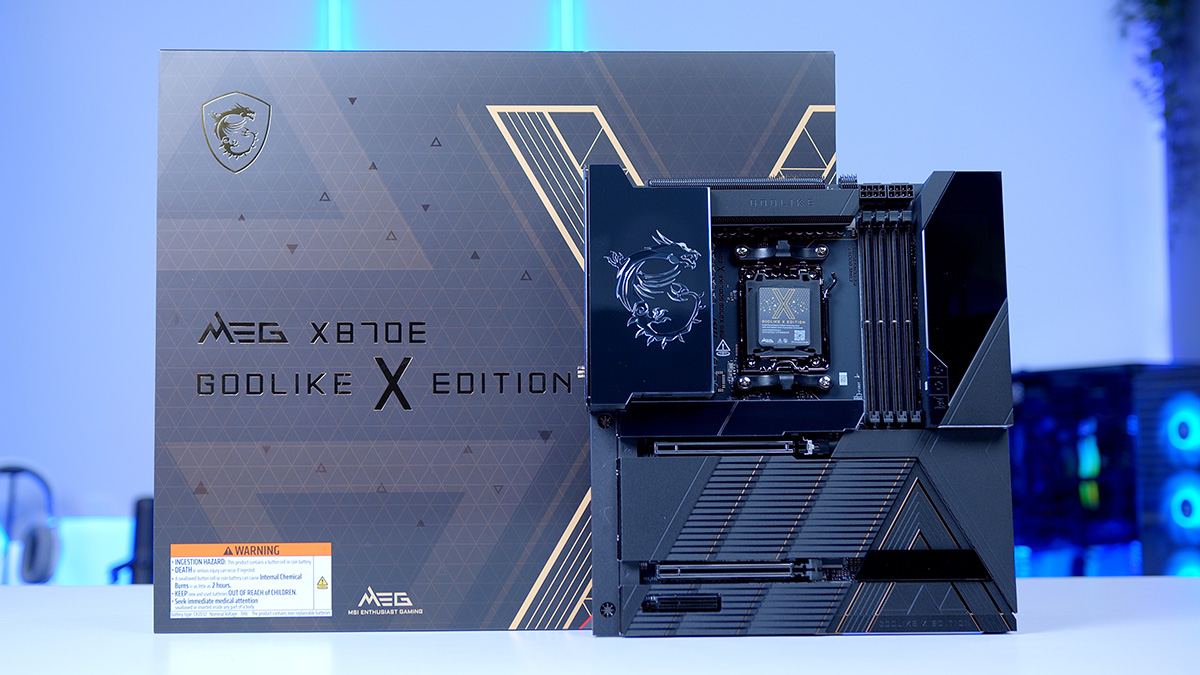
The MSI ‘GODLIKE’ series of motherboards is the crème de la crème when it comes to features. The MEG range of products’ primary purpose is to provide no compromises when it comes to design and performance, and the MEG X870E GODLIKE X fully embodies this philosophy. This GODLIKE board is part of a series of Collector’s Edition products, of which 1000 have been made, so if you’re looking to build a one-of-a-kind PC, the GODLIKE X is a highly unique option. Powered by the X870E chipset, the GODLIKE X delivers top-end performance for a top-end CPU.
In this review, we take a look at the MEG X870E GODLIKE X, getting to grips with its specs, box accessories, features, connectivity, aesthetic, and more. Enthusiasts looking to put together a unique gaming PC, with no sacrifices when it comes to performance, should look no further than this review, helping you decide whether the MSI MEG X870E GODLIKE X Edition is a worthwhile pickup.
Specification
Taking a look at the specs, the MSI MEG X870E GODLIKE X Edition is absolutely jam-packed with a vast array of high-end expansion options and connectivity. It’s no surprise that this is an E-ATX board, allowing MSI to make use of more space straight out of the gate with this behemoth-sized motherboard. As always, it’s worth noting that, because of its size, you’ll need to ensure your chosen case supports the form factor, as not all standard ATX chassis can accommodate the largest E-ATX motherboards.
Moving onto RAM support, the MEG X870E GODLIKE X supports a maximum capacity of 256GB of DDR5 memory, which is a standard across the vast majority of X870 and X870E motherboards. The supported speed, however, is 9000 MT/s, making the GODLIKE X one of the fastest options for RAM alone. Most motherboards tend to cap RAM speeds at 7000MT/s to 8400MT/s, so it’s impressive to see memory speeds reach this high compared to market alternatives.
For the VRMs, MSI has opted for a 24+2+1 power stage design at 130A. This is a rather beefy set of VRMs, appropriately designed to handle an overclock with a Ryzen 9 CPU. Additionally, using multiple VRM power phases helps spread power delivery, resulting in smooth execution and excellent thermals.
Expansion-wise, there are two Gen5 graphics card slots, with the topmost slot running at full x16 speeds, and the second at x8. When both slots are engaged, they will run at x8 speeds, which is worth noting for enthusiasts planning to install multiple graphics cards. For storage, this is where the MEG X870E GODLIKE X outshines other boards. There are five slots on the board, two Gen5 and three Gen4, but MSI provides an expansion card which comes with a further two Gen5 slots, so you can really maximise storage space, should you need it.
| Specification | MSI MEG X870E GODLIKE X Edition |
|---|---|
| Form Factor | E-ATX |
| Supported Memory | 256GB DDR5 9000MT/s |
| PCI-E x16 Slots | 2 x PCI-E 5.0 1 x PCI-E 4.0 |
| PCI-E x4 Slots | 2 x PCI-E 5.0 2 x PCI-E 5.0 via M.2 XPANDER Card 3 x PCI-E 4.0 |
| VRM Power Phases | 24+2+1 |
| Front IO | 1 x USB 3.2 Gen2x2 Type-C 1 x USB 3.2 Gen2 Type-C 4 x USB 3.2 Gen1 Type-A 4 x USB 2.0 |
| Rear IO | 8 x USB 3.2 Gen2 Type-A 5 x USB 3.2 Gen2 Type-C 2 x USB 4 Type-C |
| Audio | 2 x Audio Jacks Optical S/PDIF |
| Networking | 10 Gigabit LAN 5 Gigabit LAN WiFi 7 |
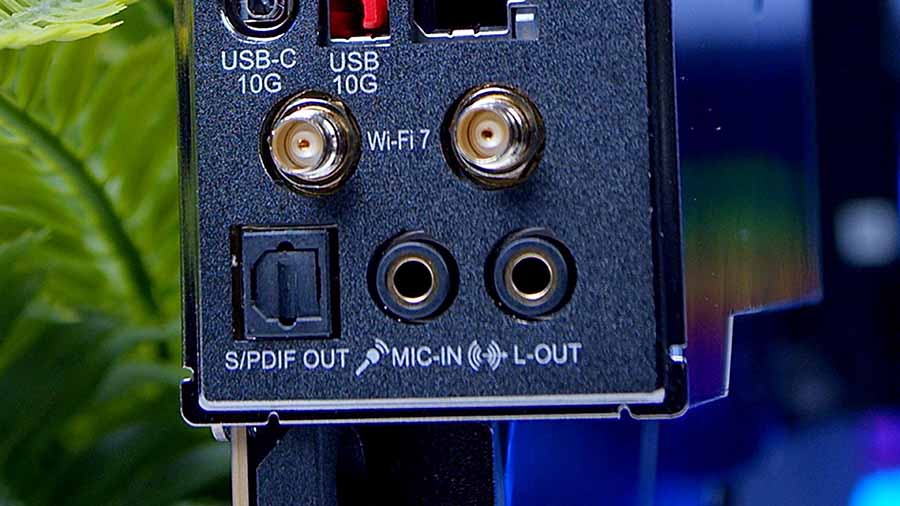
Continuing to IO, the selection of front IO headers supports up to 10 ports in total. This is limited by what your case has when it comes to USB ports, but it’s great to see a variety of front IO options. Unsurprisingly, rear IO is as bountiful, if not more so. There are 15 ports here: 8 USB-A and 7 USB-C. There are no USB 2.0 ports in sight. The audio options on the GODLIKE X are a bit lacking, but I think this can be excused given how many USB ports are crammed into the rear IO. Either way, you’ve got two gold-plated 3.5mm audio jacks and an optical S/PDIF output, ideal for those with speakers or a soundbar.
Last but not least is networking. GODLIKE motherboards do not shy away from top-end networking, and the MEG X870E GODLIKE X features dual LAN and WiFi7. This is ideal for those with a home server or NAS setup, as you can easily leverage an internet connection and a speedy LAN connection to the server, allowing you to move large files without waiting.
What’s in the Box?
The MSI MEG X870E GODLIKE X Edition comes with a massive array of accessories. MSI provides these to help reduce construction time and improve the quality of life during the building process. The first accessory to cover is the WiFi antenna. Any motherboard that comes with onboard WiFi will have a set of antennas. These are used to extend the range of wireless internet and Bluetooth signals, allowing you to be farther away from your PC. The antenna attaches to the stand, which magnetises to the case, making it simple to transport.

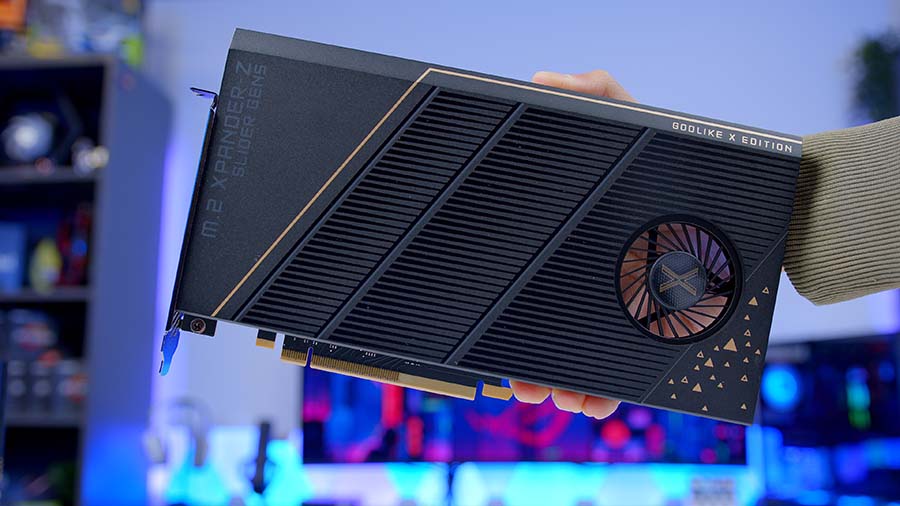
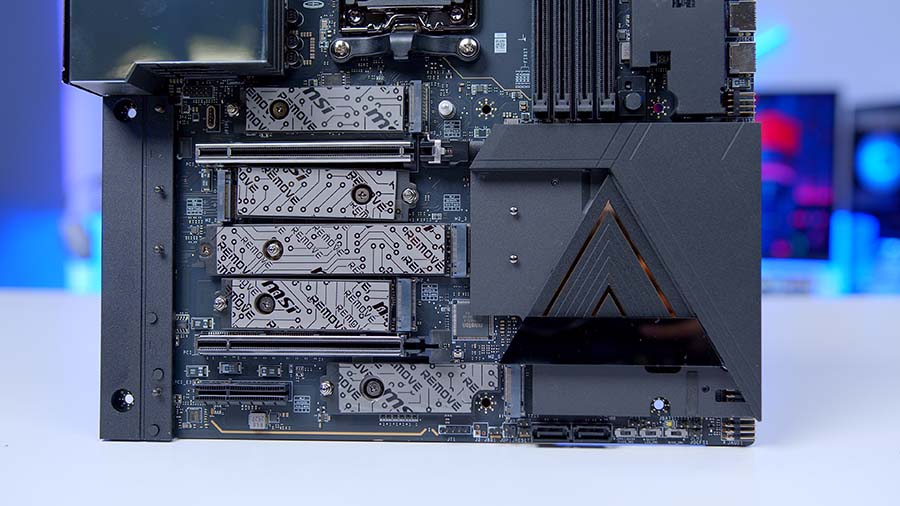
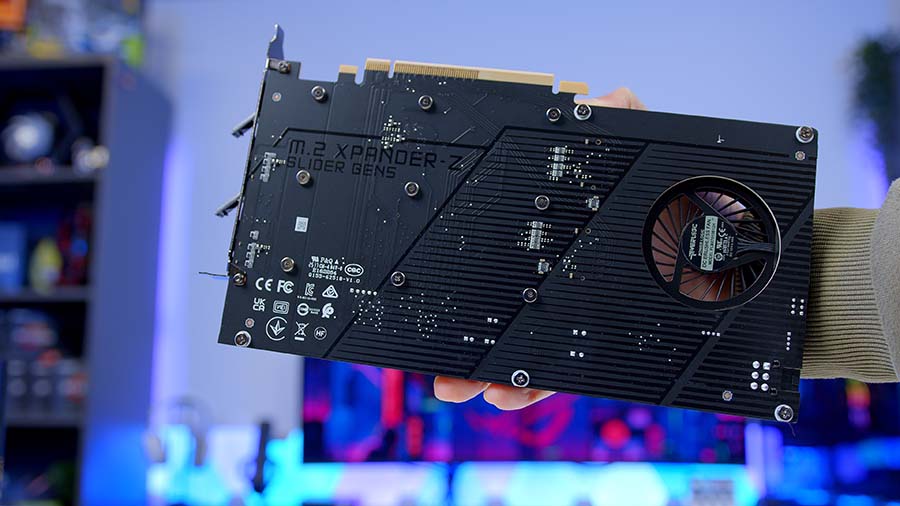
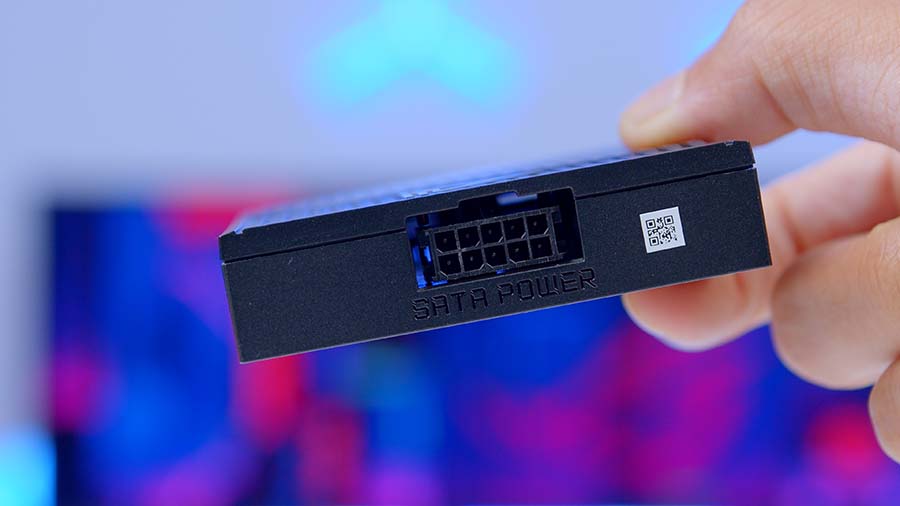
The M.2 XPANDER-Z-SLIDER Gen5 card offers two extra slots for enthusiasts who need ample storage space. This card includes two extra Gen5 slots and can be easily installed in the second Gen5 slot, just below the graphics card. MSI also provides a SATA-to-PWM adapter for this card, which allows you to control the fan curve via the PWM header it’s plugged into.
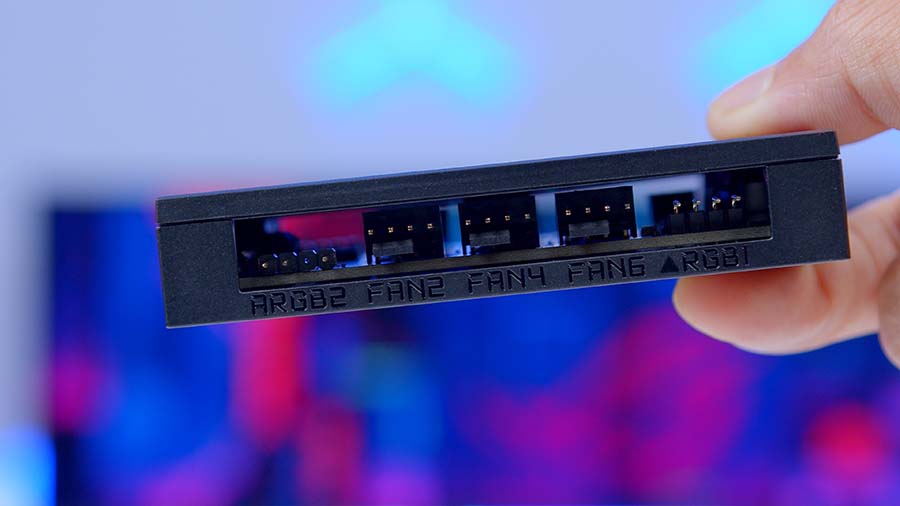
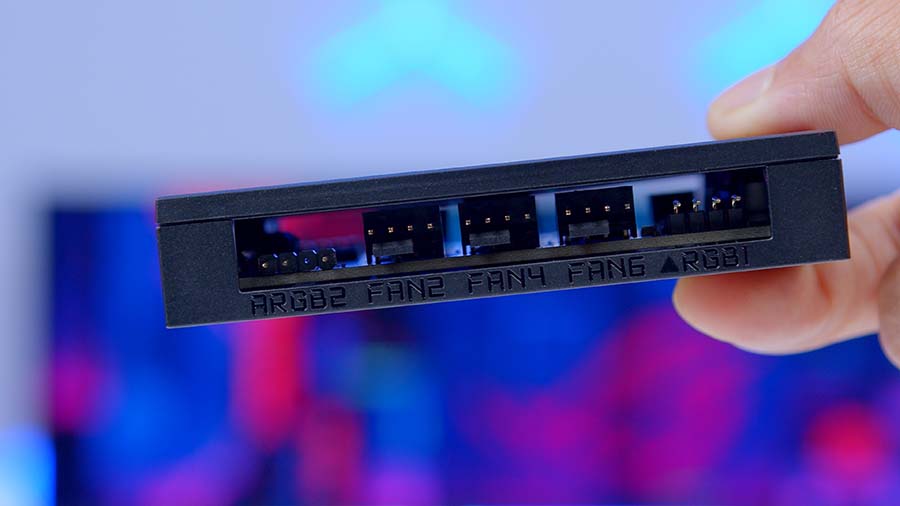
Alongside this is the EZ Control Hub. The hub itself plugs into the ‘Bridge’ header, consolidating PWM and 3-pin ARGB signals into a single cable. The hub can then house multiple fans or coolers without taking up space on the motherboard, making it an excellent solution for those with plenty of cooling components.
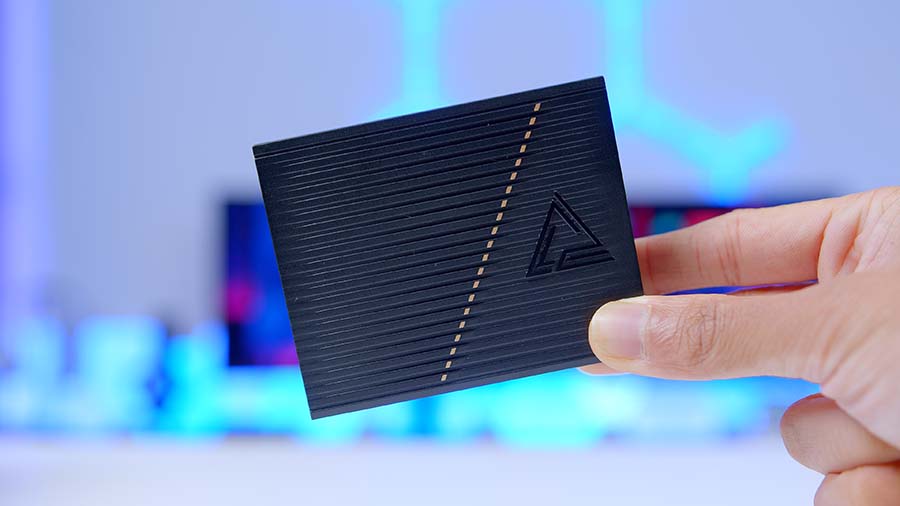
Alternatively, MSI also offers a one-to-three EZ Connect cable that uses its proprietary JAF header to combine PWM and ARGB. If you don’t plan to use the hub, this is another solid way to free up board headers.
There is a wide selection of cables that can assist during the build, like SATA data cables or RGB splitters, to simplify cable management while plugging everything in.
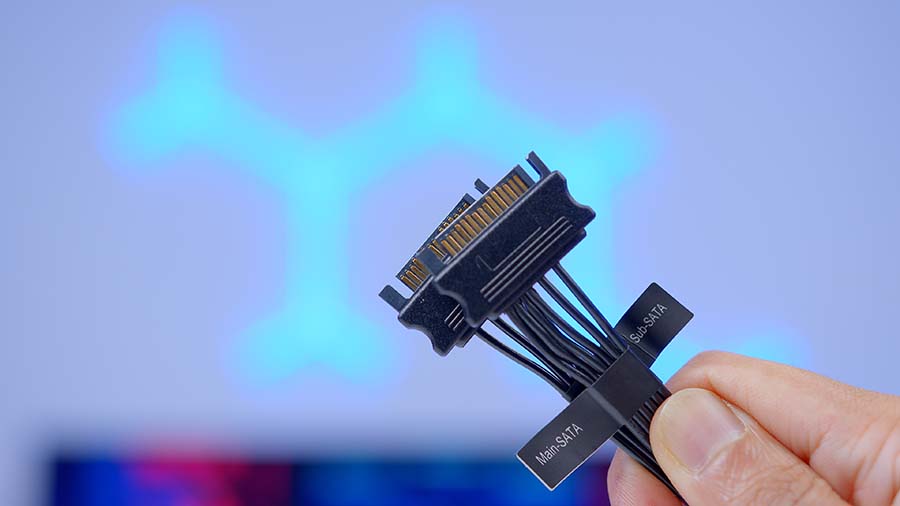
Lastly, there is a USB drive that includes a range of drivers to update the components in your build. We always recommend installing fresh drivers when you build a PC anyway, but the included drive means builders won’t need to scour the internet for the correct drivers, saving some time.
MSI MEG X870E GODLIKE X Design
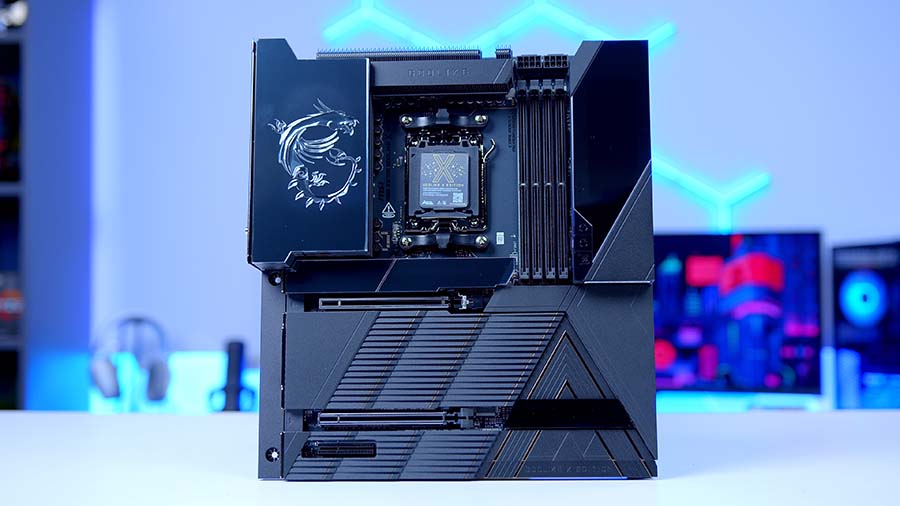
The GODLIKE X features a laid-back black-and-gold design that spans the length and width of the board, cropping up on the heatsinks, LCD panel, and the ‘GODLIKE’ text towards the bottom right. It’s great to see that MSI hasn’t gone for an edgier appearance, something we see far too often on ASUS ROG Strix motherboards that we’ve reviewed in the past.
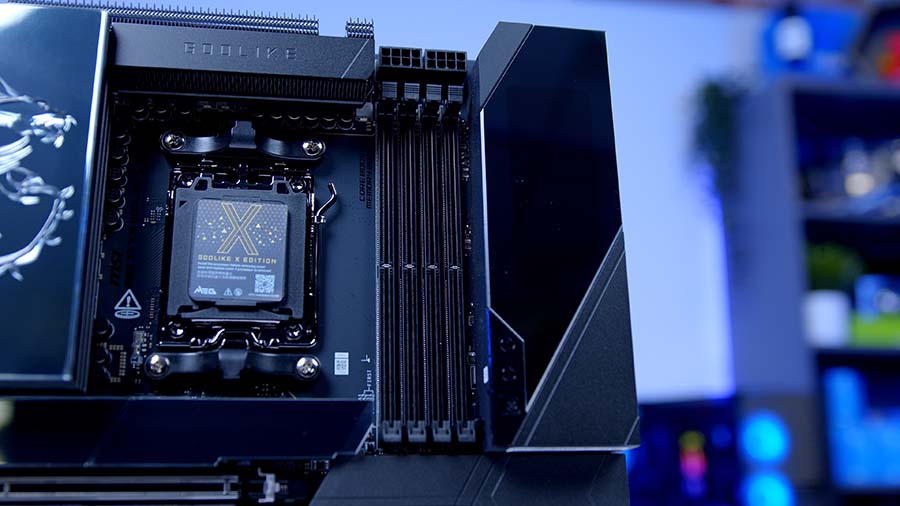
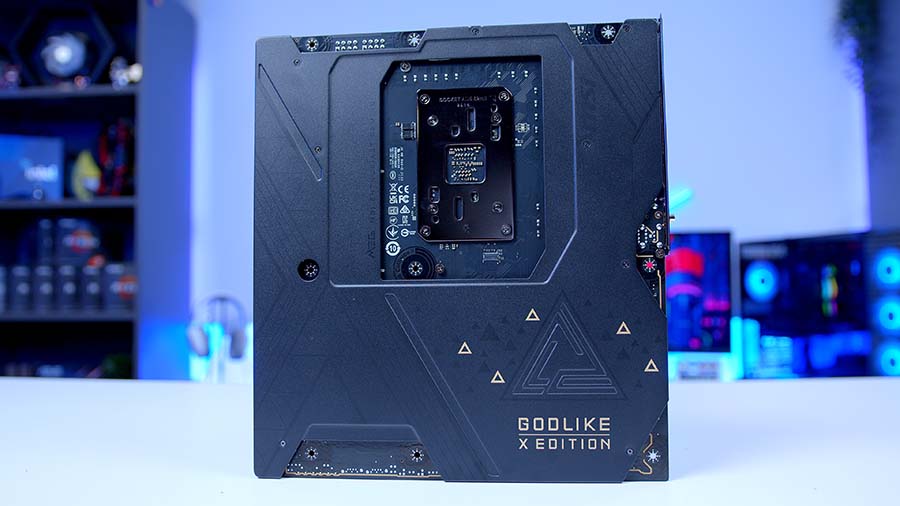
I think the size of the GODLIKE X is going to be off-putting for many, not just because of its sheer weight and magnitude, but also because it’s the kind of board that will be a logistical nightmare to balance well with other parts, especially cases. This board offers a 10-layer PCB, which means it’s pretty thick straight out of the gate, but MSI has clad the entire board in metal heatsinks, both the underside and the top. While the extra protection is appreciated, it makes the GODLIKE X rather heavy, which means installing it will be challenging if you’re not prepared for its weight.
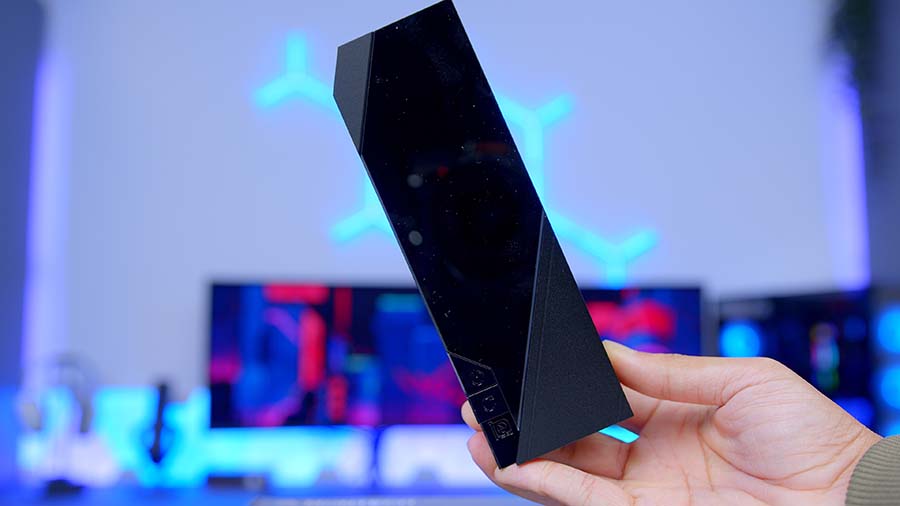
The rear IO heatsink features a fully integrated LCD with nine presets, including a music player, a hardware monitor, and a fully customisable preset, so you can pick and choose exactly what you want. While the screen is a tad overkill, I expected nothing less from a GODLIKE X motherboard, especially since this board has an MSRP well over $1000.
Overall, I think the design is solid. There aren’t as many bells and whistles from a design standpoint, but I think the GODLIKE X strikes a nice balance between aesthetics and performance. With this board, it’s what’s underneath the hood that’s important, not the surface looks.
Connectivity Options
Graphics Card Slots
Regarding graphics card support, with the arrival of RTX 5000 and RX 9000 from NVIDIA and AMD, respectively, Gen5 PCI-E support is a big focus for modern builds, so it’s no surprise that the GODLIKE X has not one, but two Gen5 GPU slots. The primary slot at the top runs at full x16 speeds, but slows to x8 if the second slot is also in use. While SLI isn’t supported anymore, it’s great to see that there are still considerations for those with multi-GPU desktops, and the GODLIKE X is precisely the kind of motherboard you’d expect in a dual-GPU setup.
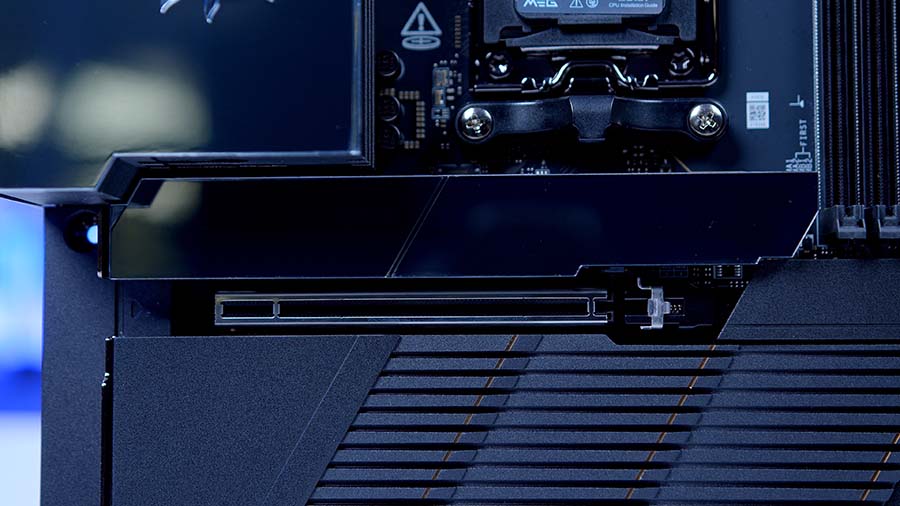
The last PCI-E slot on the GODLIKE X is Gen4 and runs at x4 speeds. While we can’t see many builders using the final GPU slot, it’s good to have the option, especially if you plan on using it for networking or additional storage.
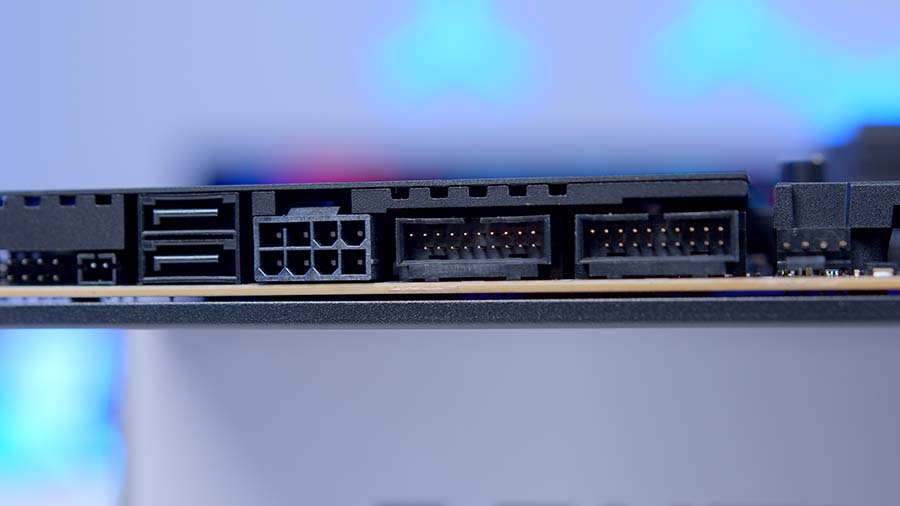
Hidden underneath the metal heatsinks towards the right side of the board, you’ll also find an 8-pin PCI-E power header. This won’t be necessary for everyone, but plugging this in provides more power and stability to the PCI-E slots, which is particularly handy if you plan to push your PC with fairly intense workloads.
M.2 Slots
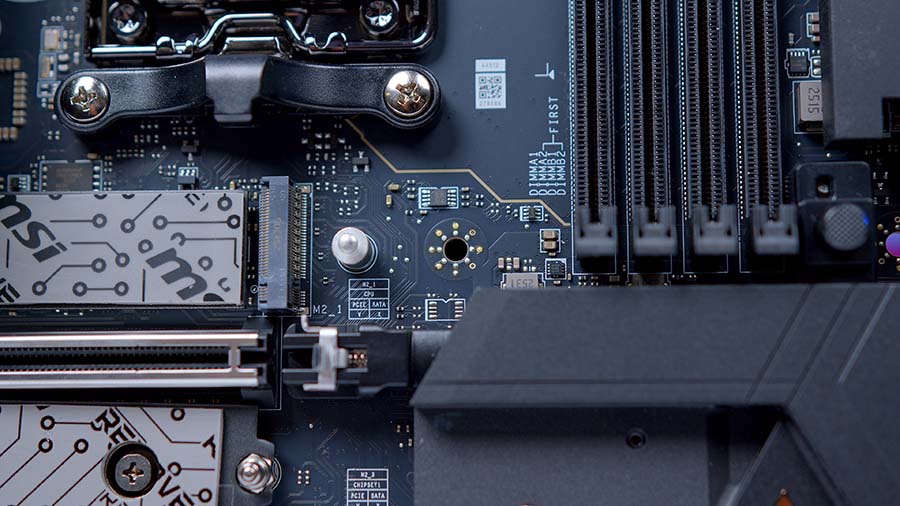
For storage, the GODLIKE X has you spoilt for choice. The board has five M.2 2280 slots in total, two Gen5, and three Gen4. So straight out of the gate, there’s an excellent set of options. However, the XPANDER card MSI provides with this motherboard offers two extra Gen5 slots for those who need them. All of these slots are entirely tool-less as well, so it’s incredibly simple to get any drives installed.
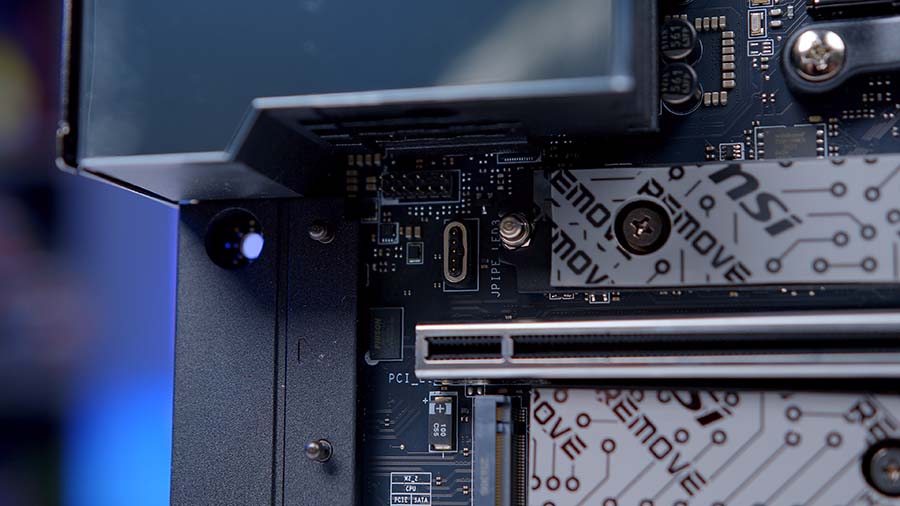
It’s worth noting that installing the XPANDER card is entirely dependent on your graphics card setup. If you’re installing two graphics cards, there won’t be any space for this expansion card.
RAM DIMMs
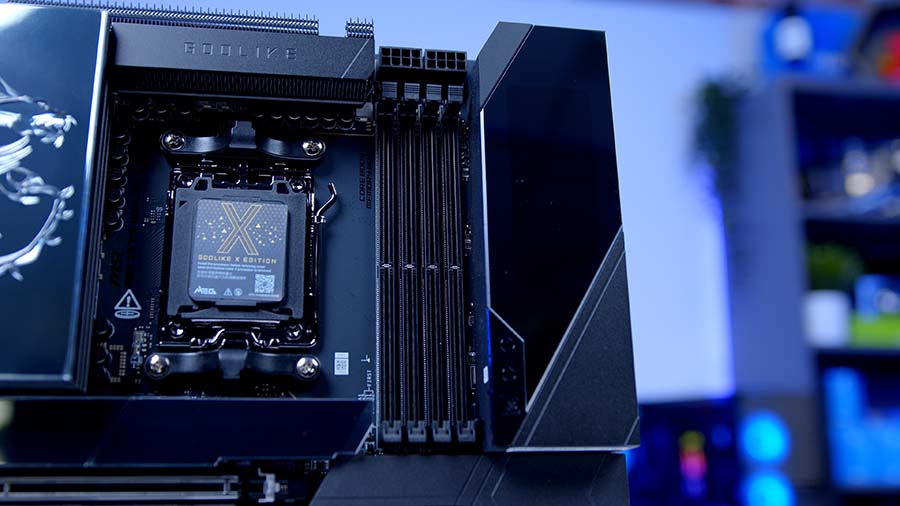
As this is an E-ATX motherboard, the PCB supports four full-size RAM DIMMs. The MEG X870E GODLIKE X supports a maximum capacity of 256GB DDR5, which is standard across the vast majority of X870 and B850 motherboards. Regarding speeds, RAM can reach 9000MT/s, which is pretty impressive, while most other boards are limited to 8400MT/s.
Rear IO
Much like the available storage slots on this board, the rear IO on the MEG X870E GODLIKE X is definitely one of its more standout features. There are fifteen USB ports in total. Eight are USB 3.2 Gen 2 Type-A ports, five are USB 3.2 Gen 2 Type-C ports, and the remaining two are USB 4.0 Type-C ports. This gives gamers and enthusiasts plenty of space to plug in a variety of peripherals and accessories, as well as high-speed drives, enabling fast transfer speeds.
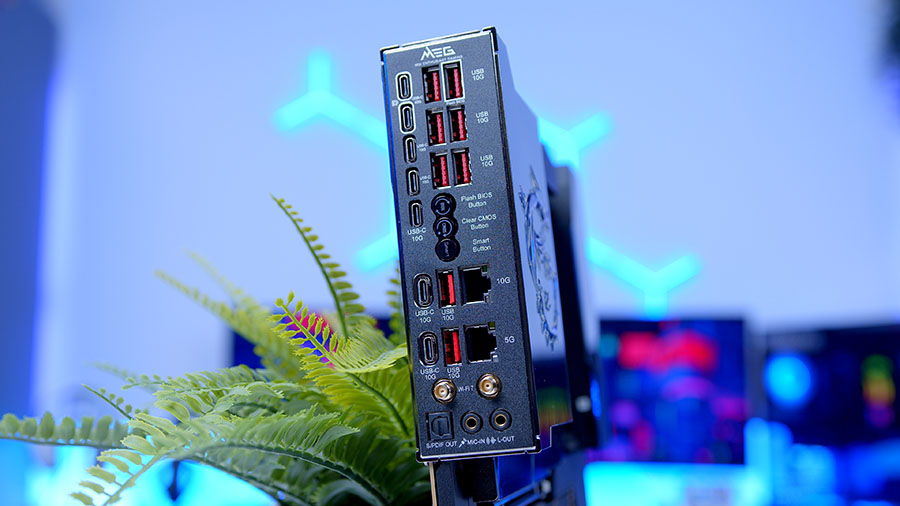
For audio, there are two gold-plated 3.5mm jack connections for headphones in and out, alongside optical S/PDIF. While the audio selection here is pretty limited, S/PDIF provides some options for those with a speaker or soundbar setup. Last but not least is networking. The MEG X870E GODLIKE X offers two LAN ports, one is 5 Gigabit and the other is 10 Gigabit. This might be overkill for the vast majority of gamers. Still, for enthusiasts with a NAS or home server, dual LAN is perfect, as it provides unhindered internet speeds and allows pulling or uploading files at blazing-fast transfer rates.
Internal Headers
CPU and Motherboard Power
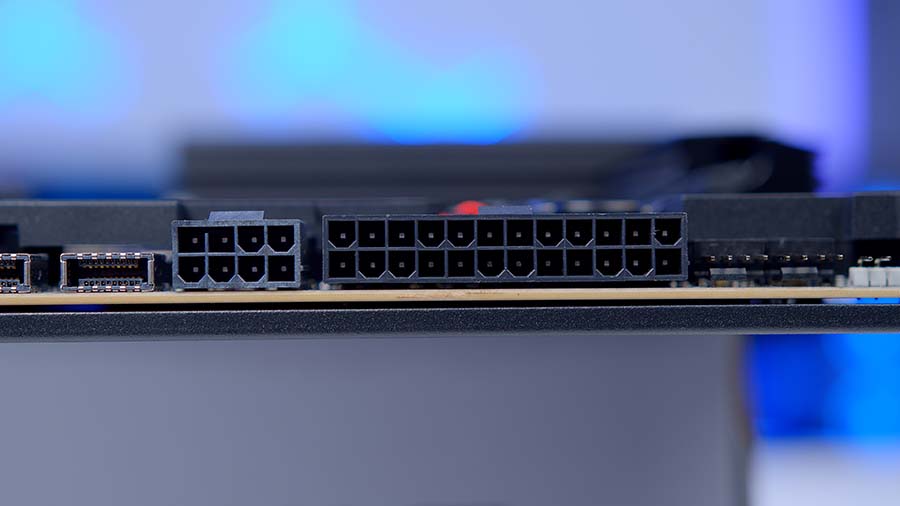
The overall power configuration on the MEG X870E GODLIKE X is slightly different, but CPU and motherboard align with what we’d expect for a board of this calibre. Towards the top-right, just above the RAM DIMMs, you’ll find two 8-pin EPS CPU connectors. These have likely been shifted to provide a cleaner aesthetic and to reserve space for the large heatsink that spans the top of the PCB.
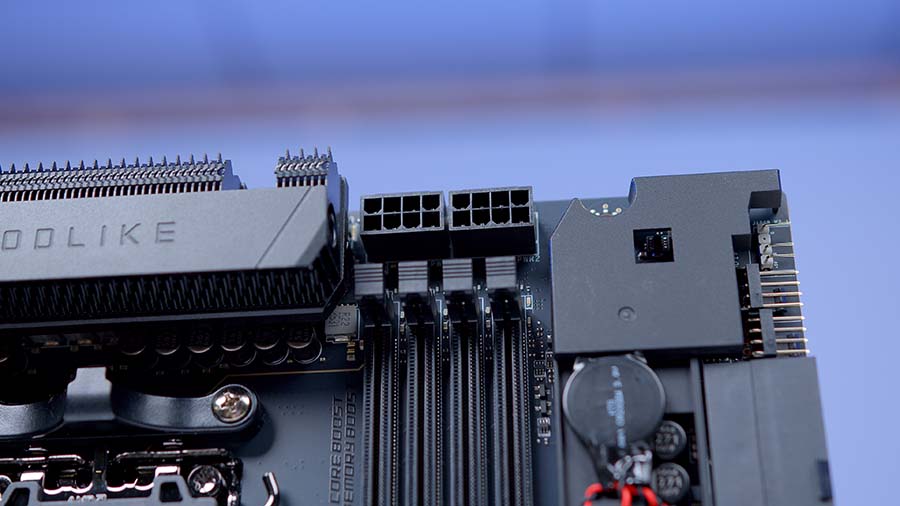
Underneath the array of heatsinks on the right side of the motherboard, you’ll spot the motherboard power connector, labelled ATX_PWR1. Again, the configuration is standard, but it’s nice to see that MSI have prioritised aesthetics here, opting to keep this rather unsightly cable out of view.
Front USB Headers
All of the front USB headers are located in the same spot as the motherboard power. Here you’ll find two USB 2.0 headers supporting four ports, along with two USB 3.2 Gen1 headers supporting another four ports. There’s also a USB 3.2 Gen 2 Type-C header and an additional USB 3.2 Gen 2×2 Type-C header. USB support is clearly a priority for the GODLIKE X, and it’s great to see such a vast selection of options.
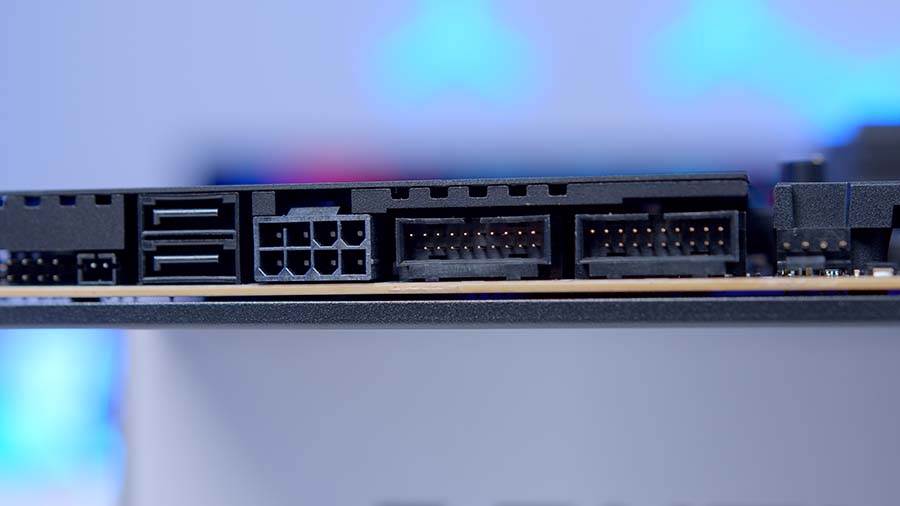
It’s also worth noting that the MEG X870E GODLIKE X supports power delivery up to 60W for lightning-fast charging. However, this will only work if the PCI-E header is also plugged in.
Pump and Fan Headers
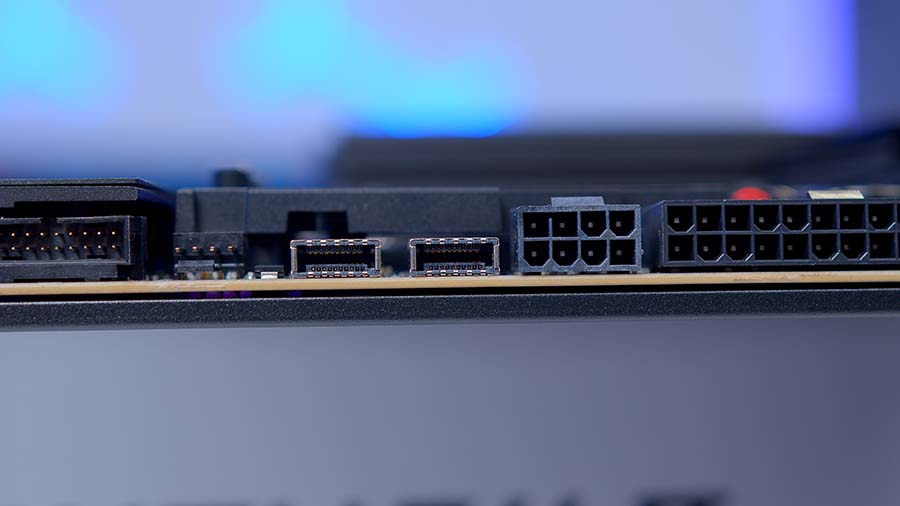
The selection of pump and fan headers is where things get interesting. These are located in the same spot as the USB headers and motherboard power. There is one CPU_Fan header and two Pump_Sys fan headers. This is all you get, along with JAF, MSI’s proprietary PWM/RGB header. This makes it reasonably clear why the hub is included with this motherboard, since there’s not much support for fans and coolers.
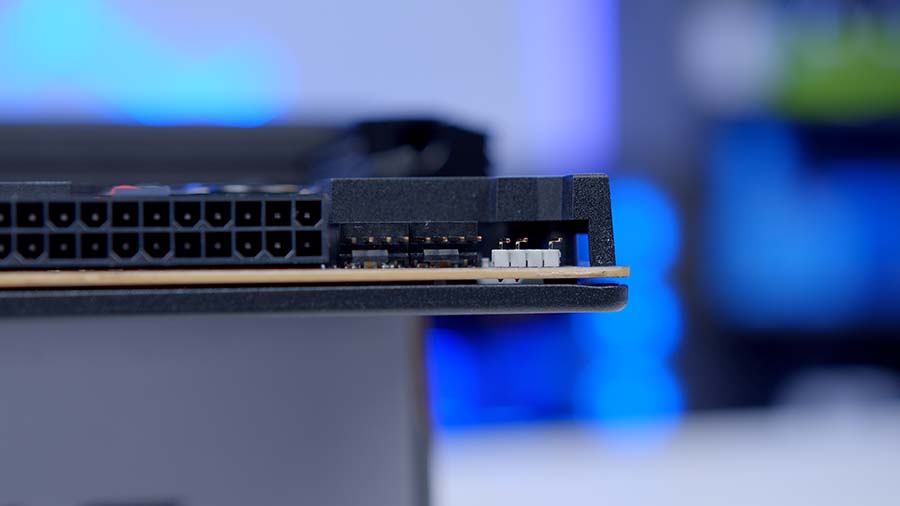
The fan hub has seven PWM headers and a DC header for a pump or AIO. There are also two 3-pin ARGB headers and a 4-pin RGB header for those with older RGB hardware. For enthusiasts planning to install multiple fans or coolers, using the hub is a must.
RGB Headers
For RGB, there is one 3-pin addressable header on the board, located next to the CPU and pump fans. This is, unfortunately, the only header on the board, which again forces builders to use the hub, unless you’re willing to use plenty of splitters instead.
Features We Like
Durable Design
One of the excellent qualities of the MEG X870E GODLIKE X is the fact that the board is incredibly durable. MSI has opted for a 10-layer PCB design and secured metal plating on the front and back of the board to minimise bending and wear and tear. This board is weighty, so it’s great to see that the GODLIKE X was well-designed to combat its size and encumbrance.
Comes with an M.2 Expansion Card
Even though there are already 5 M.2 drive slots on the board, MSI has gone above and beyond to maximise storage expansion. The XPANDER card offers two extra Gen5 slots. While this will be overkill for the vast majority of builders, it’s great to see such robust storage support.
Features We Don’t Like
Forces You To Use the Hub
While the included hub is a solid addition to buying this motherboard, it feels more like a requirement than an optional accessory. Because there are so few fan and RGB headers, you essentially have to use the hub. While this might not be a problem for some builds, clearance and cable management are two major factors that we believe will turn off some buyers.
Lacklustre Audio
The audio options on the MEG X870E GODLIKE X are somewhat disappointing. There are two 3.5mm jacks and an optical S/PDIF port; that’s all you have access to. While it’s great to see optical S/PDIF, the lack of any other 3.5mm inputs isn’t great for those with complex audio setups that require more than just a single input and output.
Conclusion
MSI MEG X870E GODLIKE X

Product Name: MEG X870E GODLIKE X
Brand: MSI
-
Features
-
Design
-
Performance
-
Value For Money
Summary
The MSI MEG X870E GODLIKE X is a top-end motherboard geared towards enthusiasts who need the best of the best. This board comes with the best high-end features that money can buy. It’s designed to handle tough overclocks, complex multi-core workloads, and high-framerate gaming without issue. It comes with a vast selection of expansion options, including GPU slots, storage, and USB ports, and the list goes on. The GODLIKE X is definitely a must-have if you’re looking to build a mighty system.
The main caveat, unsurprisingly, is that the GODLIKE X is incredibly expensive. For a board where no expenses have been spared when it comes to features, this means the GODLIKE X comes with a very hefty price tag, over $1000 in fact. This puts the MSI MEG X870E GODLIKE X in a niche category that might be considered overkill for the average enthusiast. If you want a no-expense-spared PC, the GODLIKE X is worth considering, but it’s worth noting that there are plenty of other excellent enthusiast-level boards that won’t cost as much as the GODLIKE X.
Pros
✅ Robust design
✅ M.2 Expansion Card
✅ Geared for high-performance
Cons
❌ Niche use case
❌ Ridiculously expensive
❌ Lacklustre audio options

![FI_[SR190] HYTE X50 Ryzen 5 9600X & MSI RTX 5070 Ti](https://geekawhat.com/wp-content/uploads/2026/01/FI_SR190-HYTE-X50-Ryzen-5-9600X-MSI-RTX-5070-Ti-551x431.jpg)
![FI_[DP064] ASUS Prime AP303 + 9070XT](https://geekawhat.com/wp-content/uploads/2026/03/FI_DP064-ASUS-Prime-AP303-9070XT-551x431.jpg)
![FI_[DM93] Corsair 3200D Launch](https://geekawhat.com/wp-content/uploads/2026/03/FI_DM93-Corsair-3200D-LAUNCH-551x431.jpg)