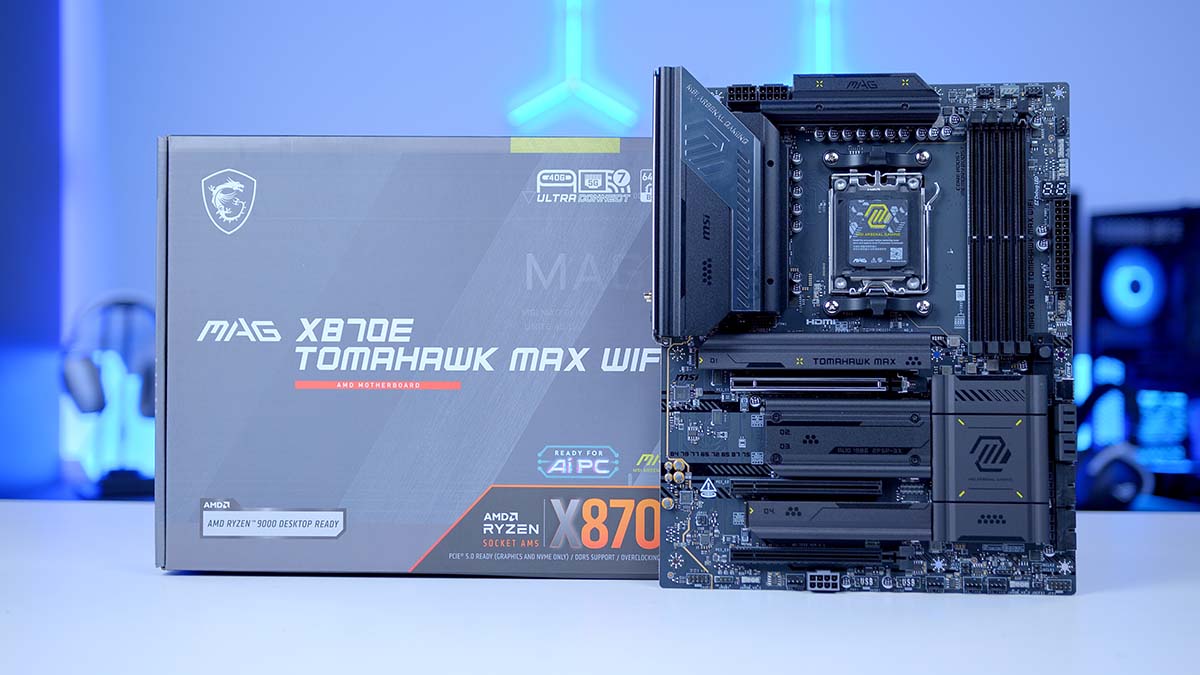
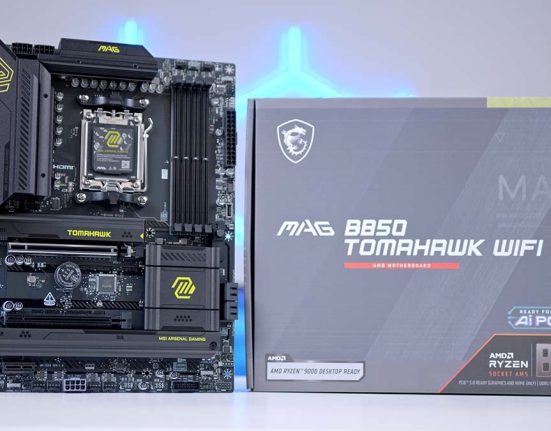
The MSI MAG X870E TOMAHAWK MAX WiFi is a high-end motherboard, designed to offer builders a robust set of features but without breaking the bank. This board is geared toward enthusiasts and top-end system builders looking for a rich selection of high-quality expansion and connectivity options. USB 4 and PCIE 5.0 are just a couple of mainstream features that this board offers, making it worth consideration for a modern gaming PC build.
This review does a deep dive on the MSI MAG X870E TOMAHAWK MAX WiFi, delving into the specs, accessories and additional gadgets, expansion and connectivity options, internal headers, design, and features. This article forges a balanced overview of the pros and cons of this particular motherboard, helping you decide whether it’s a worthwhile pickup for your next build.
Specification
At first glance, the MAG X870E TOMAHAWK MAX is an ATX motherboard, which is he most common size on the market. As this is an ATX design, it should have no problem slipping into an existing Mid-Tower Case without any clearance issues. For RAM, the MAG X870E TOMAHAWK MAX WiFi offers a maximum capacity of 256GB clocked at 8400MT/s. This is a fairly standard configuration and one we’re used to seeing on modern motherboards.
For PCI-E expansion, this board provides a single PCI-E 5.0 link running at full x16 speed. This is where you’ll plug in your graphics card, as the topmost slot offers the best bandwidth, while the other two only run at Gen4 and Gen3 speeds. Storage is pretty solid, with four M.2 slots in total, two Gen5 and two Gen4. I feel four slots are going to be more than ample for most gamers, so the four slots on offer here will cater to a massive range of builders.
| Specification | MSI MAG X870E TOMAHAWK MAX WiFi |
|---|---|
| Form Factor | ATX |
| Supported Memory | 256GB DDR5 8400MT/s |
| PCI-E x16 Slots | 1 x PCI-E 5.0 1 x PCI-E 4.0 1 x PCI-E 3.0 |
| PCI-E x4 Slots | 2 x PCI-E 5.0 2 x PCI-E 4.0 |
| VRM Power Phases | 14+2+1 |
| Front IO | 1 x USB 3.2 Gen2 Type-C 4 x USB 3.2 Gen1 Type-A 4 x USB 2.0 |
| Rear IO | 3 x USB 3.2 Gen1 Type-A 2 x USB 3.2 Gen2 Type-A 1 x USB 3.2 Gen2 Type-C 2 x USB 4.0 Type-C 4 x USB 2.0 |
| Audio | 2 x Audio Jacks Optical S/PDIF |
| Networking | MSI MAG X870E TOMAHAWK MAX WiFi |
For the internal USB headers, again, this is a pretty basic configuration overall. There are five headers: three offer blazing-fast speeds, and the remaining two are USB 2.0. While I’d prefer to see more headers, most builders will be able to make do with the selection here, or in a worst-case scenario, use splitters.
The rear IO offers a much stronger selection than the front. The vast majority of the USB ports here are high-speed, with only four USB 2.0 ports. It’s also great to see the inclusion of USB 4 Type-C ports, which are typically reserved for more expensive motherboards. Audio is a bit lacking, with only two 3.5mm jacks and optical S/PDIF. While the optical S/PDIF is handy for soundbars and speakers, the 3.5mm in and out jacks aren’t great for more complex audio setups.
The last portion of the rear IO to cover is the networking. There’s onboard WiFi 7 and 5-Gigabit LAN. If you have a supporting router, WiFi 7 offers incredible speeds and stability. However, the 5 Gigabit LAN is an excellent alternative if you’d prefer a hardline connection.
What’s in the Box?
It’s typical for motherboard manufacturers to include additional accessories or gadgets to assist you during the build process or save you money on cable splitters or extensions. The MSI MAG X870E TOMAHAWK MAX WiFi comes with a few extras worth highlighting. The first of which is the WiFi antenna. Any motherboard that offers integrated WiFi will come with a set of antennas to plug in. Fortunately, the antenna here uses a snap-in mechanism, making it quick to install without having to screw anything in.
MSI includes a JAF-to-PWM and RGB cable. JAF is MSI’s proprietary header that combines PWM and ARGB into a single header, freeing up space for other components that are likely to use these headers.
The EZ front panel cable included with this motherboard is handy for first-time builders. It converts the JFP1 front panel pins into an individual header, making it much easier to plug in if you’re not familiar with the pin layout.
The last few items in the box are handy to keep, but using them will be situational. There are two SATA data cables, great for those with SATA-based hard drives or SSDs. There is an M.2 standoff remover, useful if you need to adjust the standoff location with smaller M.2 drives. Additionally, MSI includes a USB drive which comes with pre-installed drivers for the motherboard. If you don’t have a second device to download the drivers, the included USB is, again, worth keeping.
MSI MAG X870E TOMAHAWK MAX WiFi Design
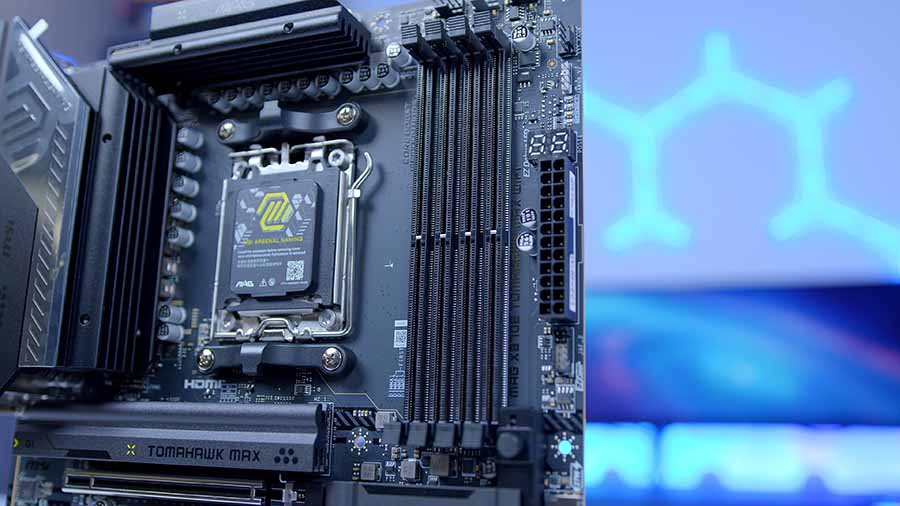
Despite being one of the pricier motherboards on the market, the MAG X870E TOMAHAWK MAX WiFi is fairly plain when it comes to its design. This board is predominantly black, with some green MAG-branded livery on some of the heatsinks. TOMAHAWK boards are definitely the more minimalistic of MSI’s offerings, so it’s no surprise to see this motherboard take a stealthier approach than a much brighter board like the PZ version of the TOMAHAWK MAX.
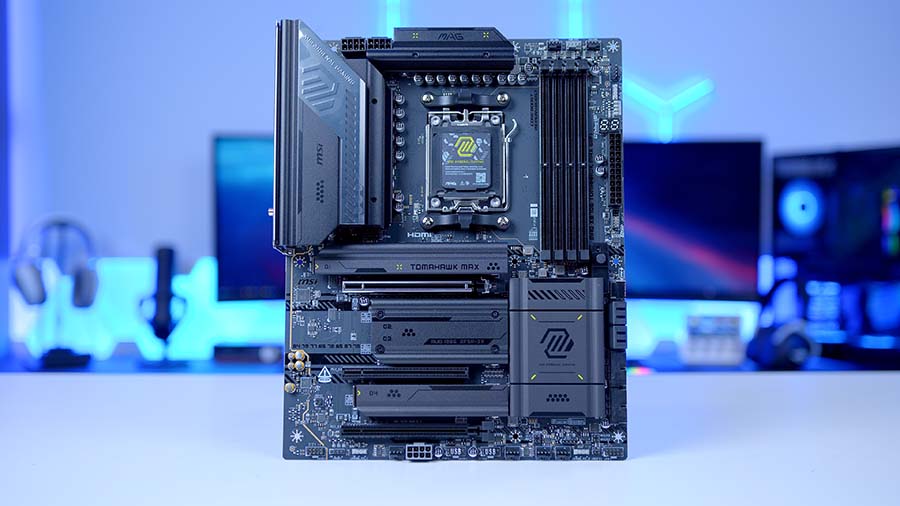
Three large heatsinks cover the M.2 drive bays; you’ll need a Phillips screwdriver to remove the middle heatsink, while the top and bottom are tool-less. It’s great to see some tool-less features on this board, as they will make building a system with it much easier. There are also two larger heatsink sets covering the VRMs, providing cooling for the CPU power delivery.
There’s not much else to say about the aesthetic of the TOMAHAWK MAX WiFi motherboard. While the black design is consistent and provides a simple look that will blend well with an office setup, it might be considered a bit boring for a gaming build. If you’re going for an all-black system, the TOMAHAWK MAX WiFi will work well, but I’d say it’s pretty basic compared to boards from other brands.
Connectivity Options
Graphics Card Slots
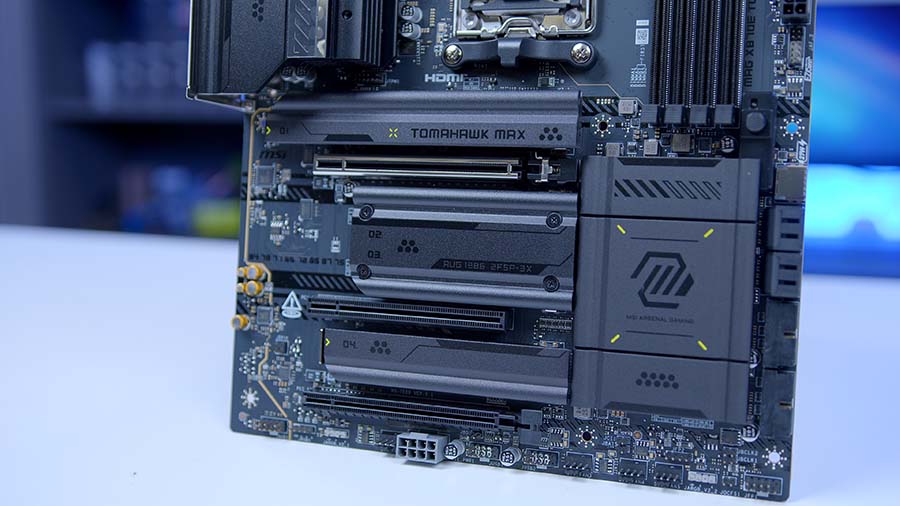
As we’ve alluded to in the specs section of this article, the MSI MAG X870E TOMAHAWK MAX WiFi features a single primary graphics card slot, rated for PCI-E 5.0 speeds. The remaining two GPU slots run at PCI-E 4.0 and PCI-E 3.0 speeds. While this can accommodate a networking card or a USB expansion card, it only allows one graphics card. This isn’t uncommon for this board, however, as dual high-speed PCI-E slots tend to be limited to the most expensive motherboards.
MSI has provided PCI-E supplemental power on this motherboard. While the vast majority of gamers won’t need this, those pushing their PCs with AI workloads will benefit from increased power delivery, enabling sustained performance.
M.2 Slots
There are four M.2 slots in total on the MAG X870E TOMAHAWK MAX WiFi. Two Gen5 and two Gen4. This is a pretty standard configuration for an X870E motherboard, as manufacturers tend to prioritise more room for higher-end motherboards. The top two slots are Gen5, while the bottom two are Gen4, providing some solid separation between the two. The heatsink will need to be removed on slots 2 and 3 to use them, and this is one of the only heatsinks that isn’t tool-less, so you’ll need a Phillips screwdriver to remove it.
RAM DIMMs
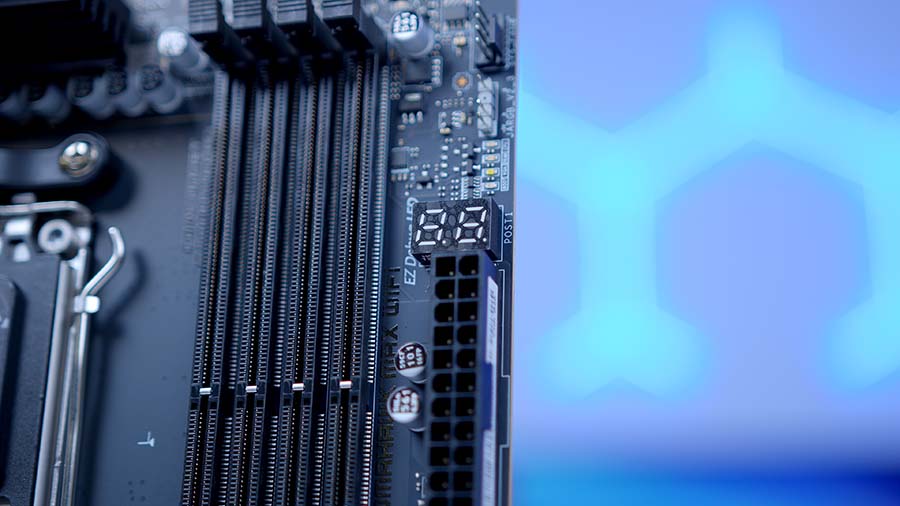
For RAM, again, this board offers a fairly standard configuration, with a complete set of four DIMM slots rated at 8400MT/s. Most motherboards tend to cap out around this speed, unless the board is specifically designed for overclocking, in which you can expect a bit more oomph. The max capacity on the MAG X870E TOMAHAWK MAX WiFi is 256GB. While I can’t imagine most gamers will be looking to pick up 256GB of RAM, it’s an alternative if you’re building a top-end system.
Rear IO
The rear IO is an area of connectivity in which the MAG X870E TOMAHAWK MAX WiFi thrives. In total, there are 13 ports. Four are USB 2.0, four are USB 3.2 Gen1, and two are USB 3.2 Gen2 type-A. The remaining rear USB ports are USB-C: two USB 4.0 ports and one USB 3.2 Gen2 port. To summarise, there’s a massive amount of blazing-fast IO to utilise.
Alongside these ports, you’ll find snap-in WiFi 7 antennas, a 5-Gigabit Ethernet port, two 3.5mm jacks, and an optical S/PDIF out. The networking options here are fantastic. WiFi 7 is incredibly fast when you connect to a WiFi 7 router with a supported device. The same applies to the 5 Gigabit LAN port, which offers greater stability than WiFi. While the audio selection here isn’t particularly impressive, the optical S/PDIF output provides options for those with a speaker setup or a soundbar. We’d like to see a better set of audio ports, but we understand that, given how many ports there are, there needs to be a sacrifice somewhere.
Internal Headers
CPU and Motherboard Power
Moving on to power configuration, the MAG X870E TOMAHAWK MAX WiFi features two 8-pin EPS CPU connectors and a standard 24-pin motherboard power connector. The CPU power connectors are situated at the top-left of the motherboard and offer stable power delivery for your system. We always advise plugging in both connectors where possible to ensure smooth power delivery.
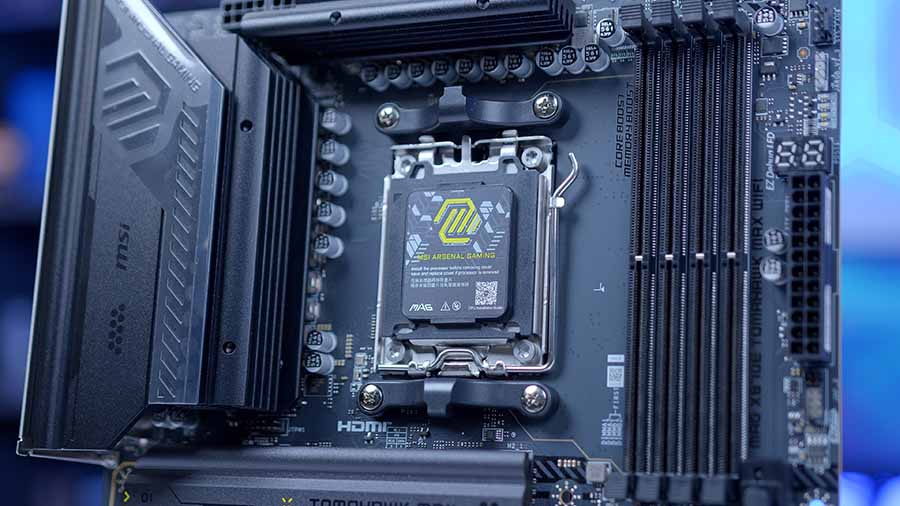
On the right side of the PCB is where you’ll find the motherboard power connector. There’s nothing much to say about this. Motherboard power has utilised the same 24-pin standard for years, and it’s unlikely to change any time soon.
Front USB Headers
For the front USB selection, there are two USB 3.2 Gen1 headers, two USB 2.0 headers, and one USB Type-C header. Typically, USB-C and USB 3 are located on the right side, as on this particular motherboard. USB-C sits below the motherboard power, while USB 3 sits slightly lower. It’s nice to see the use of two USB 3.0 headers, but I think there should be more USB 2.0 headers across the board.
With USB 2.0 devices becoming much more commonly used, like for fan or cooler software control, RGB lighting control, and even components like additional LCD screens. For this reason, I feel higher-end motherboards, especially a board like the MAG X870E TOMAHAWK MAX WiFi, should feature more USB 2.0 headers to accommodate this.
Pump and Fan Headers
Fan and cooling support is another area where the MAG X870E TOMAHAWK MAX WiFi offers a bountiful selection of headers. There are a total of eight headers: one CPU_Fan, one Pump_Sys fan, and six additional Sys_Fan headers. There are four at the top-right, and the remaining four span the width of the motherboard at the bottom. As this is an MSI motherboard, you can also leverage the JAF1 header, which is handy if you have MSI components or limited header space.
RGB Headers
Last but not least is RGB. Most motherboards nowadays tend to offer two to three headers, and fortunately, the MAG X870E TOMAHAWK MAX WiFi has three. There is one towards the top-right and two at the bottom of the motherboard. Three may be limiting if you have plenty of RGB headers and no splitters, but this should be enough for most gamers.
Features We Like
Q-Code & Debug Lights
Diagnosis and troubleshooting are often a significant part of PC building, especially if you’re building a system for the first time. Fortunately, the MSI MAG X870E TOMAHAWK MAX WiFi features a Q-Code LED and debugging lights to help streamline this process. This will help you narrow down the root cause of a problem and fix it quickly.
Excellent Cooling Support
It’s not every day that you’ll find eight headers on a motherboard for pumps and fans. This is a reasonably impressive feature, and although most gamers won’t need that many, it opens up options for those with high-end builds, especially if you’re teetering into the custom liquid loop territory and have plenty of parts that need a free PWM header.
Features We Don’t Like
Not Enough USB 2.0 Headers
USB 2.0 is becoming increasingly popular in new components, and motherboard manufacturers need to supplement this by offering more USB 2.0 headers on their latest boards. However, the MAG X870E TOMAHAWK MAX WiFi misses the mark when it comes to USB 2.0. There’s just not enough here to supply a full-fledged build with plenty of USB 2.0 components.
Not Fully Tool-Less
While there are quite a few tool-less features on this motherboard, the middle heatsink cover for the M.2 SSDs requires a screwdriver. It just feels a bit cheap that MSI would go to the lengths of providing a wide range of tool-less features, but then leave out this heatsink.
Conclusion
MSI MAG X870E TOMAHAWK MAX WiFi
Product Name: MAG X870E TOMAHAWK MAX WiFi
Brand: MSI
-
Features
-
Design
-
Performance
-
Value For Money
Summary
The MSI MAG X870E TOMAHAWK MAX WiFi is a strong addition to the MSI motherboard line-up. An addition that treads the the line between performance and functionality to a tee. Whether it’s the bountiful rear IO options, support for cooling and fans, M.2 expansion, or the troubleshooting and diagnostic options that streamline PC building, the TOMAHAWK MAX WiFi strikes a near perfect balance and is a great all-round option to consider moving forward.
There are some caveats ton consider, however, the lack of USB 2.0 headers and the fact that the board isn’t fully tool-less. While neither of these are particular dealbreakers, their admission does feel like a slight misstep on MSI’s part. Especially when considering, features such as fully tool-less design are rapidly becoming market norms.
That being said, the MSI X870E TOMAHAWK MAX WiFi is another solid iteration of the TOMAHAWK design and is a worthy consideration for any PC Build in 2026!
Pros
✅ Bountiful rear IO
✅ Ample cooling support
✅ Diagnosis and troubleshooting tools
Cons
❌ Lack of USB 2.0 headers
❌ Not entirely tool-less
❌ Fairly boring design

![FI_[SR190] HYTE X50 Ryzen 5 9600X & MSI RTX 5070 Ti](https://geekawhat.com/wp-content/uploads/2026/01/FI_SR190-HYTE-X50-Ryzen-5-9600X-MSI-RTX-5070-Ti-551x431.jpg)
![FI_[DP064] ASUS Prime AP303 + 9070XT](https://geekawhat.com/wp-content/uploads/2026/03/FI_DP064-ASUS-Prime-AP303-9070XT-551x431.jpg)
![FI_[DM93] Corsair 3200D Launch](https://geekawhat.com/wp-content/uploads/2026/03/FI_DM93-Corsair-3200D-LAUNCH-551x431.jpg)