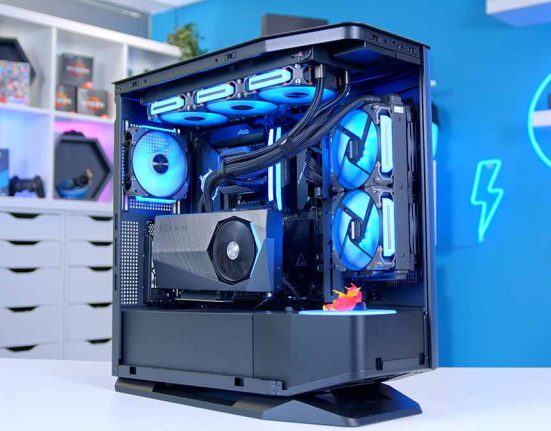
When Cougar unveiled the CFV235 series at Computex 2025, it wasn’t just another chassis launch; it was a statement. By rethinking the familiar fishtank-style layout and introducing a bold horizontal division, Cougar gave airflow management a fresh identity. The result is a case that doesn’t just look different, but feels engineered to breathe more efficiently from the ground up.
The CFV235 serves as the foundation of this lineup, but Cougar didn’t stop there. Alongside the base model, they released three distinct variants, each with its own spin on the base model’s design. In this review, we’ll be focusing on the CFV235 Vision, exploring how it builds on the core concept. We’ve had hands-on time with the Vision, even creating a gaming system inside to see how theory translates into practice. We’ll break down its specifications, compare it against the other CFV235 models, dive into Cougar’s design choices, and share what the building experience was really like, all before wrapping up with our final thoughts and feelings!
Buy the Cougar CFV235 Case on:
Specification
The Cougar CFV235 case is a mid‑tower that measures 460 mm in length, 493 mm in width, and 235 mm in height. It is compatible with ATX, Micro‑ATX, and Mini‑ITX motherboards. The CFV235 offers generous clearance across the board. It accommodates any current graphics card and supports GPUs up to 430 mm in length. Power supplies up to 200 mm fit comfortably within the chassis, while CPU air coolers and water blocks have a maximum height allowance of 170 mm. Should you wish to mount a radiator, both the top and bottom panels can accommodate up to 360 mm units, while the rear panel supports a 120 mm radiator. The chassis comes with pre‑installed fans or fan units; however, this is case‑dependent (see below for details).
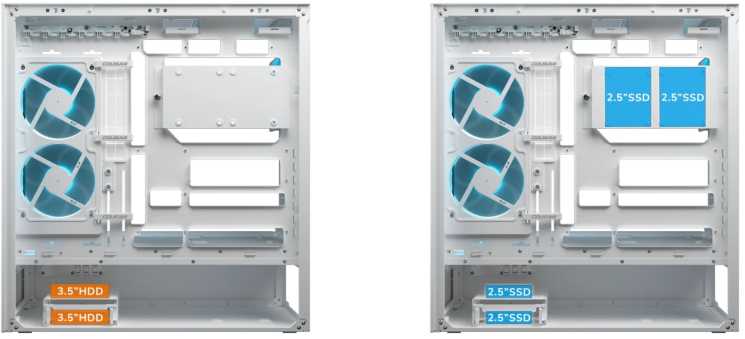
In terms of storage, the CFV235 provides mounting options for both 2.5‑inch SSDs and 3.5‑inch HDDs, giving builders flexibility to balance speed and capacity. Drive cages and brackets are positioned to avoid interference with GPU clearance, ensuring that even large cards can coexist with multiple storage devices.
On the front I/O, there is a good selection of mid‑range USB ports, with two standard USB Type‑A ports and one high‑speed USB Type‑C port running at 20 Gbps, along with a headset jack, an RGB control button, and a power button for your system.
| Specification | Cougar CFV235 |
|---|---|
| Form Factor | Mid‑Tower |
| Motherboard Support | ATX, Micro‑ATX, Mini‑ITX |
| Case Dimensions (L x W x H) | 460 × 493 x 235 mm |
| Front IO | 2 × USB 3.0 Type-A 1 × USB 3.2 Gen 2×2 Type-C 1 x 4 Pole Headset Audio Jack RGB Button Power Button |
| PCI‑E Slots | 7 x Horizontal 2 x Vertical |
| Colour | Black | White |
| Max Clearance | 170 mm Cooler Height 430 mm GPU Length 200 mm PSU Length |
| Drive Support | Up to 2 + 2 × 2.5‑inch Up to 2 × 3.5‑inch |
| Fan Support | Top: 3 × 120 mm | 3 × 140 mm Front: No Support. Side: 2 × 120 mm Bottom: 3 × 120 mm Rear: 1 × 120 mm |
| Radiator Support | Top: Up to 360 mm Front: No Support. Side: Up to 240 mm Bottom: Up to 360 mm Rear: 120 mm |
| Pre‑Installed Fans | Side: 1 x Unity 240 ARGB PWM Rev fan unit Rear: 1 x 120 ARGB PWM fan |
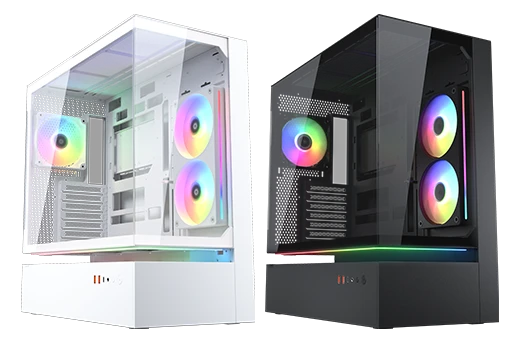
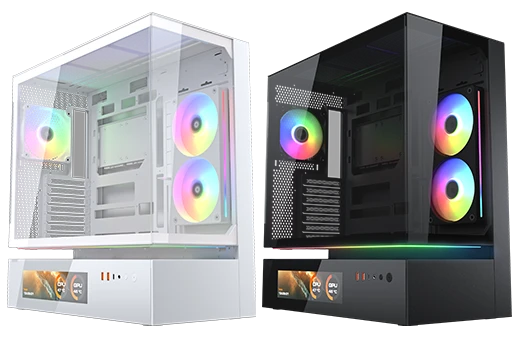
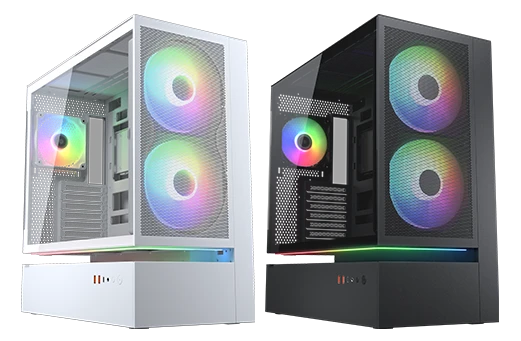
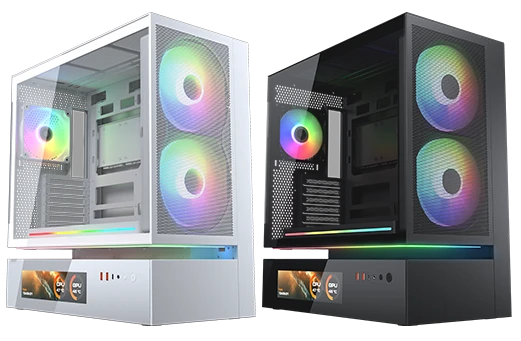
Cougar’s CFV235 lineup consists of four core configurations, each available in black or white, for a total of eight options.
- CFV235 (Base Model)
The standard CFV235 matches the specifications outlined in the table and has an MSRP of $139. - CFV235 Vision
Building on the base model, the Vision variant integrates a 9.16‑inch IPS TFT LCD screen into the chassis. This addition raises the MSRP to $219. - CFV235 Mesh
With an MSRP of $149, the Mesh variant introduces a 3‑in‑1 front panel module that combines a dust filter, dual pre‑installed 160 mm ARGB PWM fans, and a mesh panel for simplified maintenance. This version supports GPUs up to 400 mm in length. - CFV235 Mesh Vision
At an MSRP of $229, the Mesh Vision merges the features of the Mesh variant with the 9.16‑inch IPS TFT LCD screen. Like the Mesh, it includes dual 160 mm ARGB PWM fans, the integrated dust‑filter module, and GPU clearance of 400 mm.
With these four configurations and two colourways, the CFV235 series offers a total of eight distinct variants, ensuring builders can choose a model that balances aesthetics, airflow, functionality and desire.
Case Design
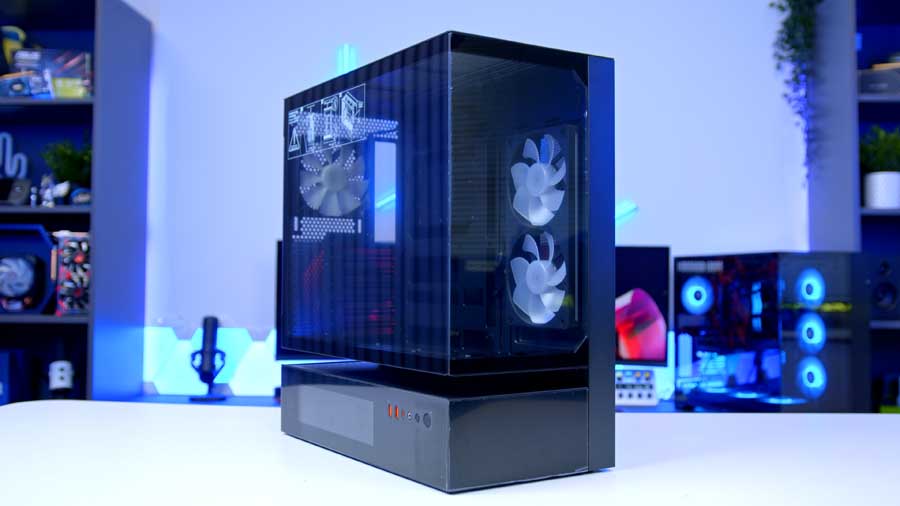
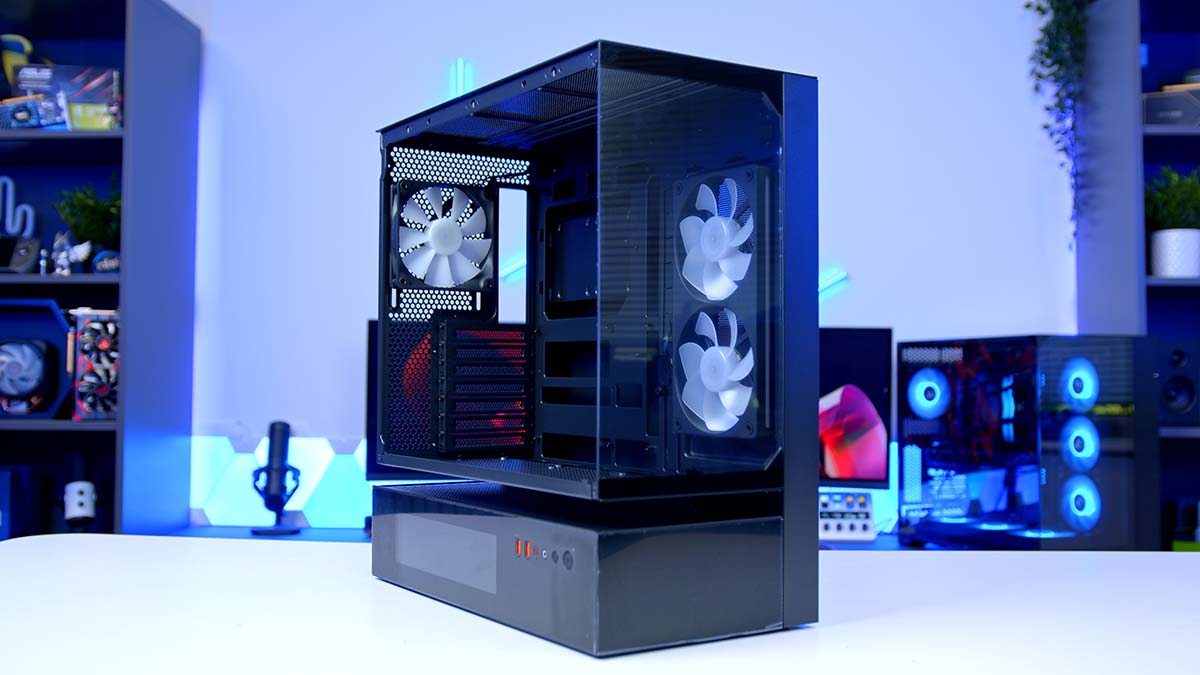
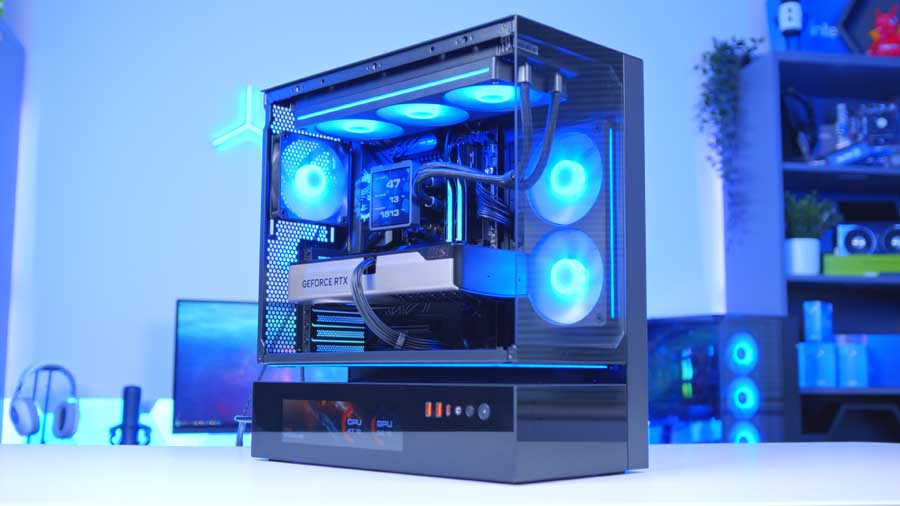
The Cougar CFV235 Vision is a striking mid‑tower built for enthusiasts who want both performance and flair. It is a dual‑chamber vertical layout defined by Cougar’s Central Floating Ventilation (CFV) Structure.
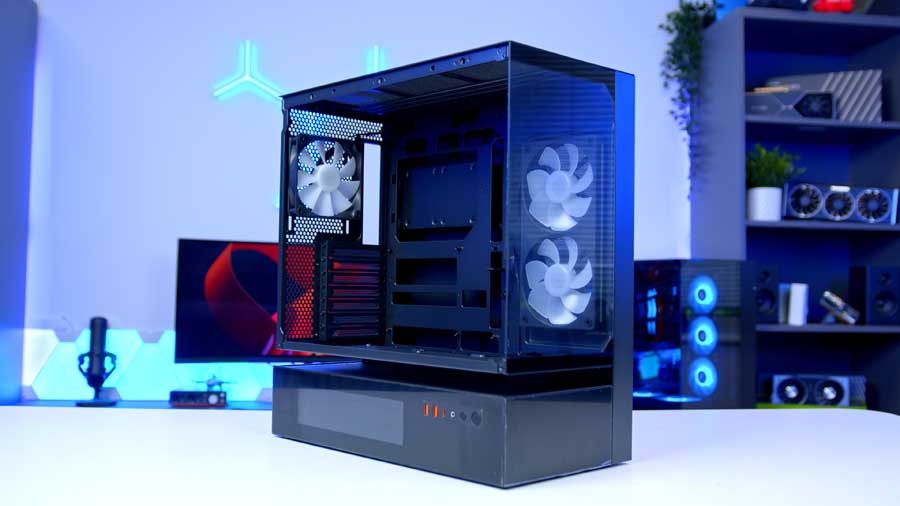
This architectural hollow separates the PSU from the bottom intake fans, creating a distinctive “floating void”. This not only contributes to the CFV235 series’s unique, progressive visual identity but also fundamentally improves cooling: it allows both the GPU and the PSU to draw in its own fresh air, resulting in cooler operation and more efficient thermal management.
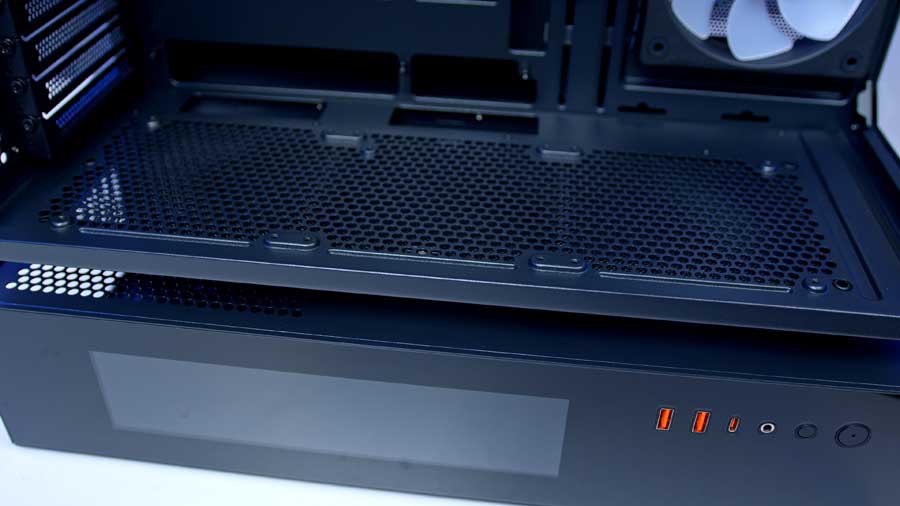
Structurally, the CFV235 is reinforced with a 1.5 mm‑thick steel frame, ensuring rigidity even with its suspended ventilation design. The front and side tempered glass panes complement its bold aesthetic, offering a wide viewing angle while still delivering impressive airflow for a case with glass panelling, likely thanks to the 270° airflow access the CFV designates. (During shipping, Cougar includes protective blocks to stabilise the hollowed sections, although we did find these a little challenging to reattach after removal.)
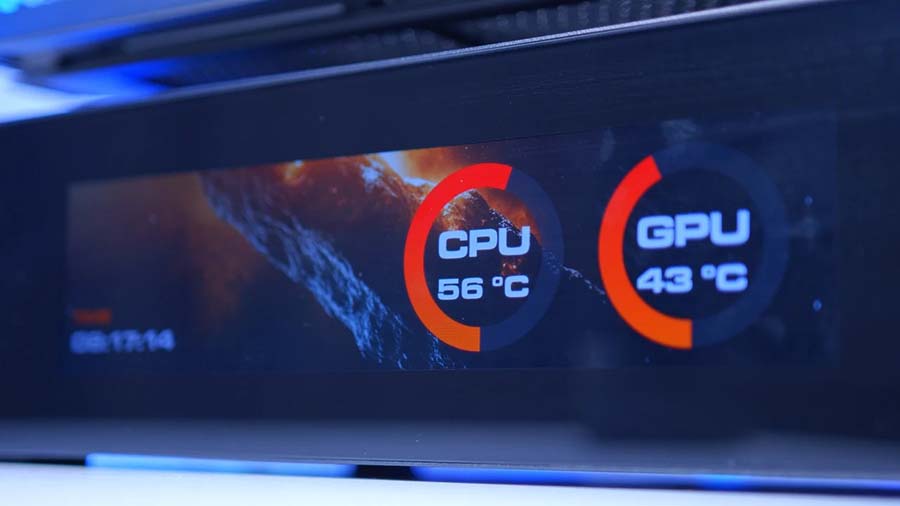
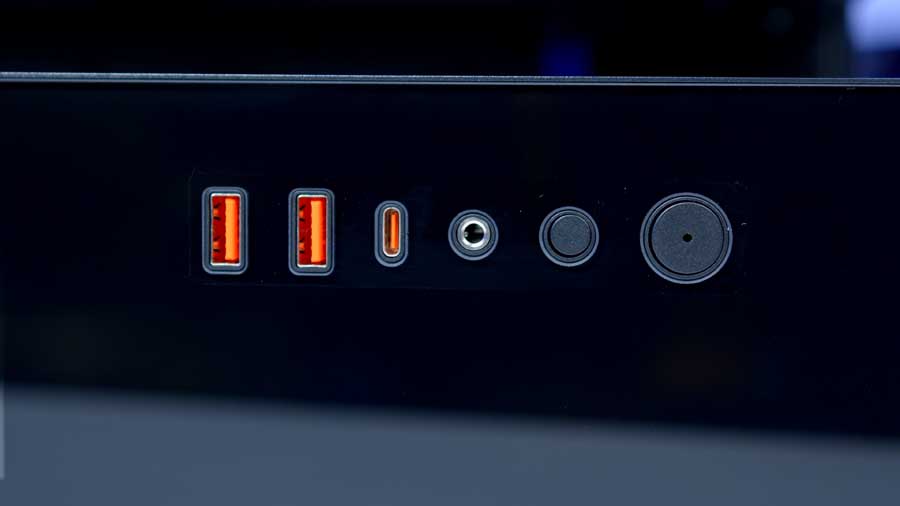
For those searching for something extra, the CFV235 Vision adds a digital twist with a 9.16‑inch IPS TFT LCD panel mounted at the bottom of the chassis, which the base model, the Cougar CFV235, lacks. Running at 1920×462 resolution and 60 Hz, the screen provides real‑time system readouts and customisable visuals, fully accessible through Cougar’s desktop control software. Situated on the right-hand side of the screen is the case’s front IO for easier access when placed on a desk.
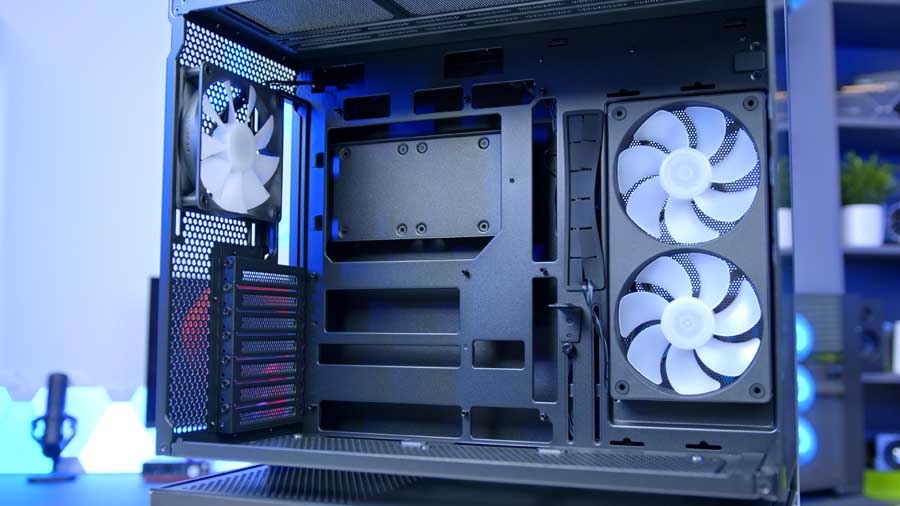
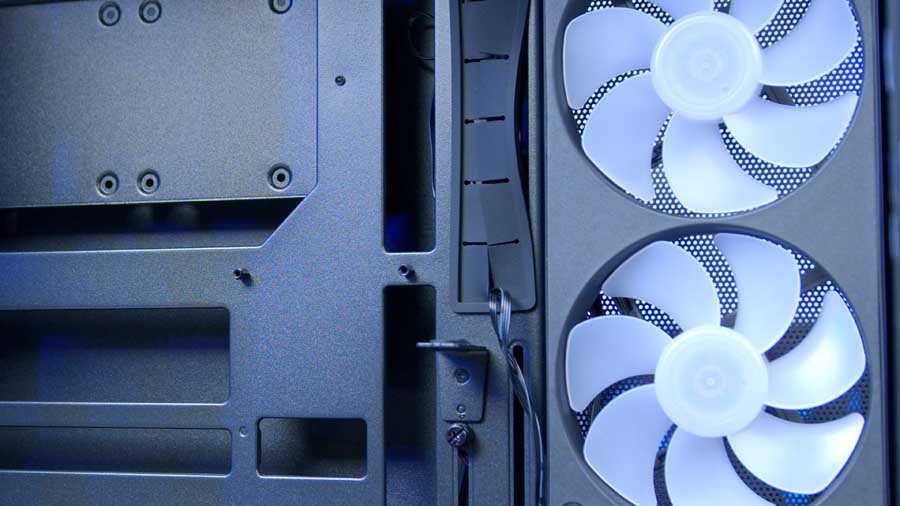
The motherboard tray can accommodate reverse-connector motherboards next to the tray. You’ll find an integrated GPU bracket to prevent sag under heavier graphics loads, making this case relatively future-proof.
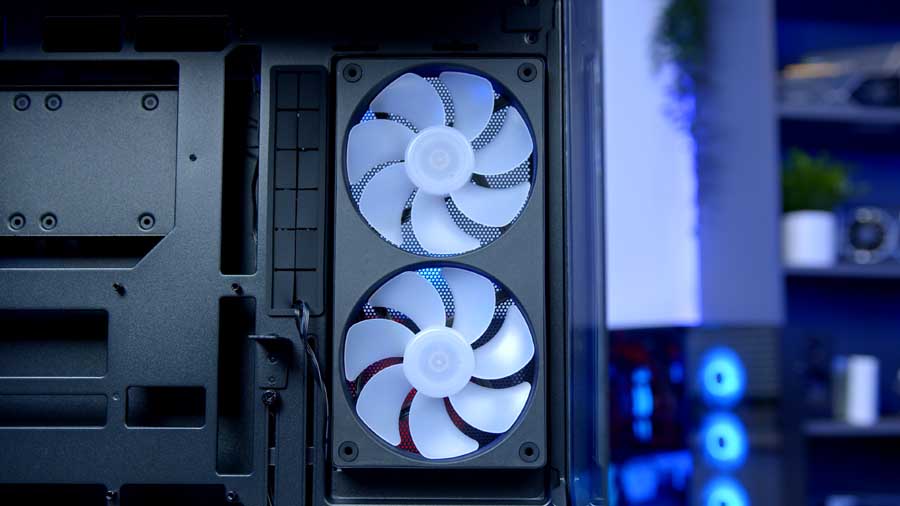
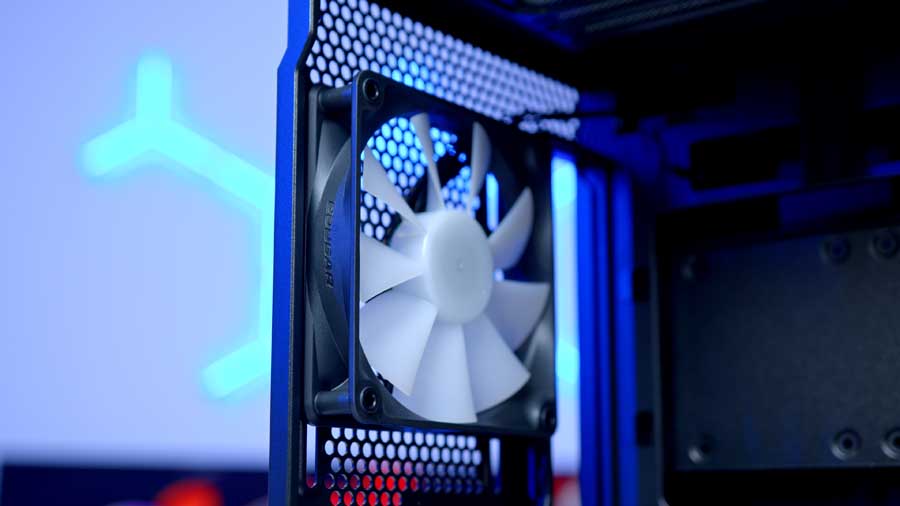
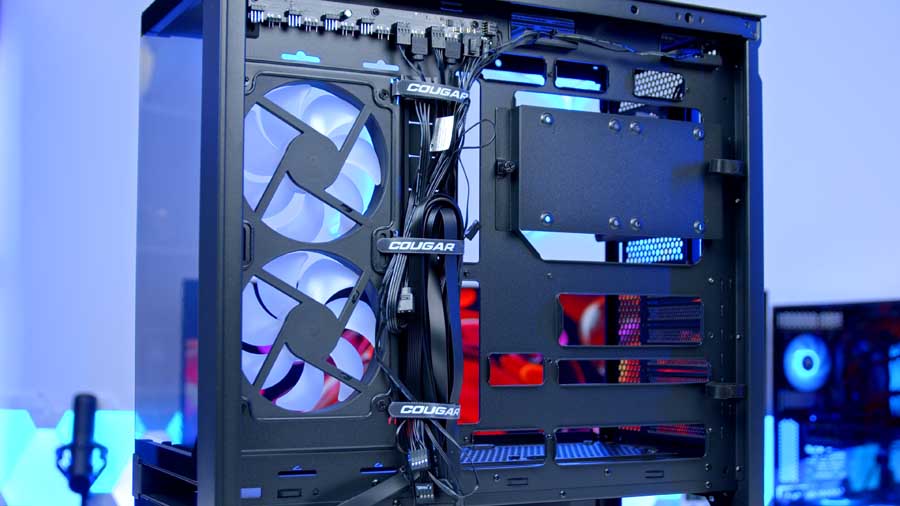
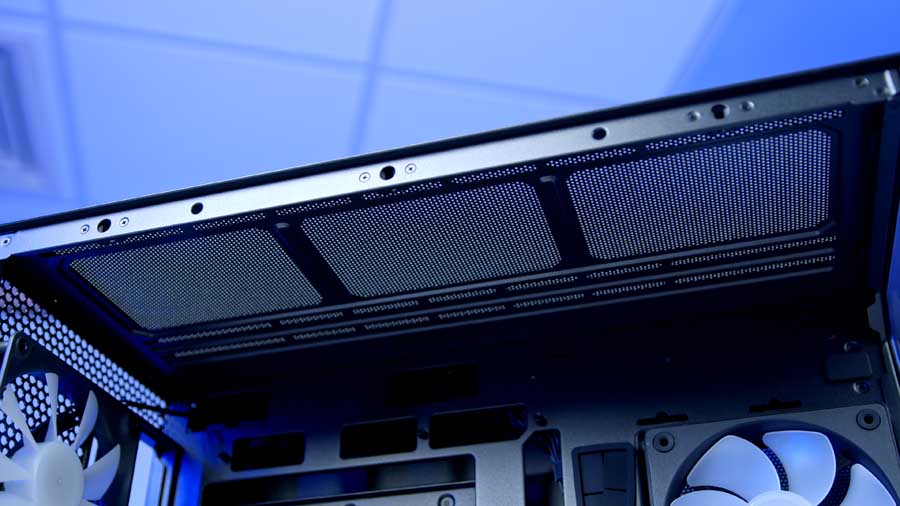
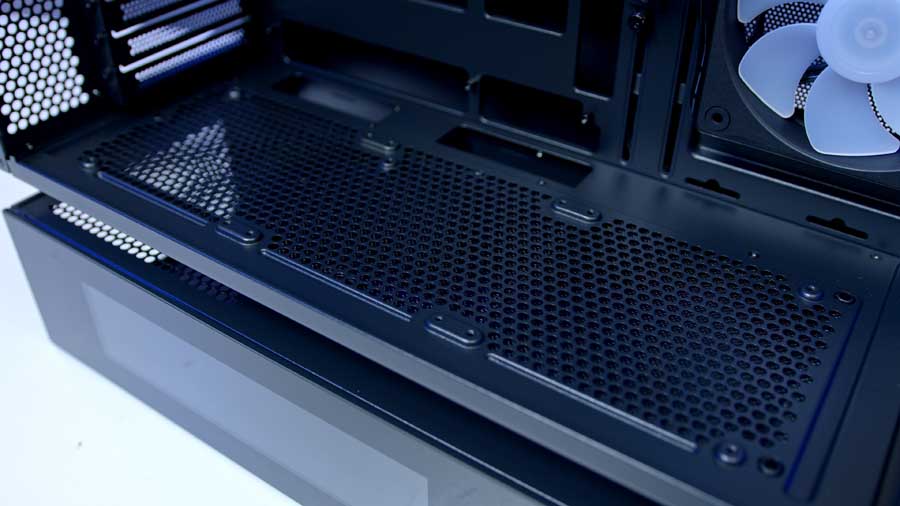
Out of the box, the CFV235 Vision includes a pre‑installed Unity 240 ARGB PWM-controlled fan on the side panel, one 120mm ARGB PWM-controlled fan on the rear panel, and an integrated fan/RGB hub, simplifying airflow control, cable management, and the overall build process. Two magnetic dust filters, one on the top panel and one on the bottom intake, further enhance usability, making cleaning and maintenance quick and hassle‑free later on. Finally, a complementary L-shaped Aurora RGB lighting strip brings the beauty of RGB lighting to the free-floating space and attaches magnetically to the underside of the CFV.
Building in the Case
Setting up in the CFV235 is straightforward in many respects. The standoffs come pre‑aligned for ATX motherboards, so installation is smooth right out of the box. Cougar also includes a handy, clearly labelled box of case screws, making it easy to identify the right fittings from the get-go. The pre‑installed Unity fan and integrated hub arrive pre‑wired, so airflow control is ready to go without additional setup. A dedicated radiator rail further simplifies liquid‑cooling installation, giving builders flexibility without the usual juggling of brackets; however, it could benefit from a pop-on, pop-off design for top marks.
That said, we did encounter a few quirks during assembly. The case’s cable cutouts are positioned in slightly awkward places, which made connecting specific headers on the MSI MPG X870E CARBON WiFi motherboard more challenging than expected. Clearance near the top of the tray is also tight, depending on your choice of CPU cooler, so it’s worth pre‑routing your AIO cooler cables and any other leads that connect along the motherboard’s upper edge before mounting the board itself. Doing so avoids the frustration of trying to squeeze connectors through limited space afterwards. Overall, while the CFV235 offers a solid and well‑equipped building experience, we feel that a bit of planning ahead makes the process much smoother!
Features We Like
Floating Structural Separation
This is a great adaptation of a similar structure we’ve seen before on the ASUS Prime AP202; however, this case is suitable only for mATX and mITX motherboards, and the case has a much smaller footprint in comparison. Nevertheless, I really like this futuristic design and approach that Cougar has taken, and it appears that their case should have better airflow due to its larger size and greater surface area for ventilation, plus 270° airflow access from within the suspended space!
ARGB Lighting Strip
The Aurora lighting strip is the perfect touch to top off the appearance of this case; it’s integrated within the Central Floating Ventilation structure from within, highlighting
this innovative feature and displaying it as an architectural reinvention. It’s included with the case and attaches magnetically for ease and convenience.
Magnetic Dust Filters
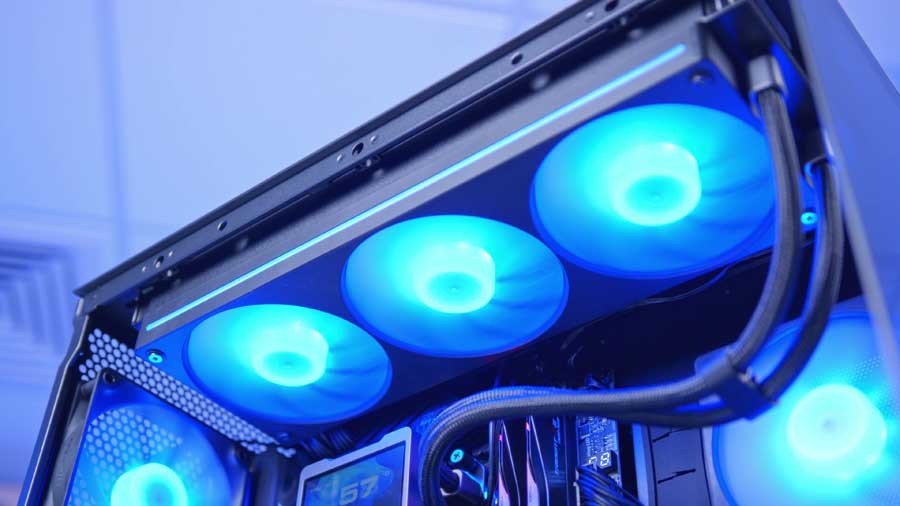
Cougar has made maintenance refreshingly simple with two magnetic dust filters – one on the top panel and one on the bottom intake. They snap into place securely but lift away with minimal effort, making cleaning and repositioning straightforward. For a case that encourages high airflow, dust management is critical, and these filters strike the right balance between accessibility and protection.
Model Variety
There’s plenty to choose from, ensuring your needs are met, whether airflow, digital monitoring, or aesthetics are the priority. The monochromatic finishes are understated yet versatile, allowing the case to blend into minimalist setups or stand out in RGB‑heavy builds.
Fan Units
The fans themselves are high‑quality units, delivering strong airflow and futuristic appearances with the ARGB strips along the sides. They ensure the case performs as well as it looks.
Architectural Strength
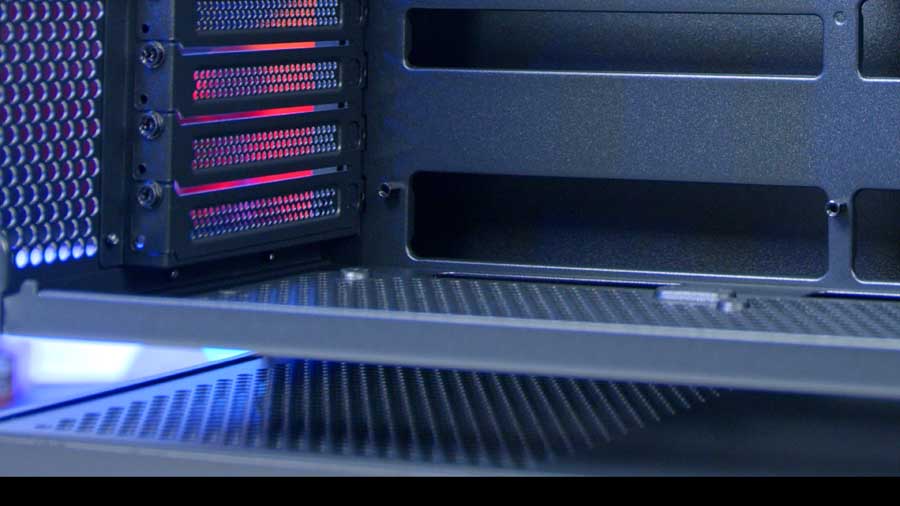
You can have faith that the chassis’s structure will not give way easily; a 1.5 mm‑thick steel frame supports heavy components and itself. It’s a case that feels solid in hand and inspires confidence for long‑term use.
Features We Don’t Like
Orange Accents
Whilst the colour orange aligns with Cougar’s brand theme, I feel the orange accents on the front IO ports are too bold and could disrupt the case’s overall aesthetics, as they are so vibrant and visible.
Slightly Chaotic Fanhub
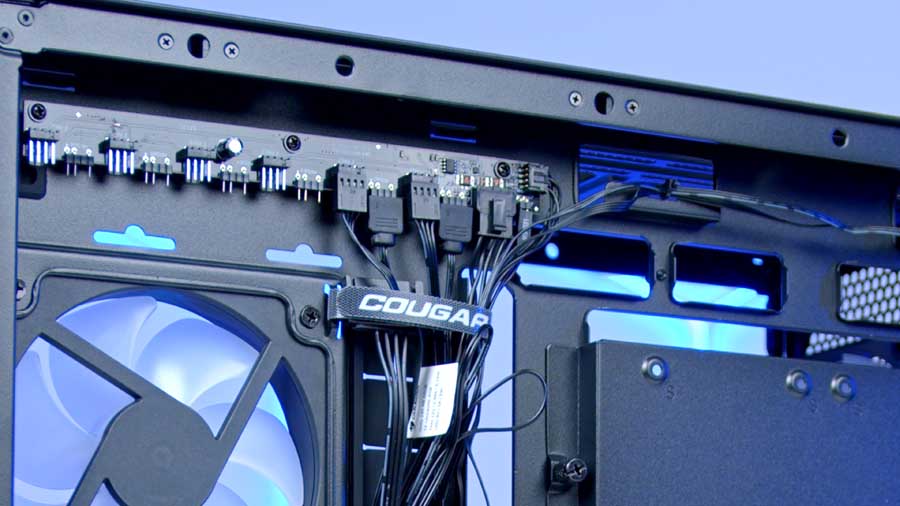
Despite the fanhub being pre-wired (which is incredibly handy), we do feel that it all looks somewhat chaotic, especially when you start to add in your own extra fans; it’s just not visually appealing, but Cougar have integrated a good cable routing and management system, which does help to keep that bulk of the chaos to a minimum.
Conclusion
Cougar CFV235 Vision Case

Product Name: CFV235 Vision
Brand: Cougar
-
Features
-
Design
-
Performance
-
Value For Money
Summary
Overall, Cougar’s latest case feels like a thoughtful culmination of lessons learned from past designs, with its floating aesthetic standing out as both impressive and practical. The engineering effort behind it is apparent, and the pricing feels fair for an enthusiast-grade case. However, if you’re looking to display content on a system screen, we’d suggest opting for a non-display model like the CFV235 or CFV235 Mesh, as the functionality and customisation don’t quite justify the extra cost. It is not a major enough issue for us to say that we don’t like the feature; it could probably use a little refining, as it is limited by the software Cougar has designed for it. Your money could be better spent on a CPU cooler that delivers strong performance and deeper personalisation than the LCD screen offers, especially when paired with this case’s airflow potential.
While we can’t verify airflow improvements against competitors, the overall execution leaves little room for complaint. The fan hub setup is a touch clunky, but this is a minor cavil with this otherwise brilliant chassis. Across the GeekaWhat team, the verdict is clear: this is a case we genuinely like, one that delivers on both design and value, with thoughtful accessibility touches such as magnetic dust filters and toolless panels rounding out the package
Pros
✅ Futuristic aesthetic
✅ Intuitively engineered
✅ Future-proofed and ready
Cons
❌ Vision model cost
❌ Global Case availability
❌ Lack of LCD features

![FI_[DM79] Cougar CFV325 + MSI RTX 5080 Expert Wide](https://geekawhat.com/wp-content/uploads/2025/11/FI_DM79-Cougar-CFV325-MSI-RTX-5080-Expert-Wide-551x431.jpg)